Edit milestone
Using the Edit feature, you can update details of an existing milestone in the CTMS library. A milestone represent key events in a clinical study’s lifecycle, such as subject enrollment, site openings, critical study visits, and much more. Editing a milestone, like its name, description, and other details, ensures it accurately reflects the latest study tracking requirements.
-
In the CTMS application header, select the LIBRARY tab.
-
On the page that opens, from the left pane, select Milestone Template.
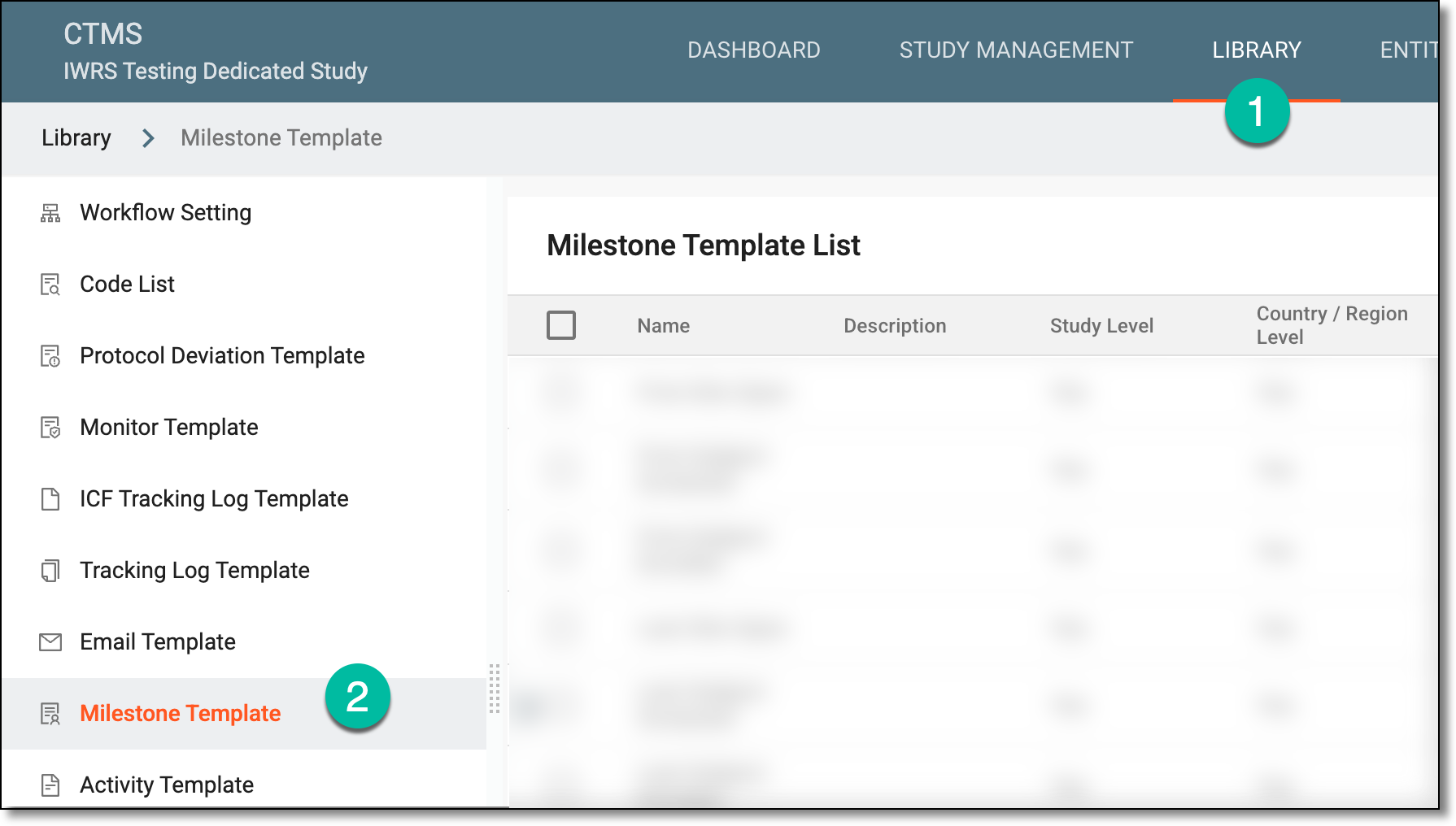 Figure 1. Accessing milestone template subtab
-
On the Milestone Template List page that opens, locate the needed milestone or milestones, and do any of the following:
-
Select the checkboxes next to multiple milestones, and then from the workspace toolbar, select Edit
 .
.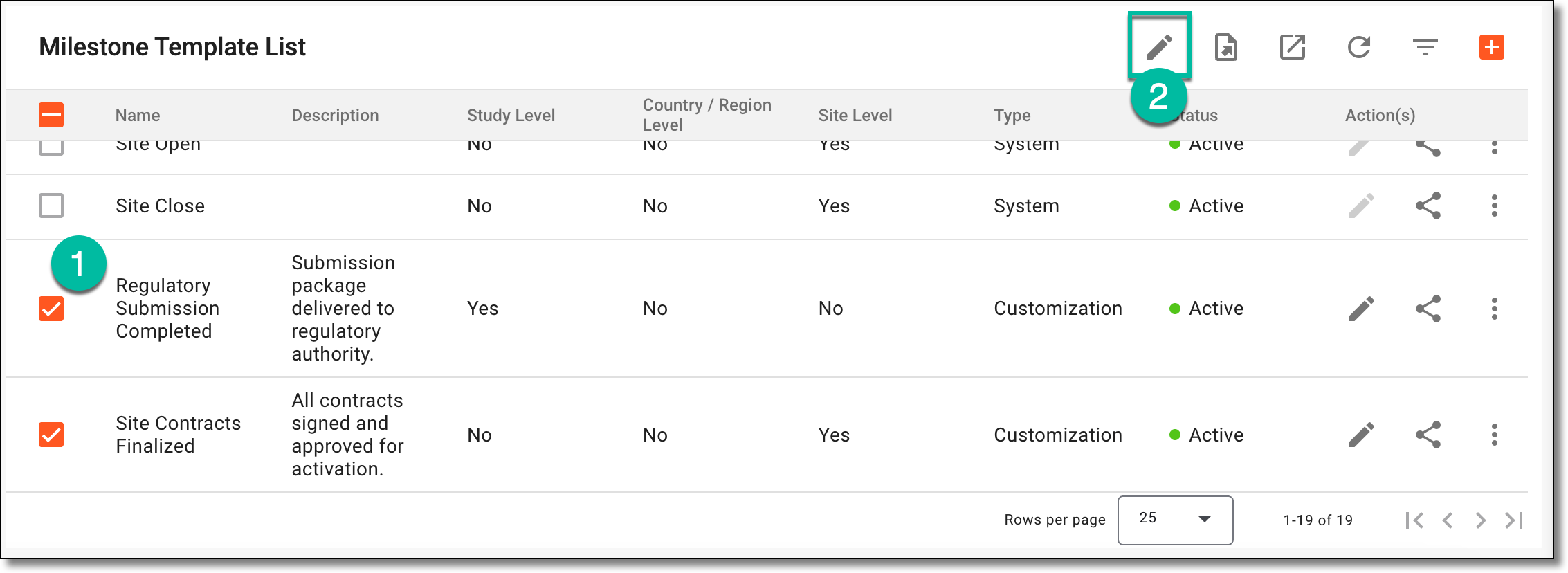 Figure 2. Editing multiple milestones
-
Next to a particular milestone, from the Action(s) column, select Edit
.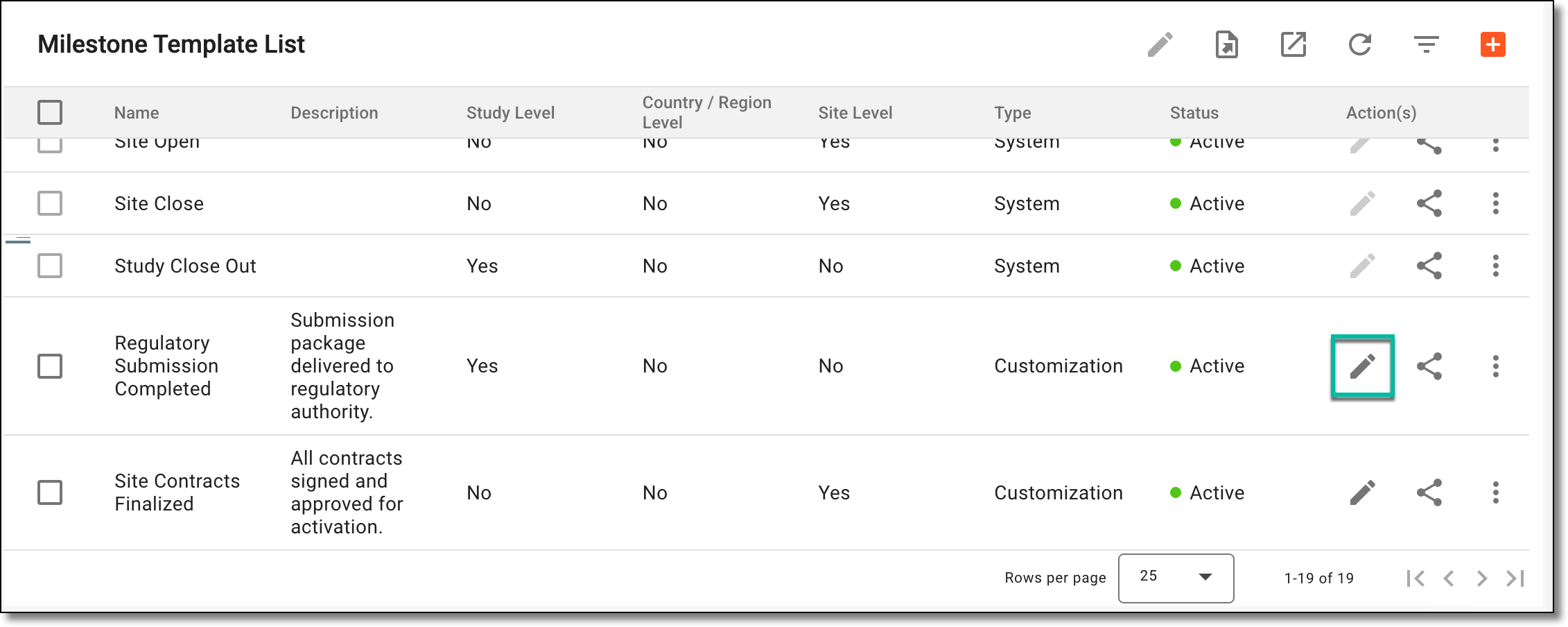 Figure 3. Editing particular milestone
-
-
In the dialog that opens, update the details of the milestone or milestones as explained in the following table.
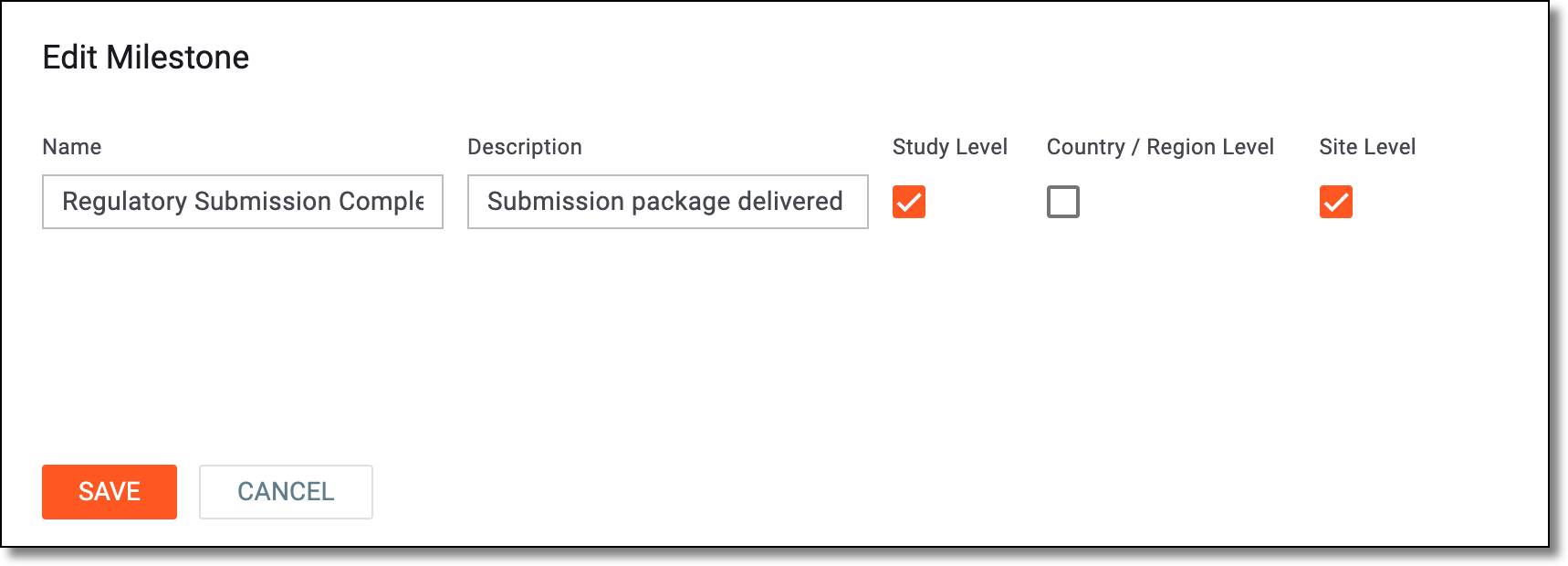 Figure 4. Updating milestone details
Element
Details
Name
Enter a unique name for the milestone.
Description
Enter the milestone's description providing additional details or clarification to the system users.
Study Level
Select the checkbox if you want to add the milestone to your current study in which you are working.
Country/Region Level
Select the checkbox to add the milestone to all the countries and regions where the study is held and which are referenced in the system.
Site Level
Select the checkbox to add the milestone to all the sites of the study.
SAVE
Select
 to implement the changes and update the milestones.
CANCEL
Select
 to dismiss your changes without saving.
Once saved, the milestone or milestones are saved and updated.