Activate/Inactivate milestone
In the CTMS library, you can manage the status of a milestone in the CTMS library. A milestone represent key events in a clinical study’s lifecycle, such as subject enrollment, site openings, critical study visits, and much more. Activating a milestone makes it available for use in studies, while inactivating it removes it from active use without deleting it—helping maintain a clear and relevant set of milestones.
-
In the CTMS application header, select the LIBRARY tab.
-
On the page that opens, from the left pane, select Milestone Template.
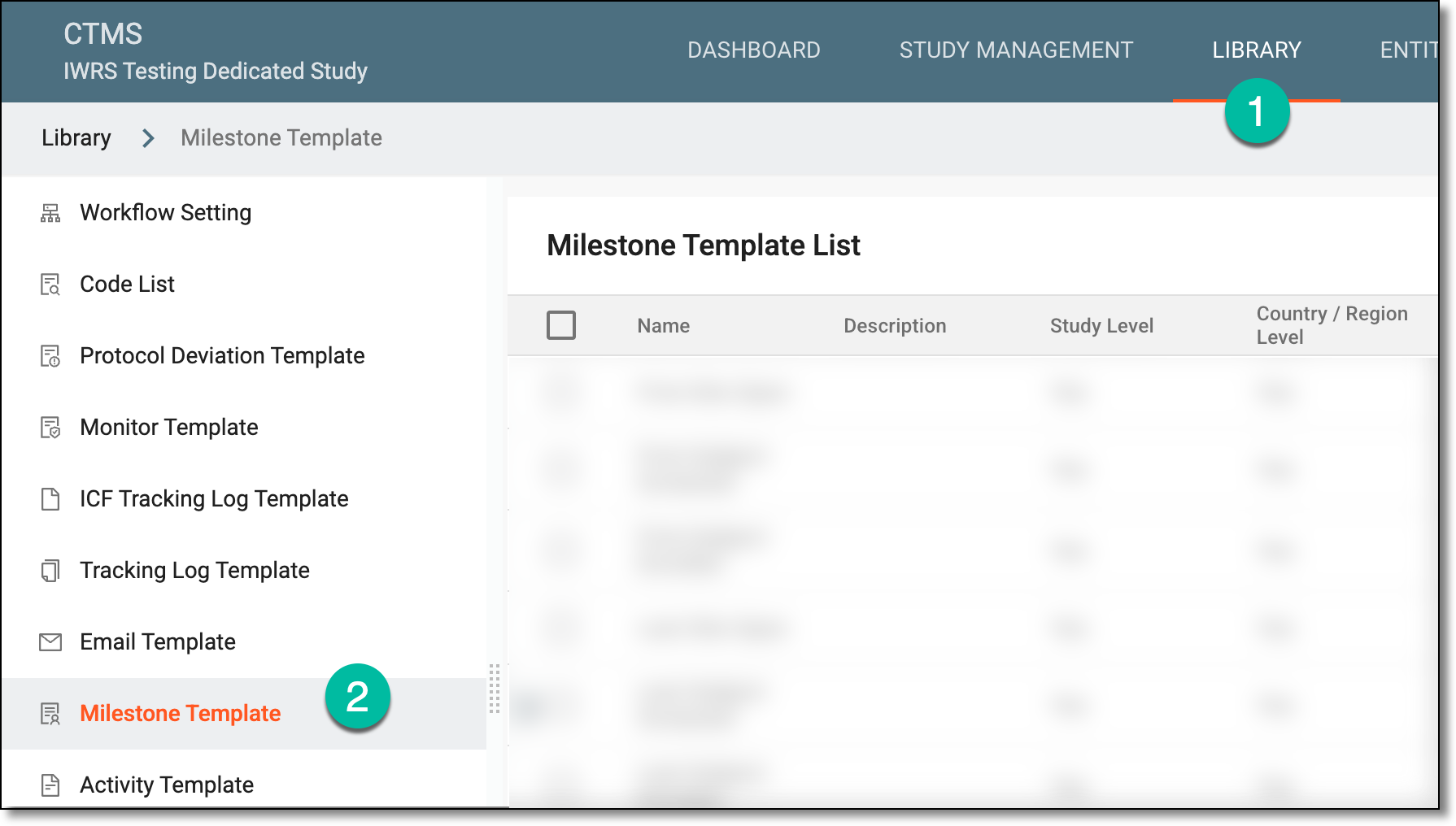 Figure 1. Accessing milestone template subtab
-
On the Milestone Template List page that opens, locate the needed milestone, and do any of the following:
-
Next to the activated milestone, from the Action(s) column, select More
 >
Activate
>
Activate  .
.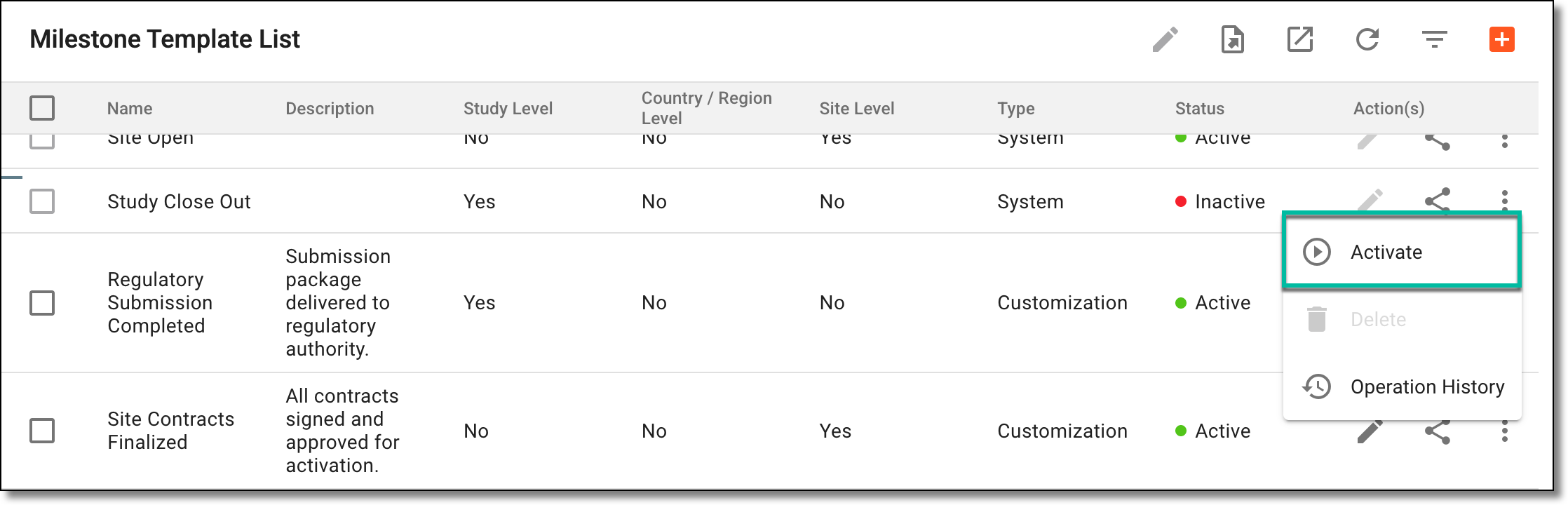 Figure 2. Activating milestone
-
Next to the inactivated milestone, from the Action(s) column, select More
>
Inactivate  .
.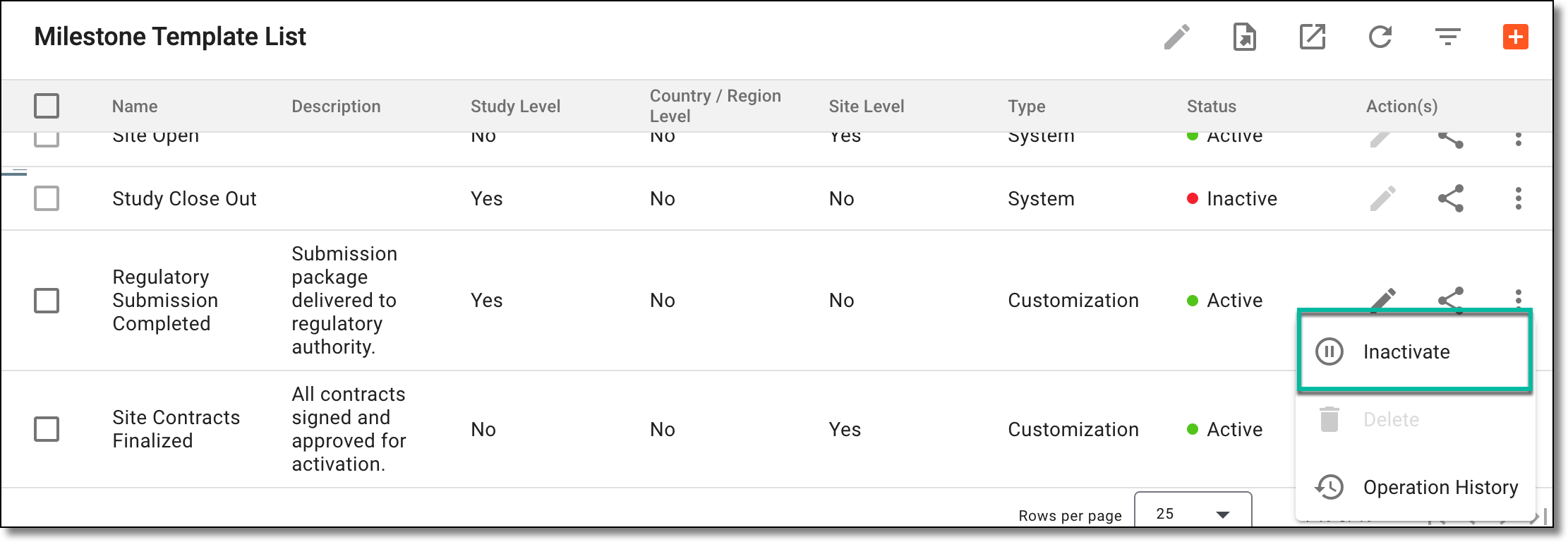 Figure 3. Inactivating milestone
-
-
In the Reason dialog that appears, enter the reason for activating or inactivating the milestone. Then select SAVE.
 Figure 4. Entering reason to inactivate milestone
Once saved, the milestone is activated or inactivated.