Review and approve tracking log template
The review and approval of a tracking log template is an additional measure to make sure that dedicated personnel reviews and verifies that the template is compliant with protocol requirements and satisfies your study needs. In CTMS, you can specify if the template requires approval when first creating or editing your template.
After you have submitted the tracking log template that requires approval, its status remains Auditing until the assignee approves it.
-
In the CTMS application header, select the LIBRARY tab.
-
On the page that opens, from the left pane, select ICF Tracking Log Template.
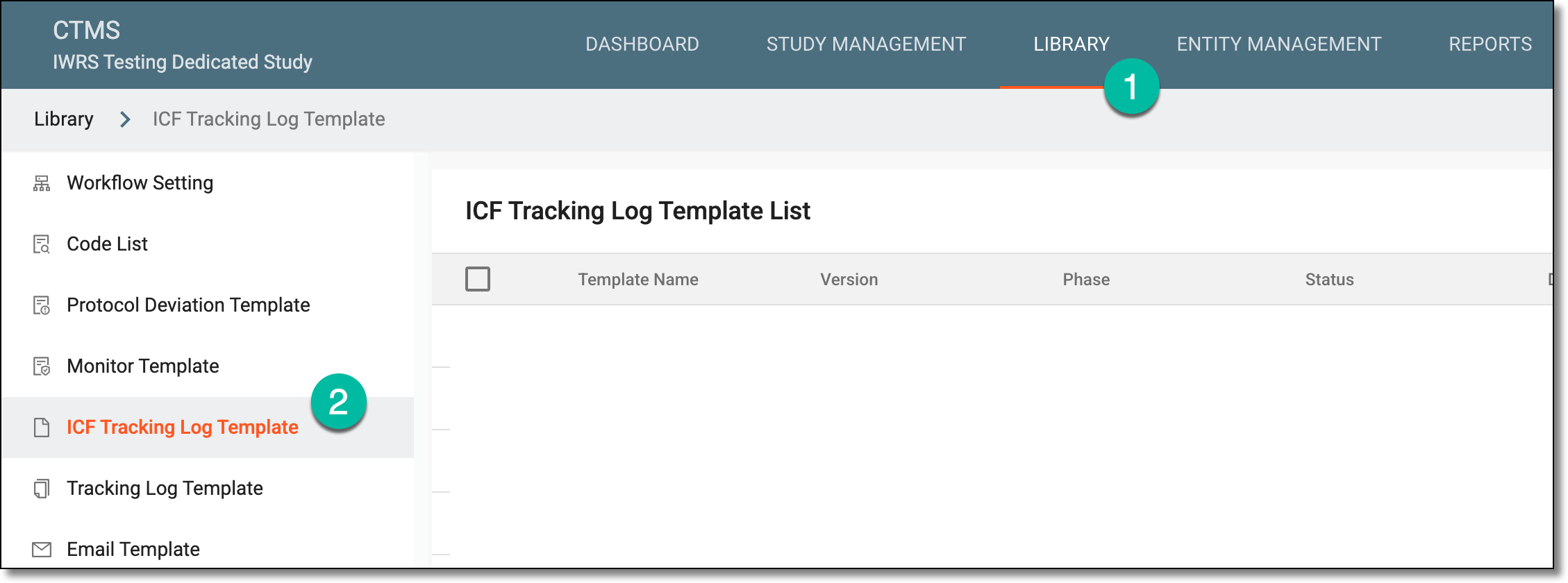 Figure 1. Accessing ICF tracking log template subtab
-
From the Tracking Log Template List table that opens, locate the template that you want to review and select its name.
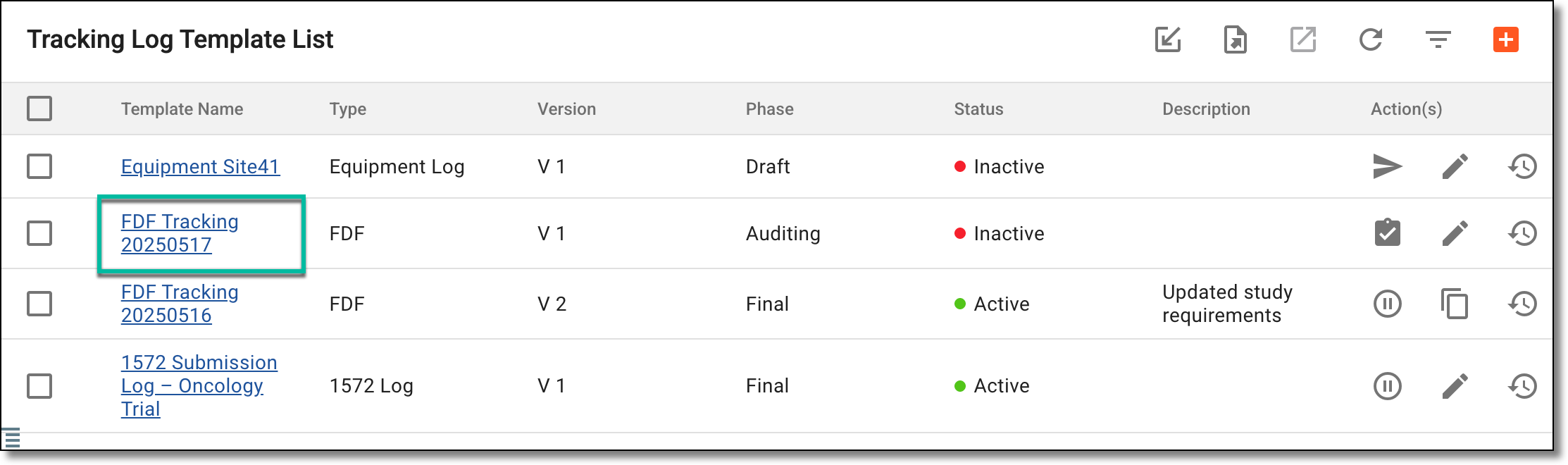 Figure 2. Accessing tracking log template to review
-
On the page that opens, review the tracking log template form's details. Once reviewed, select Back to Last Page
 .
. -
From the Tracking Log Template List table that opens again, locate the reviewed template that you want to approve. Then next to it, in the Action(s) column, select Approve
 .
.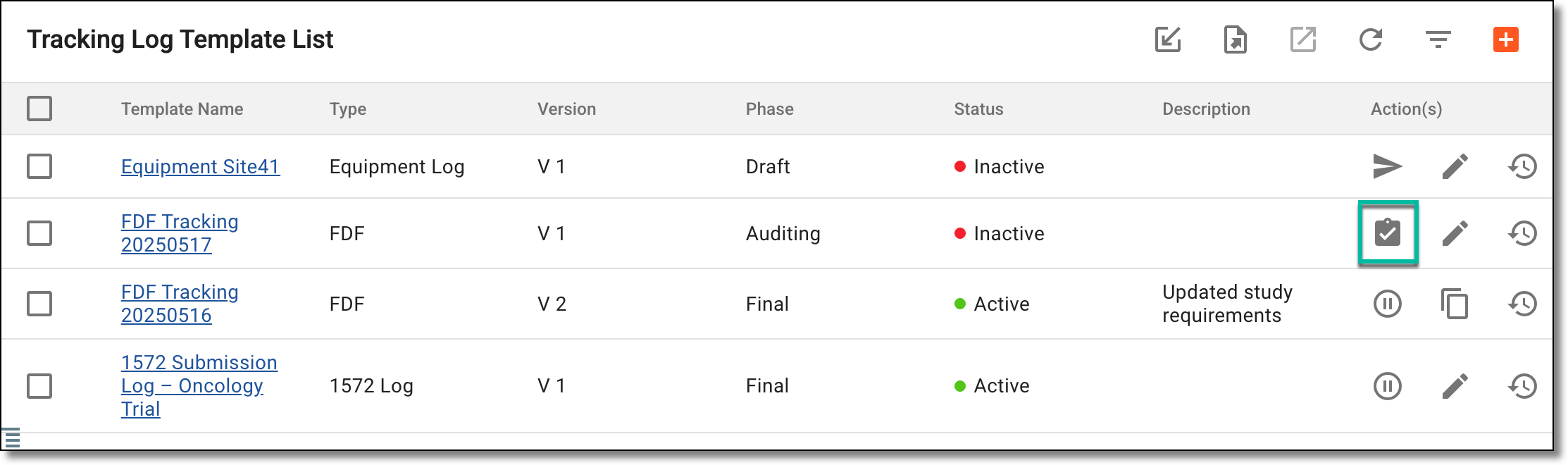 Figure 3. Approving tracking log template
Important
This option is only visible if you have already submitted the template and you are the assigned personnel to review and approve the submitted template.
-
In the Approve dialog that appears, enter the comment to follow the approval operation and select
 .
.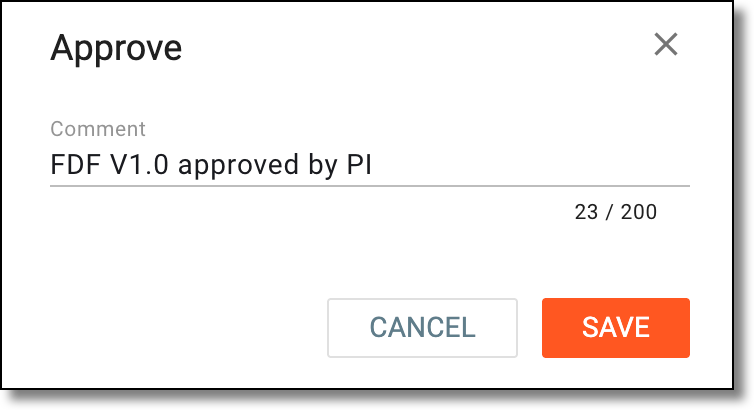 Figure 4. Entering comment to confirm approval
Once saved, the tracking log template is approved. You can now activate the template to use in the STUDY MANAGEMENT tab for assigning the template to a study.