View audit trail for email intake configuration
In PV, you can set up the system to automatically retrieve files—SAE forms—from emails sent to a specific mailbox by adding the email intake configurations. Once the configuration is added, the system starts recording its audit trail—a log of operations that makes it possible to reconstruct the course of events from creation up to date. The lack of audit trail can be considered a breach of data integrity and make it impossible to trace changes made to the configuration.
-
In the PV application header, select the CONFIGURATION tab.
-
On the page that opens, from the left pane, select Email Intake.
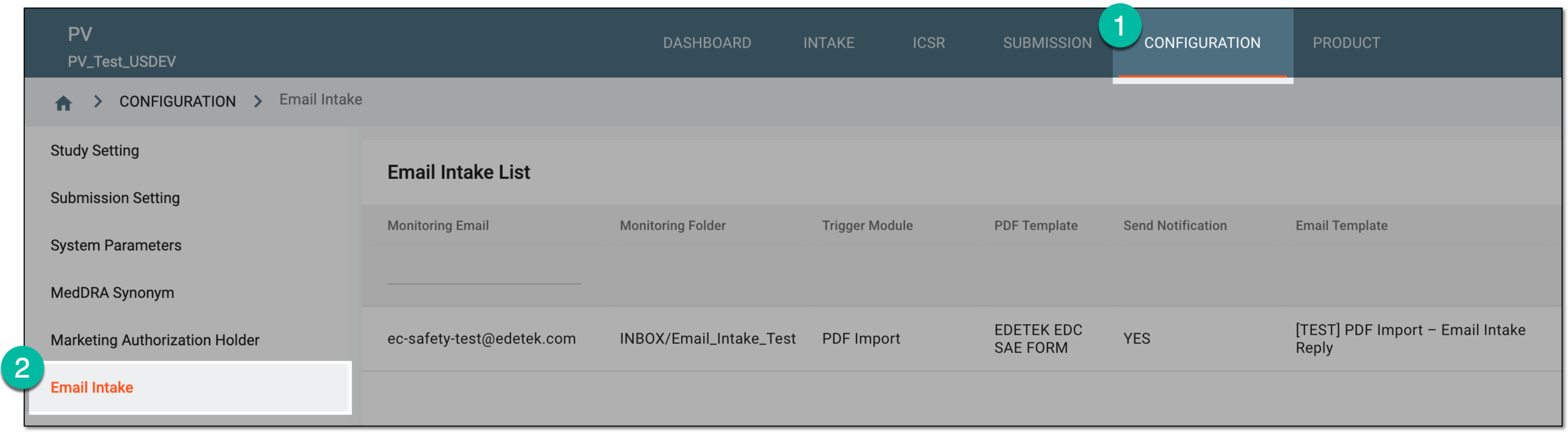 Figure 1. Accessing email intake configuration
-
In the Email Intake List table that appears, locate the configuration for which you want to see the log of operations. Then in the Actions column, select More
 > Audit Trail
  .
.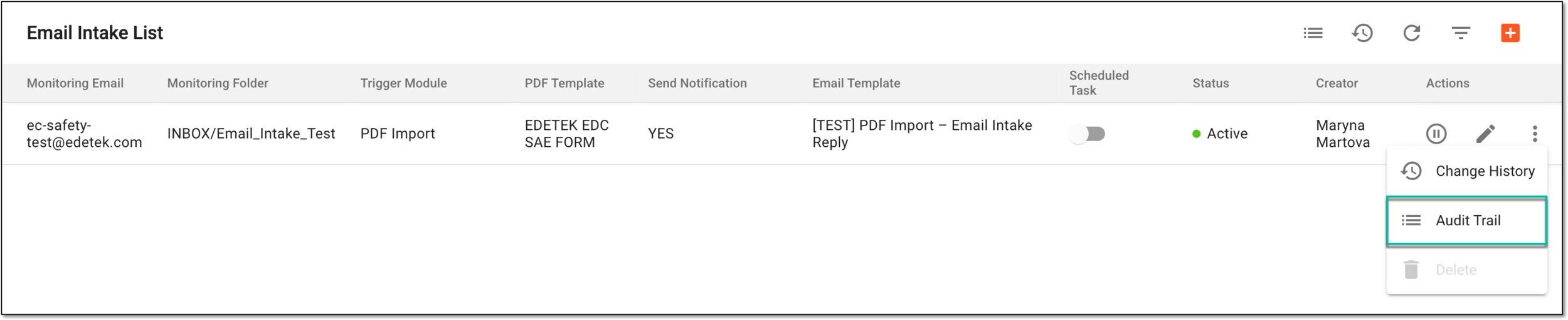 Figure 2. Accessing email intake configuration audit trail
-
In the Audit Trail dialog that opens, analyze the complete log of operations made with the email intake configuration—creation, editing, activation, and so on.
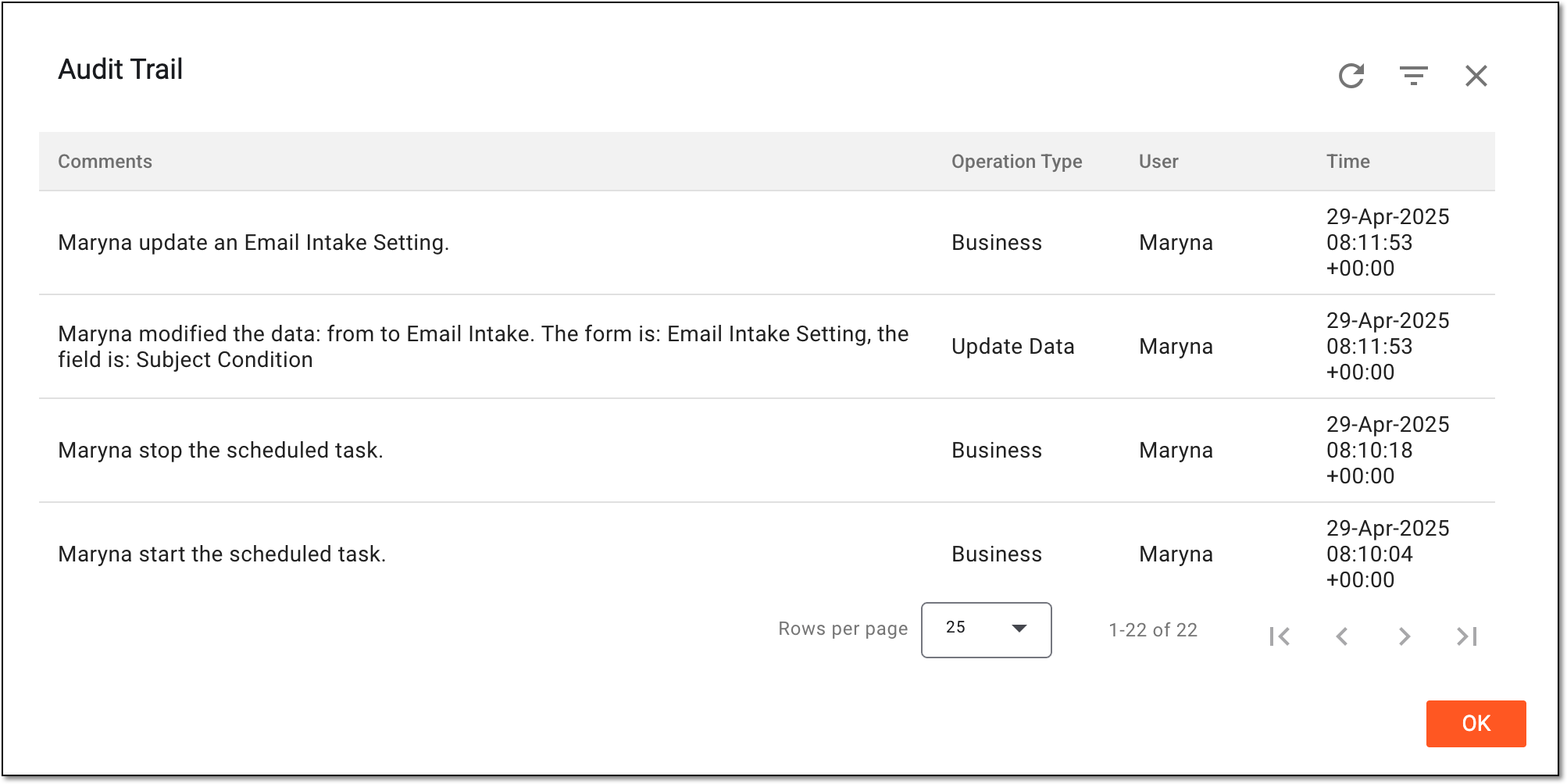 Figure 3. Analyzing email intake configuration audit trail
You have viewed the complete audit trail for the email intake configuration. Select OK to close the dialog and return to Email Intake List.