Edit email intake configuration
In PV, you can set up the system to automatically retrieve files—SAE forms—from emails sent to a specific mailbox by adding the email intake configurations. Once the configuration is added, you might need to edit its details to align it with evolving business needs or technical changes, such as different mailbox settings, updated templates, and so on.
-
In the PV application header, select the CONFIGURATION tab.
-
On the page that opens, from the left pane, select Email Intake.
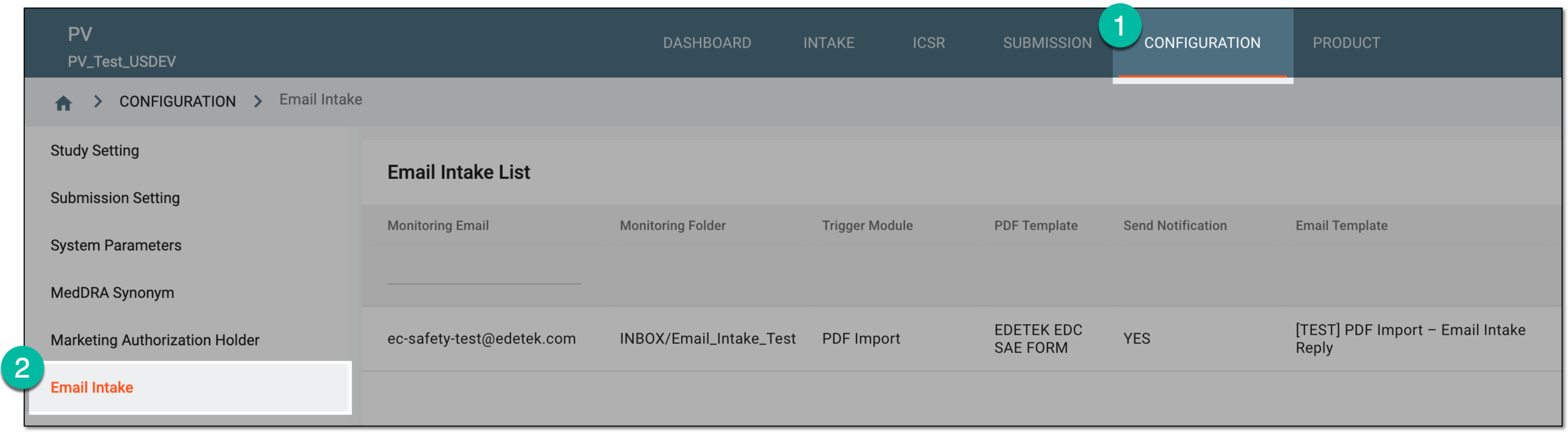 Figure 1. Accessing email intake configuration
-
In the Email Intake List table that appears, locate the configuration that you need to amend. Then in the Actions column, select Edit
 .
. Figure 2. Selecting option to edit email intake configuration
-
In the Edit dialog that appears, update the settings as needed. The fields here are identical to the ones explained in the table of the Add new email intake configuration section.
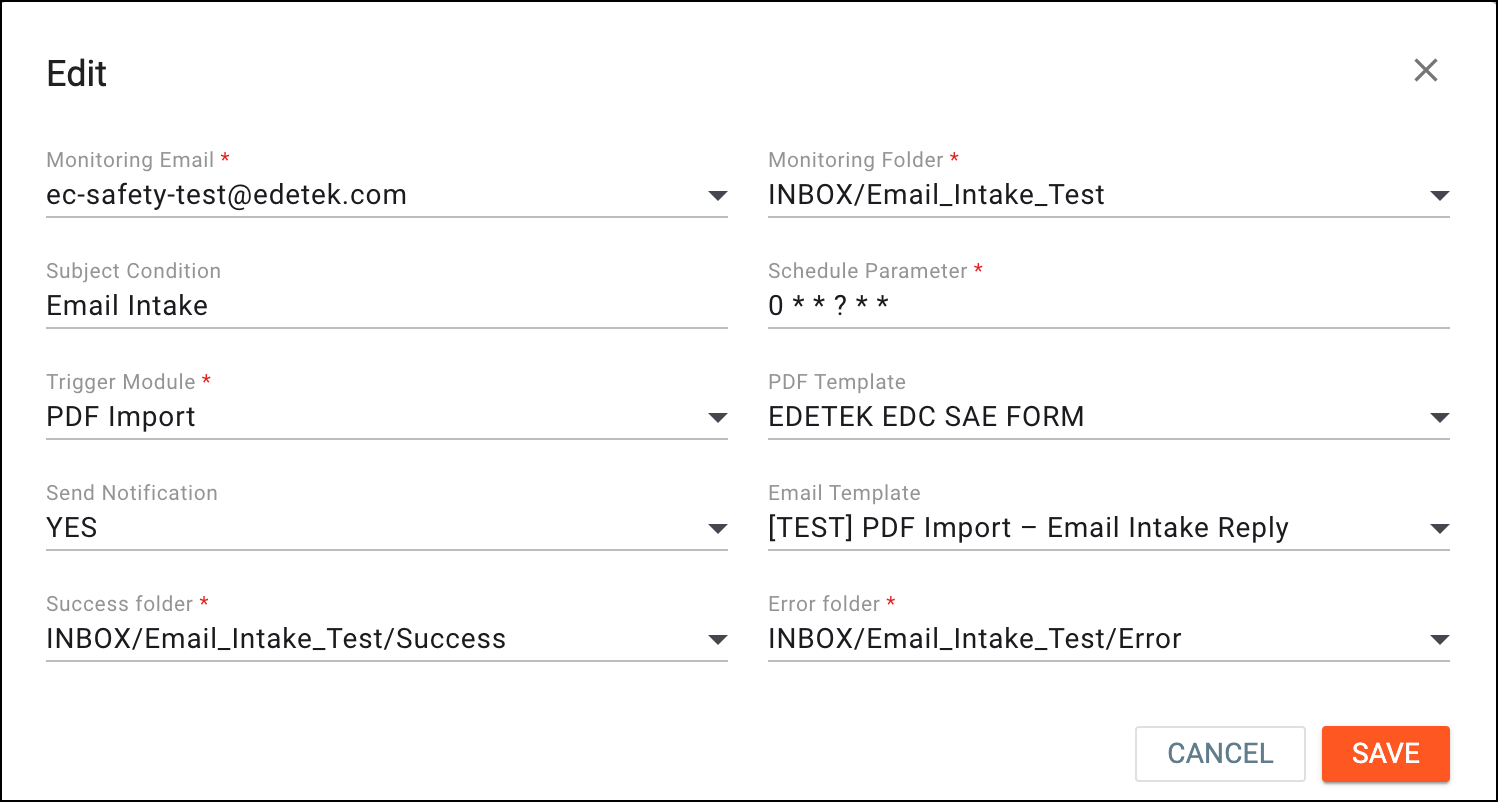 Figure 3. Updating email intake configuration
-
Select
 to implement the changes.
Once saved, the changes are implemented and the email intake configuration is updated.