Include/Exclude version history to CRF exports
In SD, under the Version History subtab, you can review and manage the records of all significant changes made to a certain CRF version. This helps with traceability and enhances control over the CRF design changes.
The version history can also be included to the CRF export so that the record of all significant changes is present in the exported file for informative purposes.
Important
Once the version history is included to CRF exports, to have all the latest records in the exported CRF version, rearchive the version.
-
In the Study Designer application header, select the CONFIGURATION tab.
-
From the left pane, select the Version History subtab.
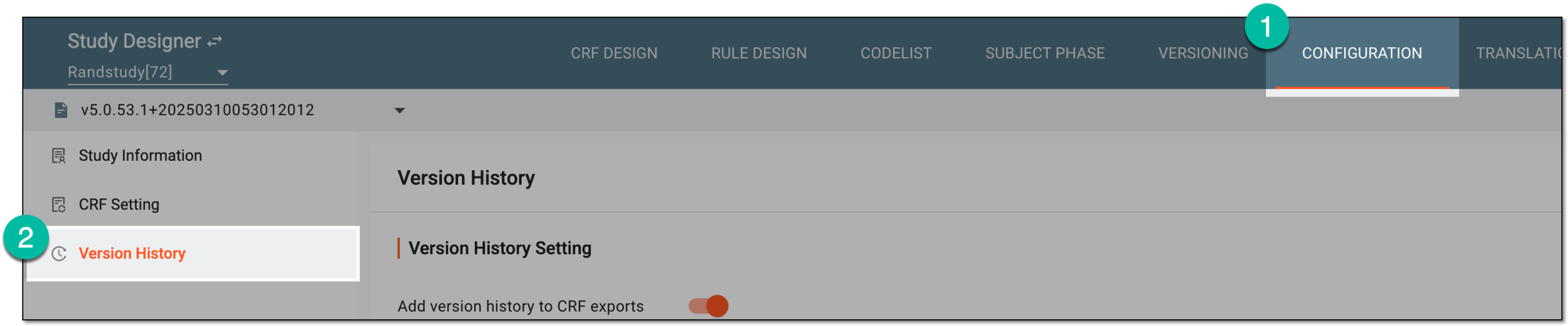 Figure 1. Accessing CRF version history
-
On the Version History page, in the Version History Setting block, do the following:
-
Turn on the Add version history to CRF exports toggle to include the version history record to all CRF version exports.
-
Turn off the Add version history to CRF exports toggle to exclude the version history record from the CRF version exports.
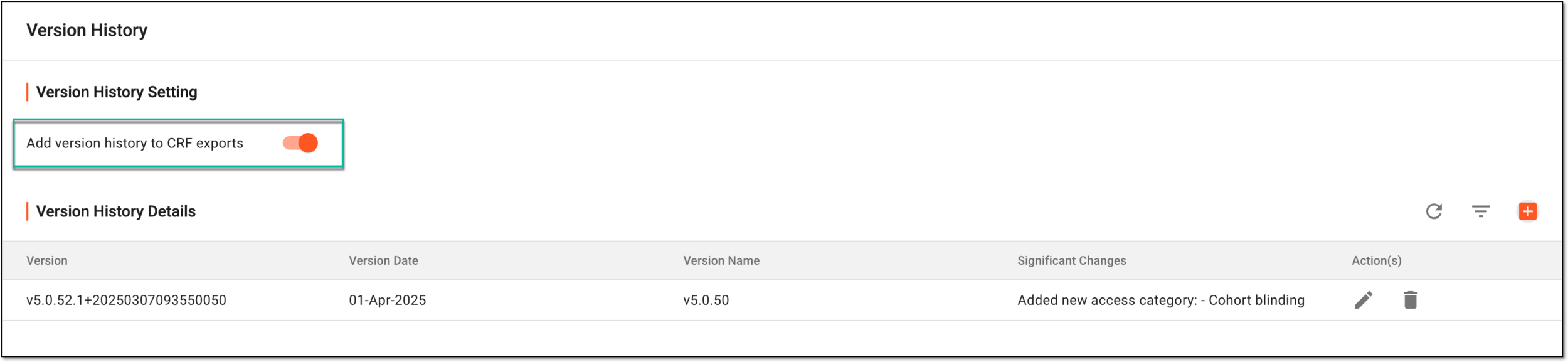 Figure 2. Including CRF version history to export
-
Once done, based on the performed setting, the version history is either included or excluded from your CRF version exported files.