Raw data variable setting
Raw data is information as it is entered into CRFs in EDC for every step of the study process. This data can be extracted from the system and compiled into an XLSX report that shows all the study data variables and their values.
In clinical trial data, variables are specific raw data points collected during the study, such as age, treatment type, or lab results. Each variable has values, which are the recorded data entries, such as "35 years" for age or "Positive" for a test result. These variables help structure and analyze trial data for reporting and decision-making.
In Study Designer (SD), you can preconfigure all the variables for the raw data report that is then generated in EDC.
In Study Designer (SD), you can preconfigure all the variables for the raw data report that is then generated in EDC. As the study evolves and CRF design changes, you can respectively maintain and change raw data variables to suit the latest business and regulatory requirements.
There are fixed variables in the raw data reports that are system-generated. Also, the raw data report contains SAS labels—the column headers for the variables, intended to easily distinguish and interpret the data. Unlike fixed variables, SAS labels are configurable in SD.
-
In the Study Designer application header, select the CRF DESIGN tab.
-
In the toolbar, select the latest draft CRF version.
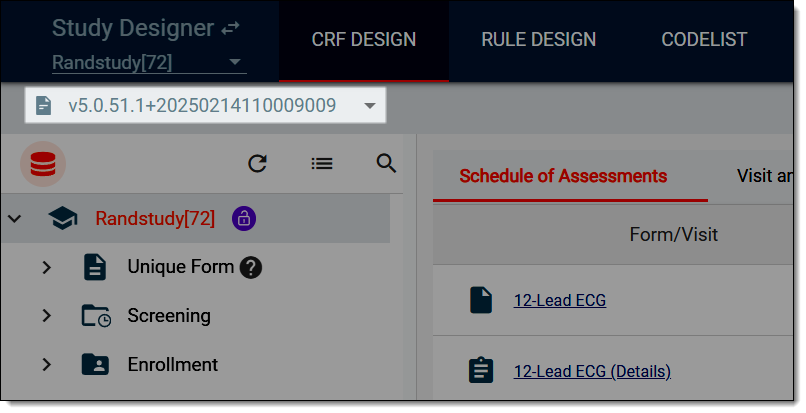 Figure 1. Selecting latest draft CRF version
-
From the left, select the study-level directory.
-
On the content page that opens, select the Raw Data Variables Settings tab.
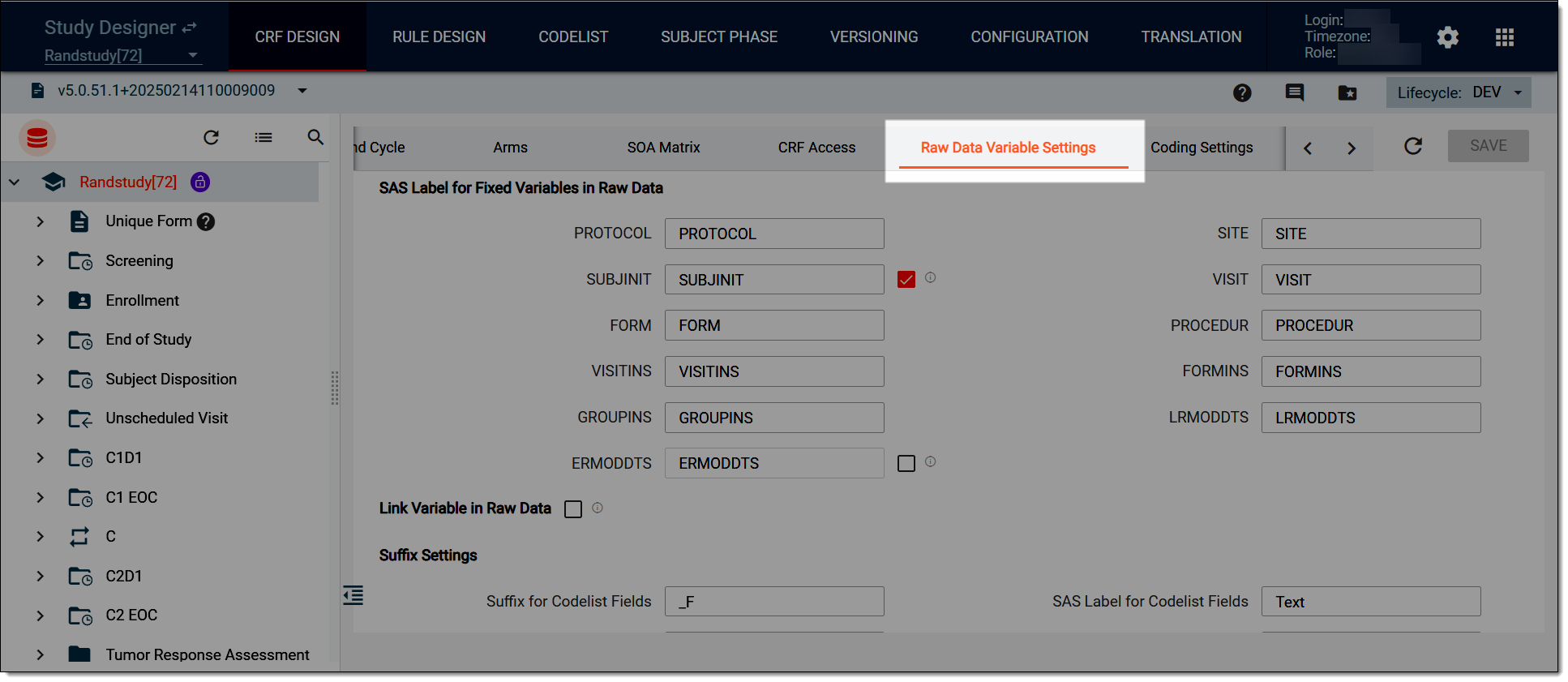 Figure 2. Selecting to configure raw data variable settings
-
Configure the raw data variable settings as explained in the following table.
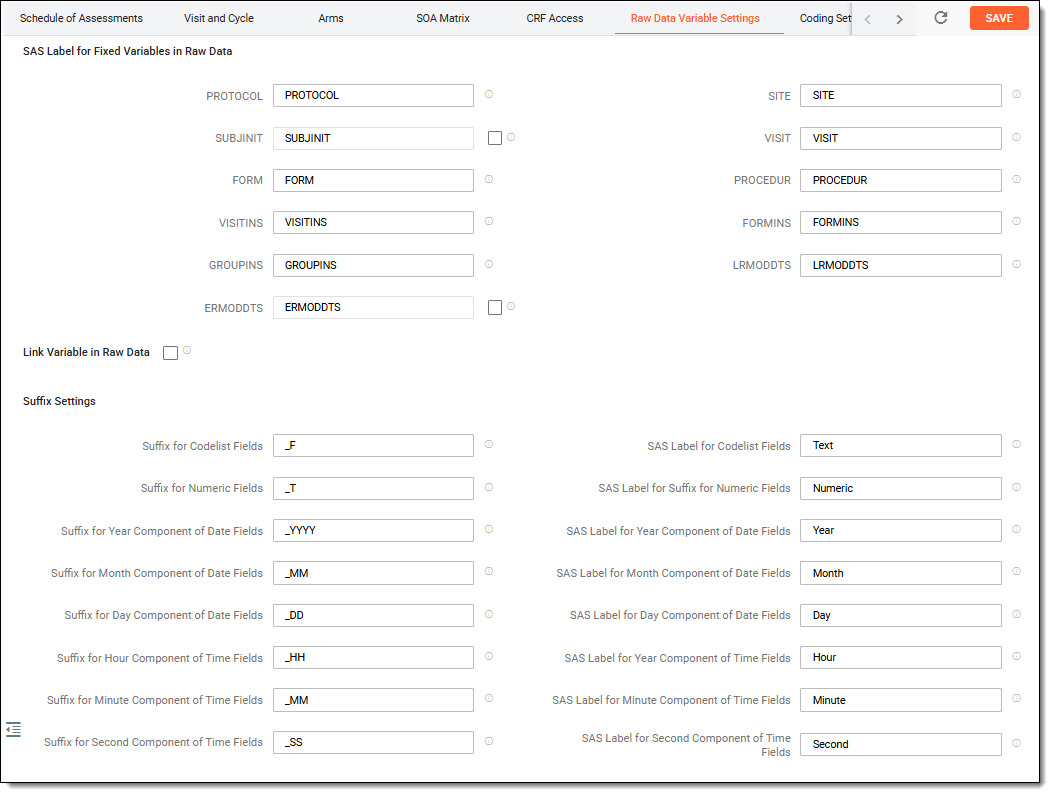 Figure 3. Configuring raw data variables
Elements
Details
SAS Label for Fixed Variables in Raw Data
You can configure the SAS labels of the fixed variables that appear in the raw data reports.PROTOCOL
Enter the variable for the study protocol.
SUBJINIT
Enter the variable for the initials of the subject's name.
Select the SUBJINIT checkbox to export this information in the raw data report.FORM
Enter the variable for the specific form.
VISITINS
Enter the variable for the instance number of the visit.
GROUPINS
Enter the variable for the instance number of the group.
ERMODDTS
Enter the variable for the time and date of the last electronic record modification of the raw data.
Select the ERMODDTS checkbox to export this information in the raw data report.SITE
Enter the variable for the site of the study.
VISIT
Enter the variable for the specific visit.
PROCEDUR
Enter the variable for the procedures performed on the subjects during the visit.
FORMINS
Enter the variable for the instance number of the form.
LRMODDTS
Enter the variable for the time and date of the last manual modification of the raw data.
LRMODBY
Enter the variable for the source of the last manual modification of the raw data. This is needed to distinguish between the data entered via EDC, eDiary, or eCOA app.
Select the LRMODBY checkbox to export this information in the raw data report.Link Variable in Raw Data
Select this checkbox to generate a hyperlink in the raw data report. Users can click this link to open the EDC application and the form associated with the study.
Suffix Settings
In this block, you can configure the suffix to different categories of SAS variables that appear in the raw data report.Suffix for Codelist Fields
Enter the variable for the codelist fields in the report.
Suffix for Numeric Fields
Enter the variable for the numeric fields in the report.
Suffix for Year Component of Date Fields
Enter the variable to represent the year in the date fields of the report.
Suffix for Month Component of Date Fields
Enter the variable to represent the month in the date fields of the report.
Suffix for Day Component of Date Fields
Enter the variable to represent the day in the date fields of the report.
Suffix for Hour Component of Time Fields
Enter the variable to represent the hours in the time fields of the report.
Suffix for Minute Component of Time Fields
Enter the variable to represent the minutes in the time fields of the report.
Suffix for Second Component of Time Fields
Enter the variable to represent the seconds in the time fields of the report.
SAS Label for Codelist Fields
Enter the SAS label for the codelist fields of the report.
SAS Label for Suffix for Numeric Fields
Enter the SAS label for the numeric fields of the report.
SAS Label for Year Component of Date Fields
Enter the SAS label for the year in the date fields of the report.
SAS Label for Month Component of Date Fields
Enter the SAS label for the month in the date fields of the report.
SAS Label for Day Component of Date Fields
Enter the SAS label for the day in the date fields of the report.
SAS Label for Hour Component of Time Fields
Enter the SAS label for the hours in the time fields of the report.
SAS Label for Minute Component of Time Fields
Enter the SAS label for the minutes in the time fields of the report.
SAS Label for Second Component of Time Fields
Enter the SAS label for the seconds in the time fields of the report.
SAVE
Select
 to apply your changes.
Once saved, the SAS labels are successfully associated with the fixed variables. The raw data report then shows the SAS labels as headers in the tables.