Edit external recipient account
By maintaining the recipient list, you can create a contact sheet of people who are not necessarily eClinical system users, thus enabling external parties to become recipients of system notifications—various alerts or site and depot shipment notices. If any contact information changes, you can make necessary edits to the recipient's account to keep it up-to-date.
-
In the IWRS application header, select the ALERT tab.
-
On the page that opens, from the left pane, select External Recipient.
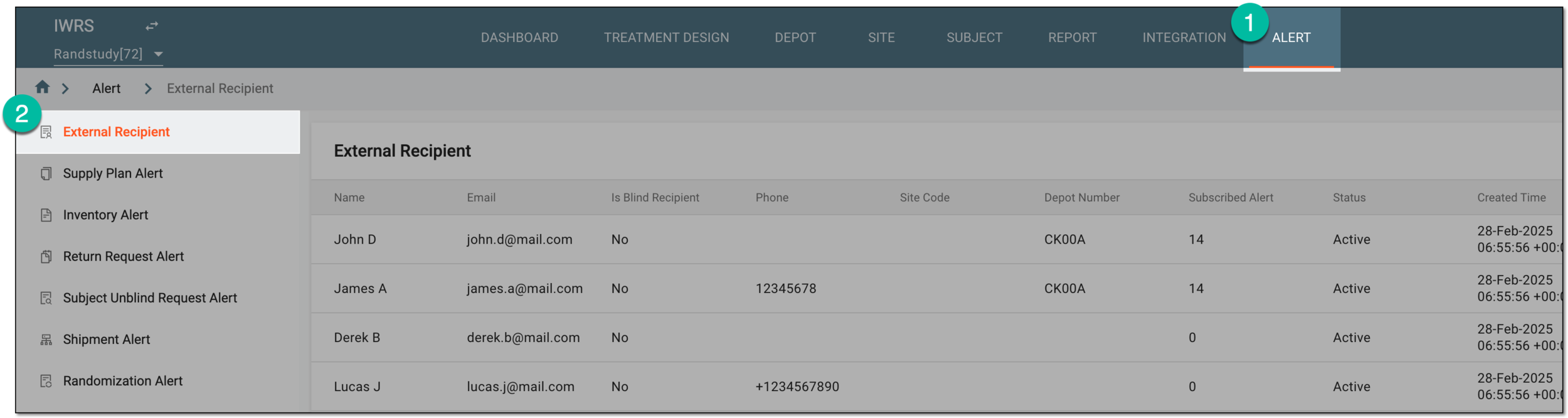 Figure 1. Accessing external recipient list
-
On the External Recipient page that opens, locate the recipient's account that needs to be updated. The from the Action(s) column next to the account, select Edit
 .
.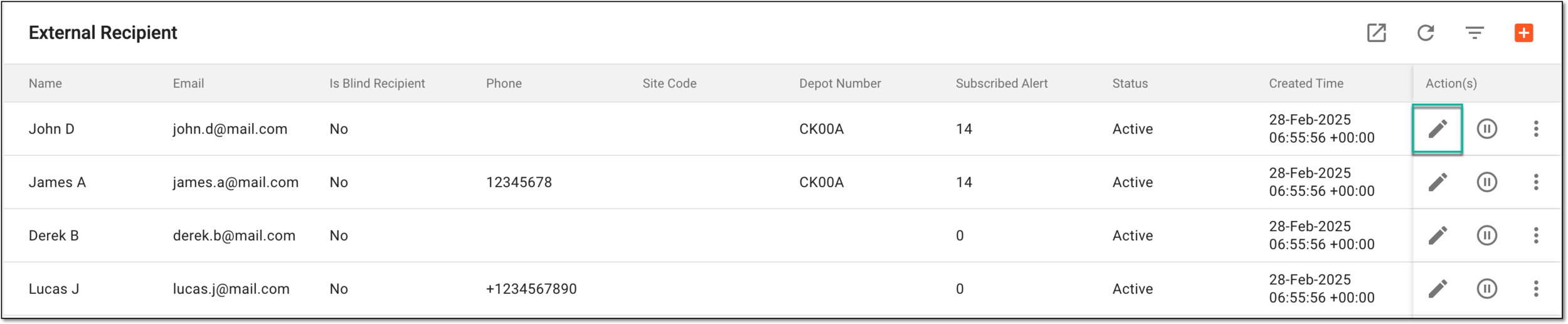 Figure 2. Selecting to edit external recipient account
-
In the New dialog that appears, update your recipient account details as needed. The fields are identical to those explained in the table of the Create external recipient account section.
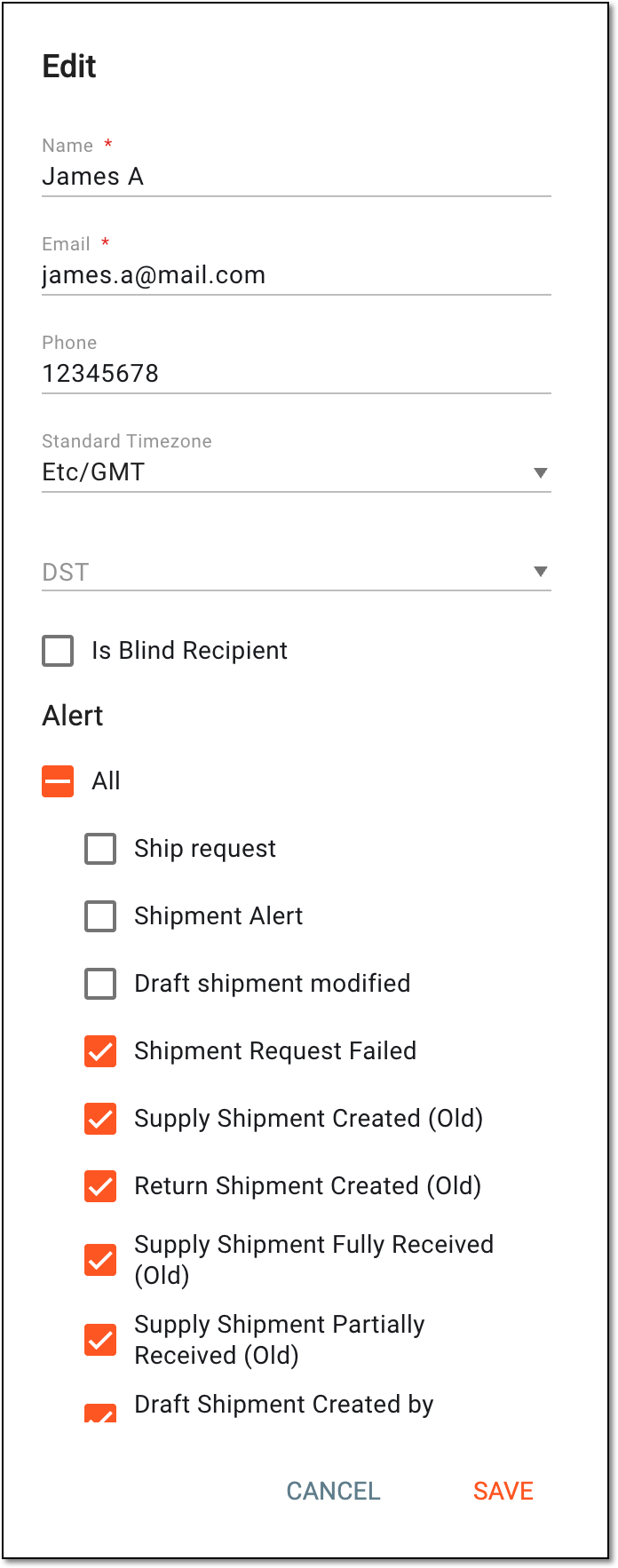 Figure 3. Editing external recipient account
Once saved, the recipient details are updated. You can also change their association with sites and depots if required.