Revert site return shipment status
When managing return shipments for your site in IWRS, you reflect their current delivery status in the system. The sender has to confirm the shipment dispatch from the site.
There can be cases when, due to human error or other circumstances, a shipment is mistakenly confirmed to be sent in IWRS. However, such action has not yet occurred. You can fix such a mistake by reverting the shipment status to the previous one.
-
In the IWRS application header, select the SITE tab.
-
On the Site List page that opens, in the table, go to the site for which you want to manage the shipment.
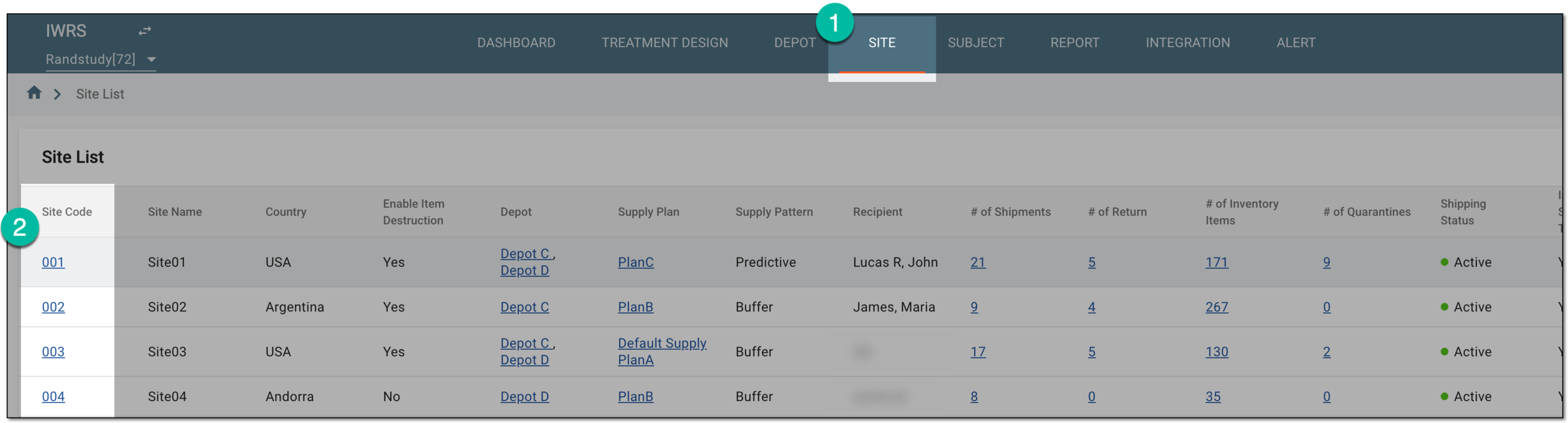 Figure 1. Selecting site to open its details
-
In the left pane of the page that opens, select Return.
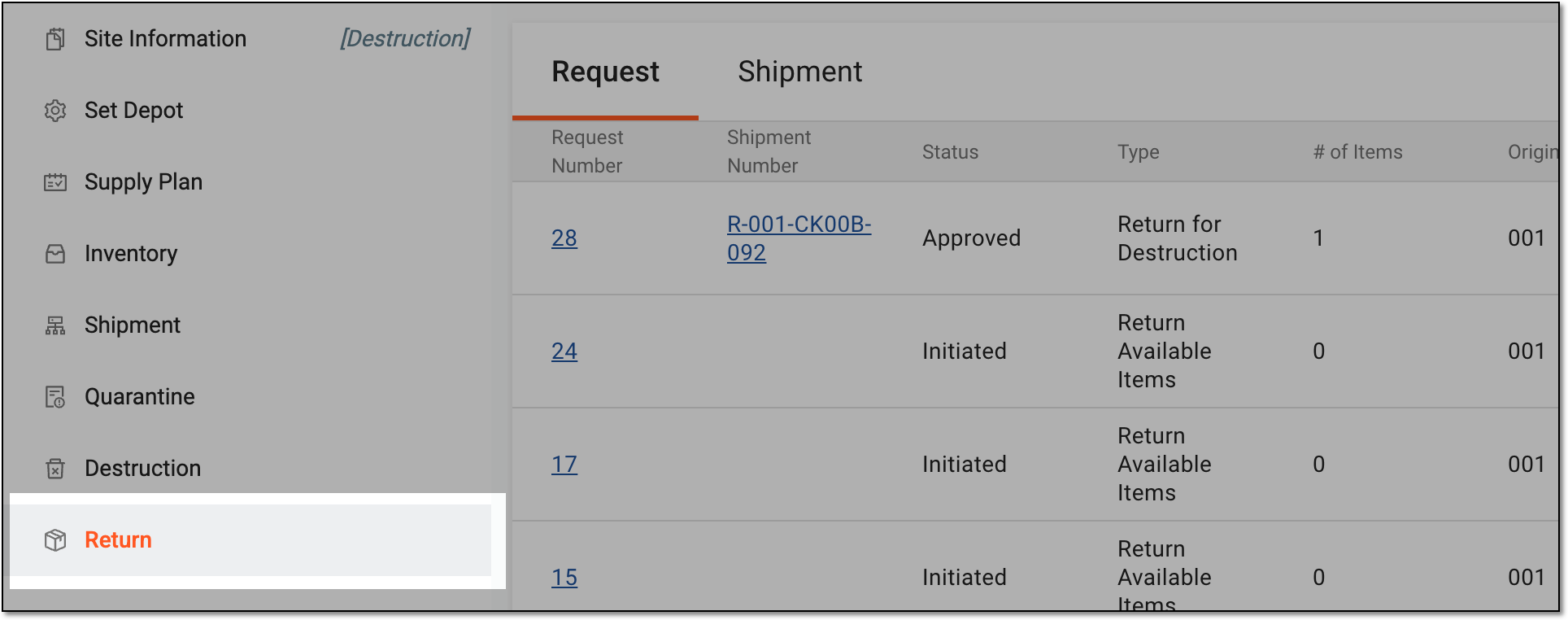 Figure 2. Accessing site item return
-
In the contents panel that appears, select the Shipment tab to open the list of all return shipments.
-
In the Shipment List table that appears, locate the shipment whose status you need to revert and select the Shipment Number value.
 Figure 3. Selecting shipment number
-
On the Details page that opens, view your shipment details as explained in the table of the View site shipment details and status section.
-
Go to the Item Details block and select UNDO DISPATCH to return the shipment that is marked as already shipped to its previous status.
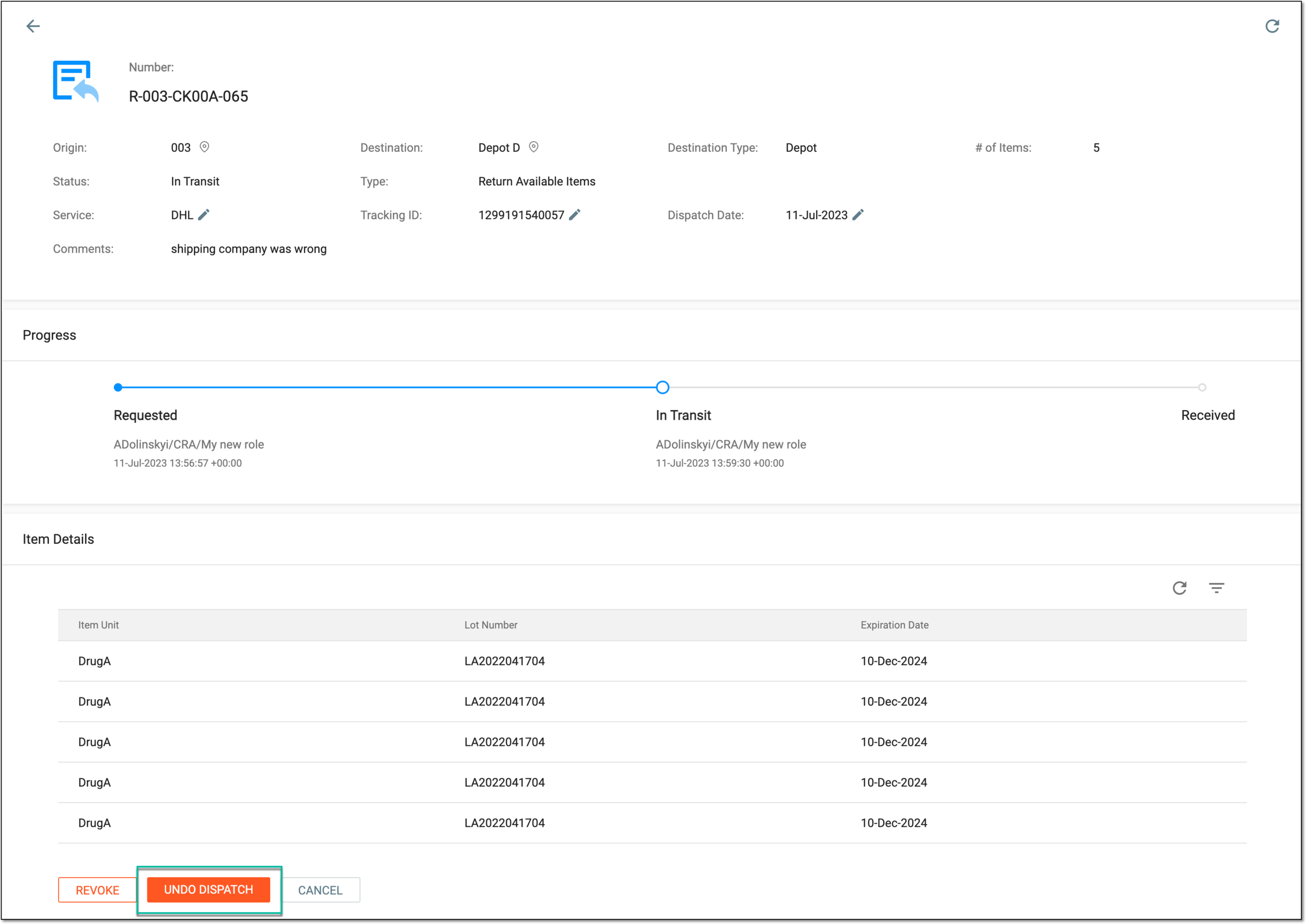 Figure 4. Example of undoing previous action with return shipment
-
In the confirmation dialog that appears, select
 to proceed with the status revert.
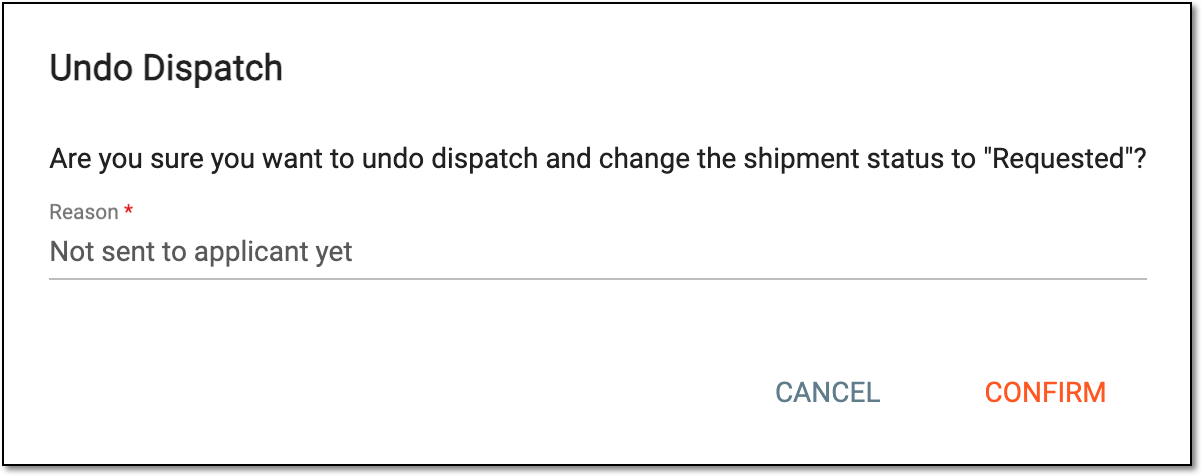 Figure 5. Confirming to undo previous action with shipment
Once confirmed, the status of the shipment is reverted to the previous one.