Cancel draft shipment request for site
In IWRS, when you have created a draft shipment request for items supply, you can always cancel such shipment if it is no longer needed. The canceled shipment remains available on the site shipment list with the Cancelled status for audit purposes.
Important
This action is only available for shipments with the Draft status. If the draft shipment creation option is disabled for your study configurations, there is no need to confirm or cancel shipment requests as they are sent upon submission.
Only the users with respective permissions granted via ADMIN can cancel shipment requests.
-
In the IWRS application header, select the SITE tab.
-
In the Site List table that appears, select the site for which you need to cancel the draft shipment request.
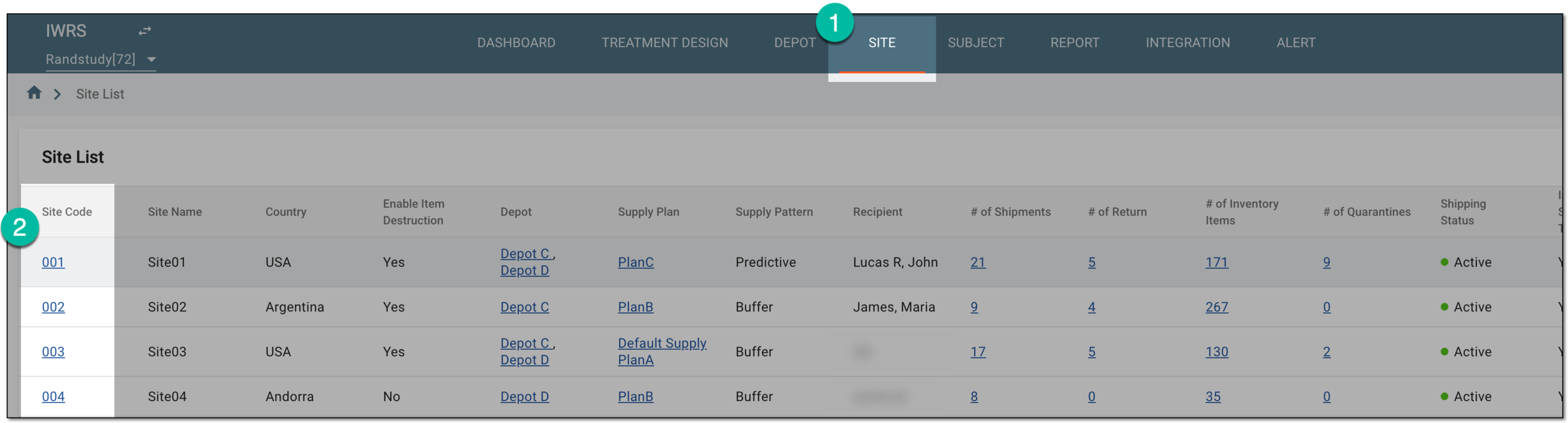 Figure 1. Selecting site to open its details
-
On the page that opens, in the left pane, select the Shipment subtab.
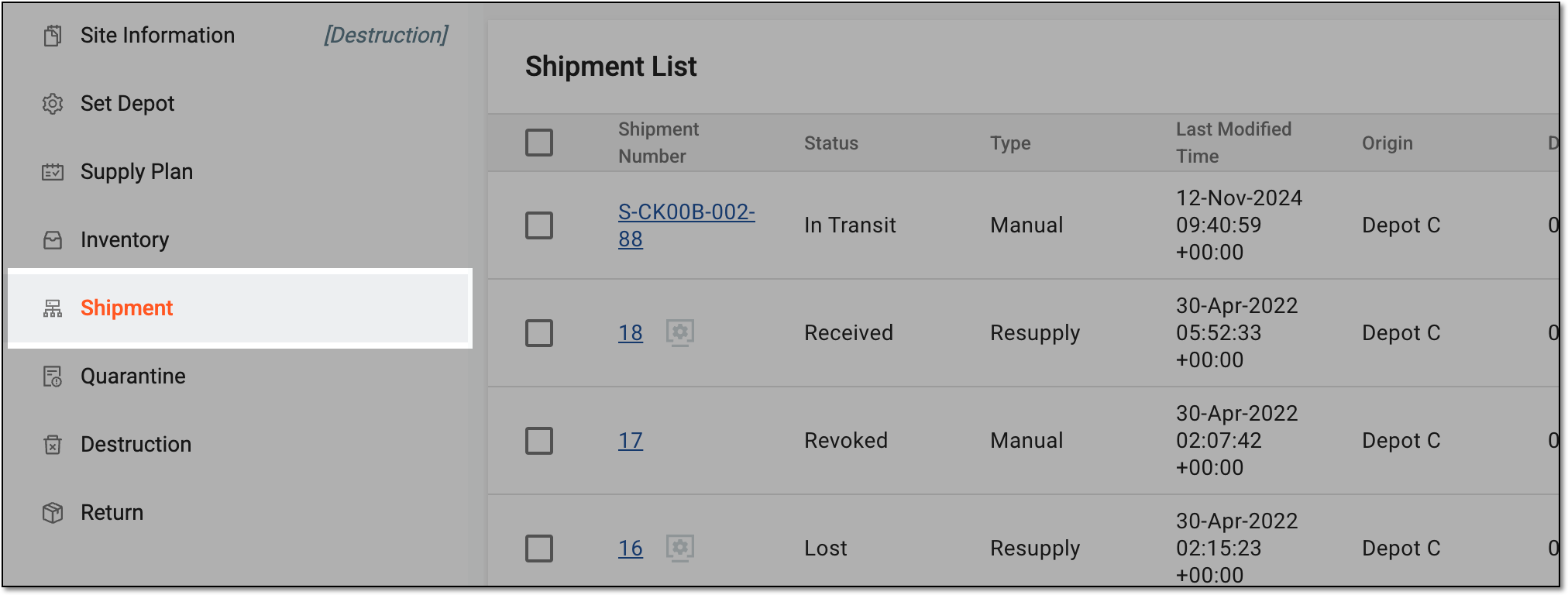 Figure 2. Accessing site shipments
-
In the Shipment List table that appears, go to the shipment of your interest and in the Actions column next to it, select Cancel Draft Shipment
 .
. Figure 3. Canceling draft shipment request for site
Upon selection, the draft shipment request is canceled.