Delete VTs manually
In the Medical Coding module, verbatim terms (VTs) can be deleted manually to help streamline the coding list and remove entries that are no longer needed or relevant. Manual deletion provides flexibility, helping you manage terms individually.
Tip
If automatic deletion is preferred, refer to the Delete VTs automatically section.
-
In the Medical Coding application header, select the CODING tab.
 Figure 1. Accessing coding functionality
-
On the VT List page that opens, next to the VT you want to delete, select
 and choose Delete
  .
.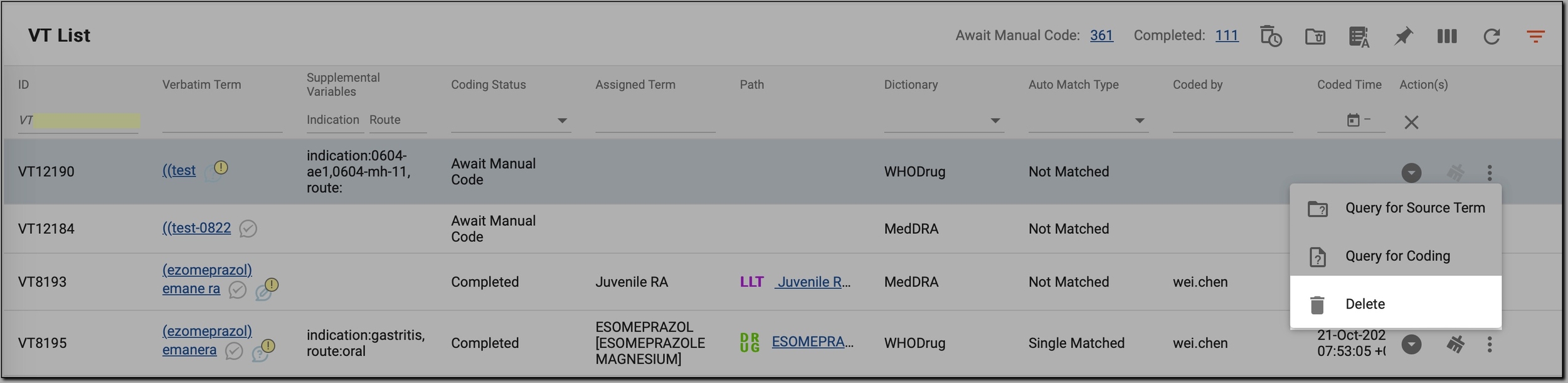 Figure 2. Deleting VT
-
In the Delete dialog that opens, select the reason for the deletion or add your own one.
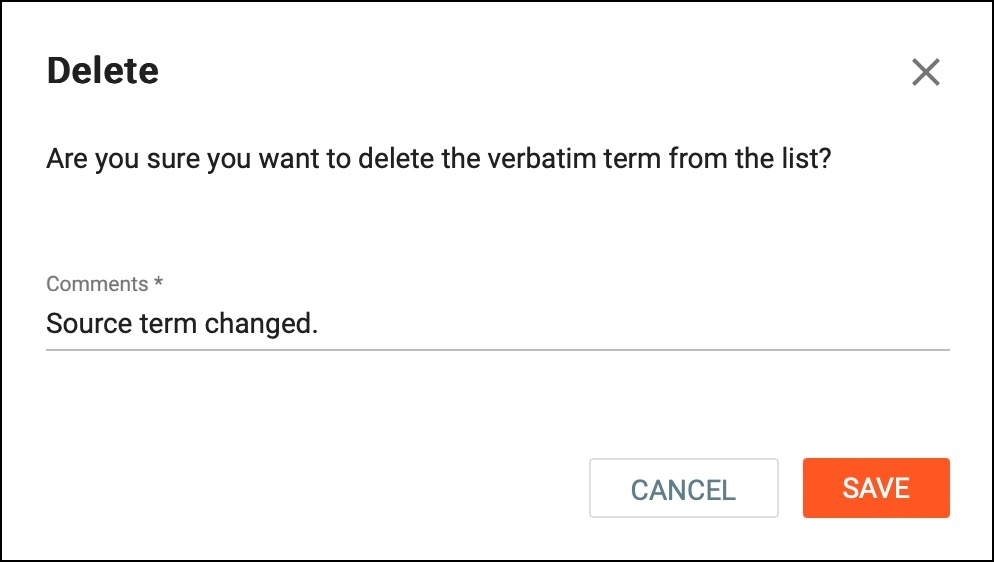 Figure 3. Confirming deletion
-
Select
 to save your changes.
Once completed, the selected VTs are removed from the coding list, freeing up the workspace and ensuring that only relevant terms remain for processing. The deleted entries can no longer be coded unless they are restored if needed.