Delete VTs automatically
The Autodelete feature in the Medical Coding module is designed to automatically remove verbatim terms (VTs) that meet specific criteria, ensuring the coding environment remains organized and up-to-date. The autodelete process is triggered under the following conditions:
-
VTs with no source term: if a VT does not have an associated source term, it will be automatically deleted to prevent clutter in the system.
-
Source term's batch is closed: when the batch containing the source term is closed, any VTs linked to that source term will be automatically deleted as they are no longer relevant for further coding activities.
Tip
A source term is the original data or entry from which a VT was extracted. It represents the raw data point in its original form within the clinical study database (for instance, the specific response or observation from a patient).
-
In the Medical Coding application header, select the CODING tab.
 Figure 1. Accessing coding functionality
-
On the VT List page that opens, in the workspace toolbar, select Auto Delete
 .
.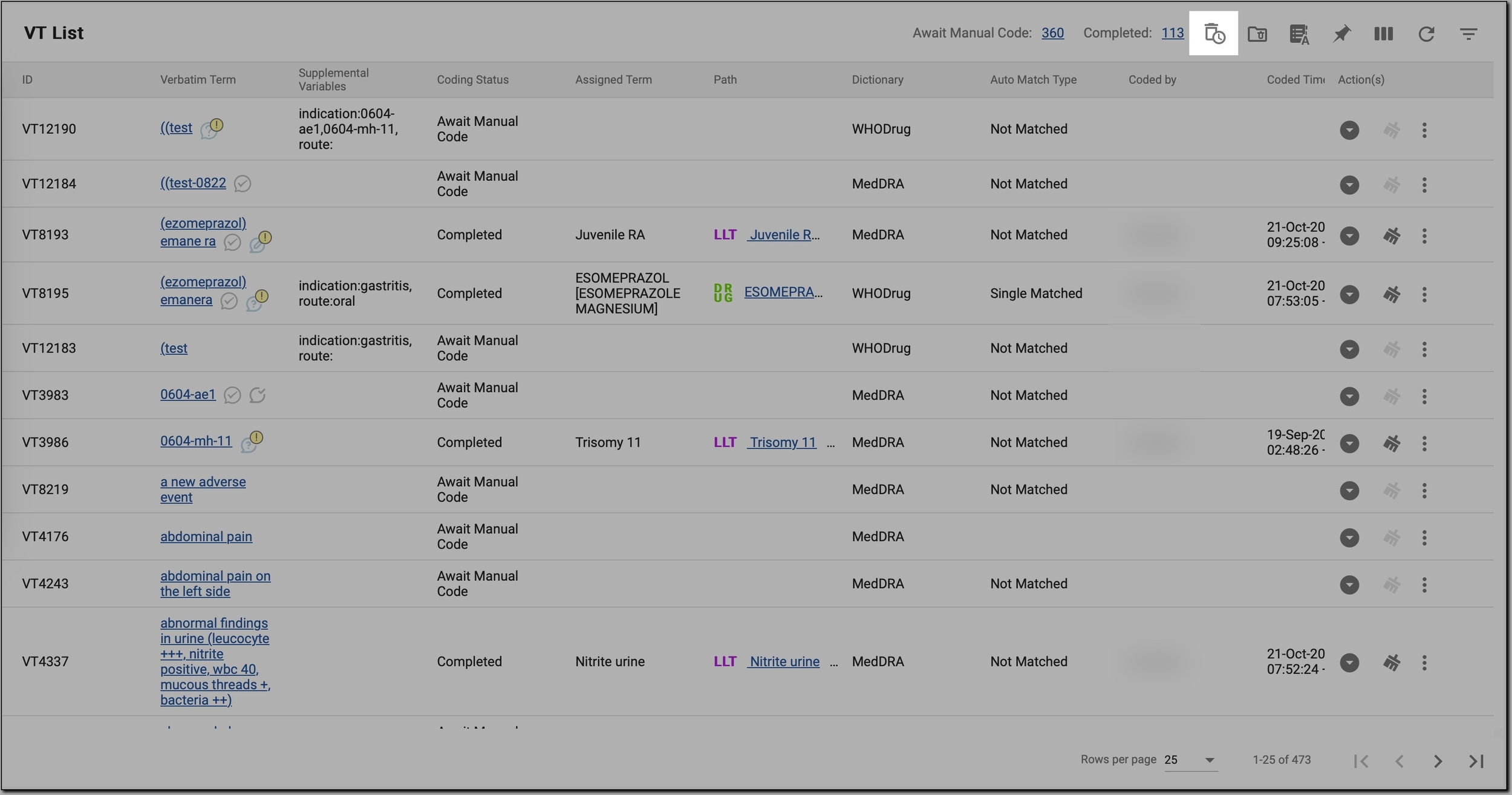 Figure 2. Initiating autodeletion of VTs
-
In the Auto Delete dialog that opens, depending on the VTs you want to delete, select one or both of the checkboxes as follows.
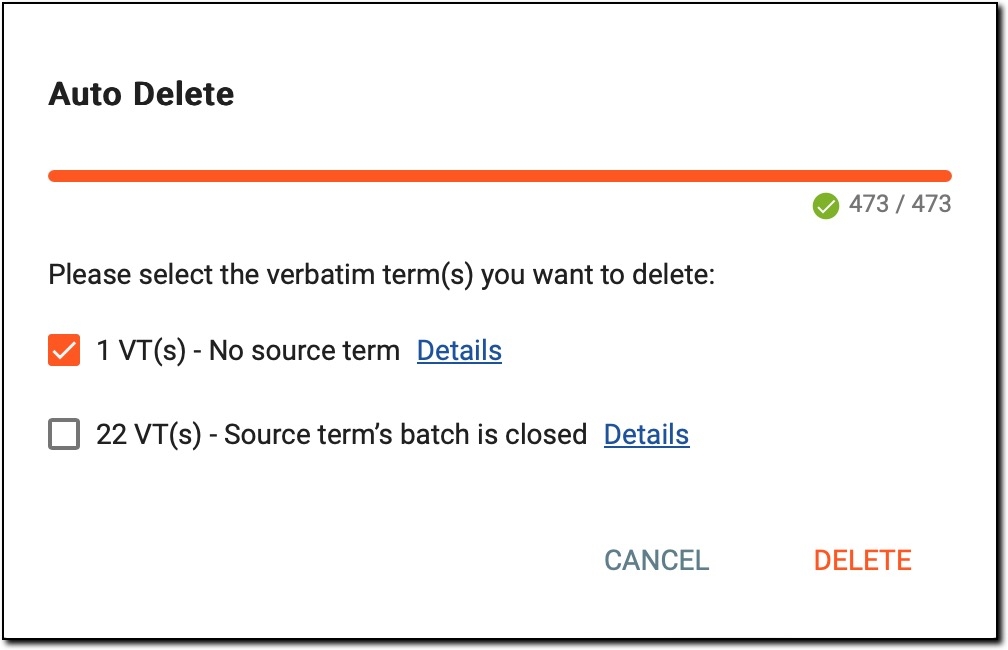 Figure 3. Autodeleting VTs
-
No source term: select this checkbox if you want to delete VTs that have no associated source term. The number of VTs that meet this condition is displayed next to the checkbox. These VTs are typically created in error or were not properly linked to any source data, making them safe to delete.
-
Source term's batch is closed: select this checkbox if you want to delete VTs linked to source terms whose batch has been closed. The number of VTs affected by this condition is shown next to the checkbox. As closed batches are no longer active for coding, these VTs are no longer needed and can be safely deleted.
Tip
The progress bar at the top of the dialog shows the system's progress in analyzing the VTs based on the selected deletion criteria.
-
The first number (for example, 473) represents the total number of VTs that have been processed by the system.
-
The second number (for instance, 473) represents the total number of VTs in the dataset that need to be analyzed.
When both numbers match (for example, 473/473), it means that the system has completed the analysis for all VTs, and is now ready to display which VTs meet the criteria for deletion (based on the conditions such as no source term or a closed batch).
-
-
To view more information about the VTs that meet the criteria for deletion, select Details next to the corresponding checkbox:
-
Details next to No source term: select it to see a list of VTs with no associated source term. This provides further insight into why these VTs are flagged for deletion.
-
Details next to Source term’s batch is closed: select it to view a list of VTs linked to source terms from closed batches. This helps you review these VTs before proceeding with their deletion.
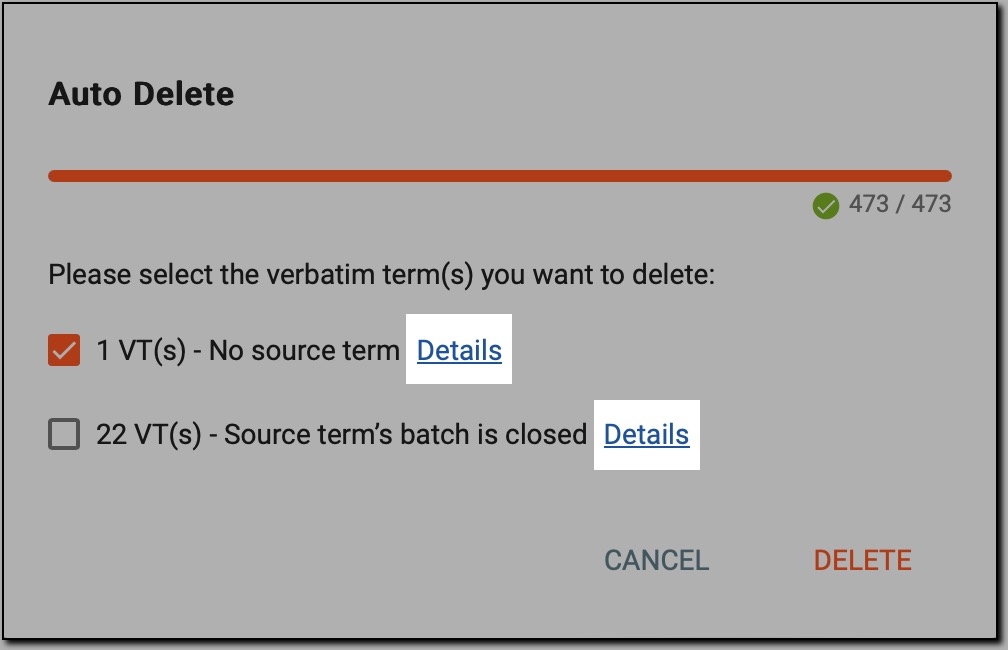 Figure 4. Reviewing details about VTs
-
-
Once done, in the Auto Delete dialog, confirm your decision by selecting
 .
.
As a result, the system removes the VTs that meet the selected criteria, either those with no source term or those linked to a closed batch.