Delete item destruction batch at site
Item destruction refers to the process of disposing of or destroying an investigational product or other unused medication when they are no longer needed, damaged, or for another reason. It is an important step in ensuring the proper management and disposal of these items to maintain compliance with regulatory requirements, participant safety, and confidentiality.
In IWRS, the sites involved in your trial for which the item destruction is enabled can dispose of items themselves by creating destruction batches—bundles of items that are to be destroyed together—and approving their disposal. For the batches that were created but not yet approved, the destruction request can be canceled, for instance, if some items were added to the batch by mistake.
Once the destruction request is canceled, the batch can be removed from the system if no longer needed. Thus, the items previously intended to be destroyed within this batch become available as ready for destruction at your site, and you can create another batch with them.
-
In the IWRS application header, select the SITE tab.
-
In the Site List table that opens, select the needed site.
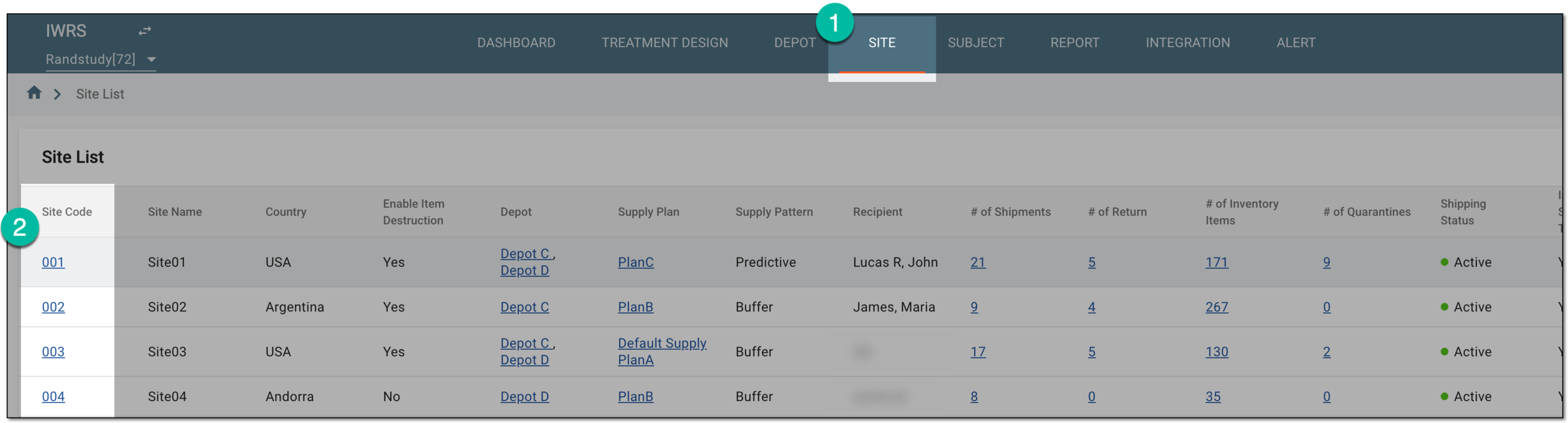 Figure 1. Selecting site to view details
-
On the page that opens, in the left pane, select Destruction.
-
On the page that opens, select the Destruction Batch tab.
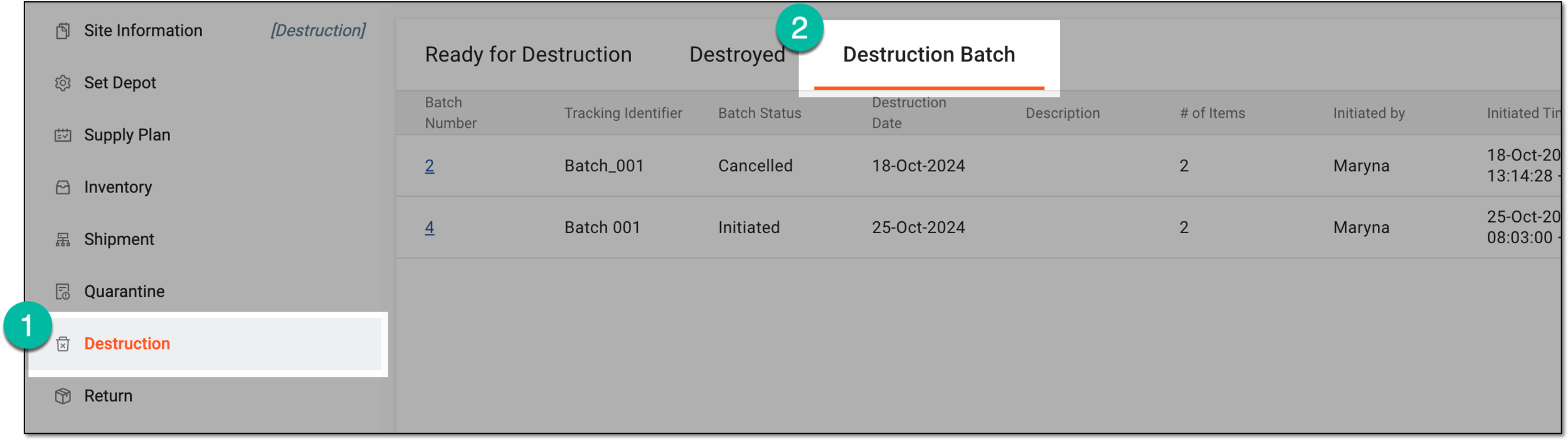 Figure 2. Accessing item destruction batch list at site
-
In the Destruction Batch table that appears, locate the batch in the Cancelled status that you want to delete. Then do one of the following:
-
To delete the item destruction batch directly from the Destruction Batch page, from the Actions column, select Delete
 .
. Figure 3. Deleting item destruction batch from list
-
In the Destruction Batch table, select the batch number you want to delete. Then on the page that opens, review the details of the batch and select
 .
.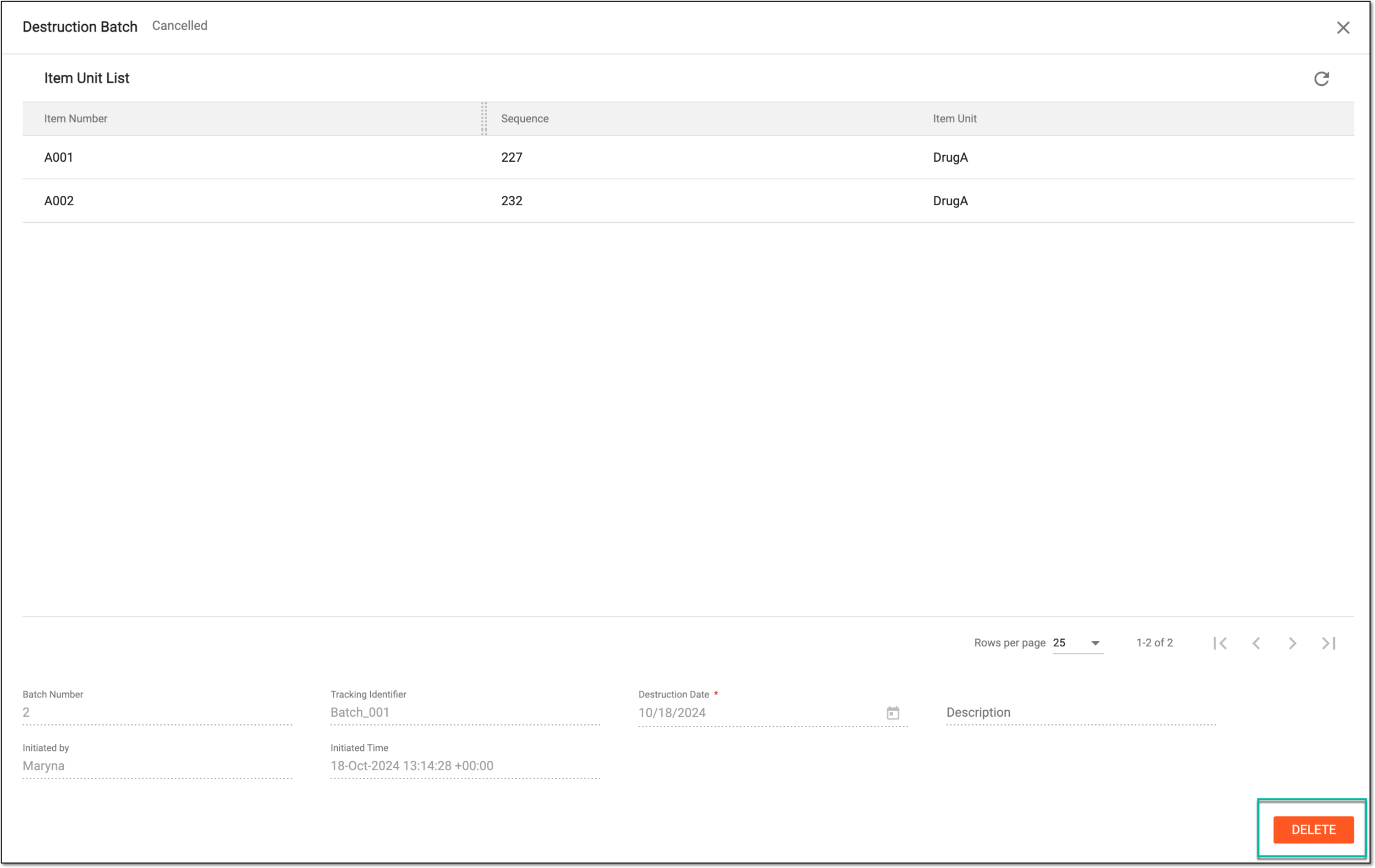 Figure 4. Deleting item destruction batch from details page
-
-
In the Delete dialog that opens, to acknowledge the deletion operation, select
 .
.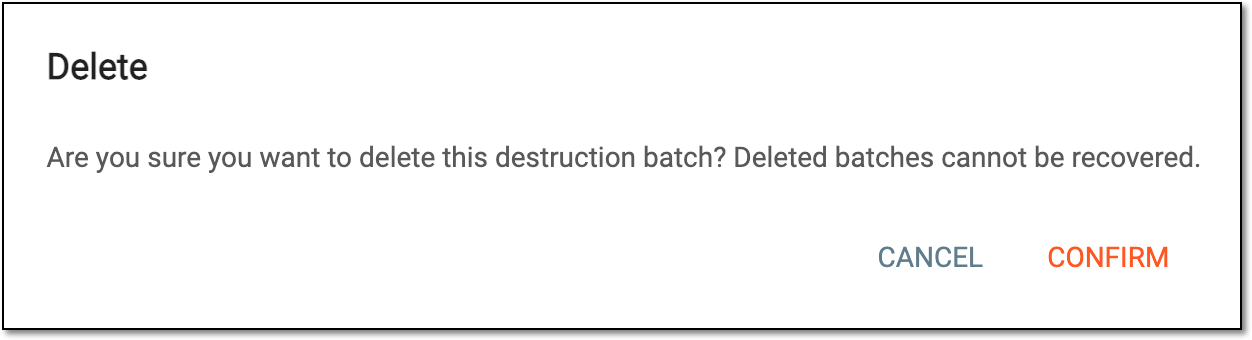 Figure 5. Confirming item destruction batch deletion
Once confirmed, the item destruction batch is deleted from the system. The items become available under the Ready for Destruction tab and can be added to another destruction batch.