View SAE audit report
The SAE Audit report comprises the history of user activities with serious adverse event (SAE) records and individual fields of these records in the EDC system. The report provides the study-wide audit trail of changes, such as initial data entry, change of data, form signature, query creation, and other activities with SAE records.
For instance, the incorrect date of the SAE occurrence has been recorded in EDC and the data manager had to reenter data to fix the mistake. This change then required validation signature from the responsible user. All these events—data entry, data change, and signature—are traceable through the SAE audit report.
The SAE audit report is vital for compliance reasons, as transparency of adverse events and reactions in the clinical trial is of significant importance for submission and approval from regulatory authorities. In EDC, the structure of the SAE form is unique as compared to other CRFs designed in SD, thus, the audit trail for SAE records is introduced in the individual report separately from the data entry audit log.
The report consists of two tabs—Record and Field—to differentiate between the log of actions taken on the SAE record and the changes in certain fields within the record.
-
In the EDC application header, select the STUDY INFO tab.
-
On the page that opens, in the left pane, select the SAE > SAE Audit subtab.
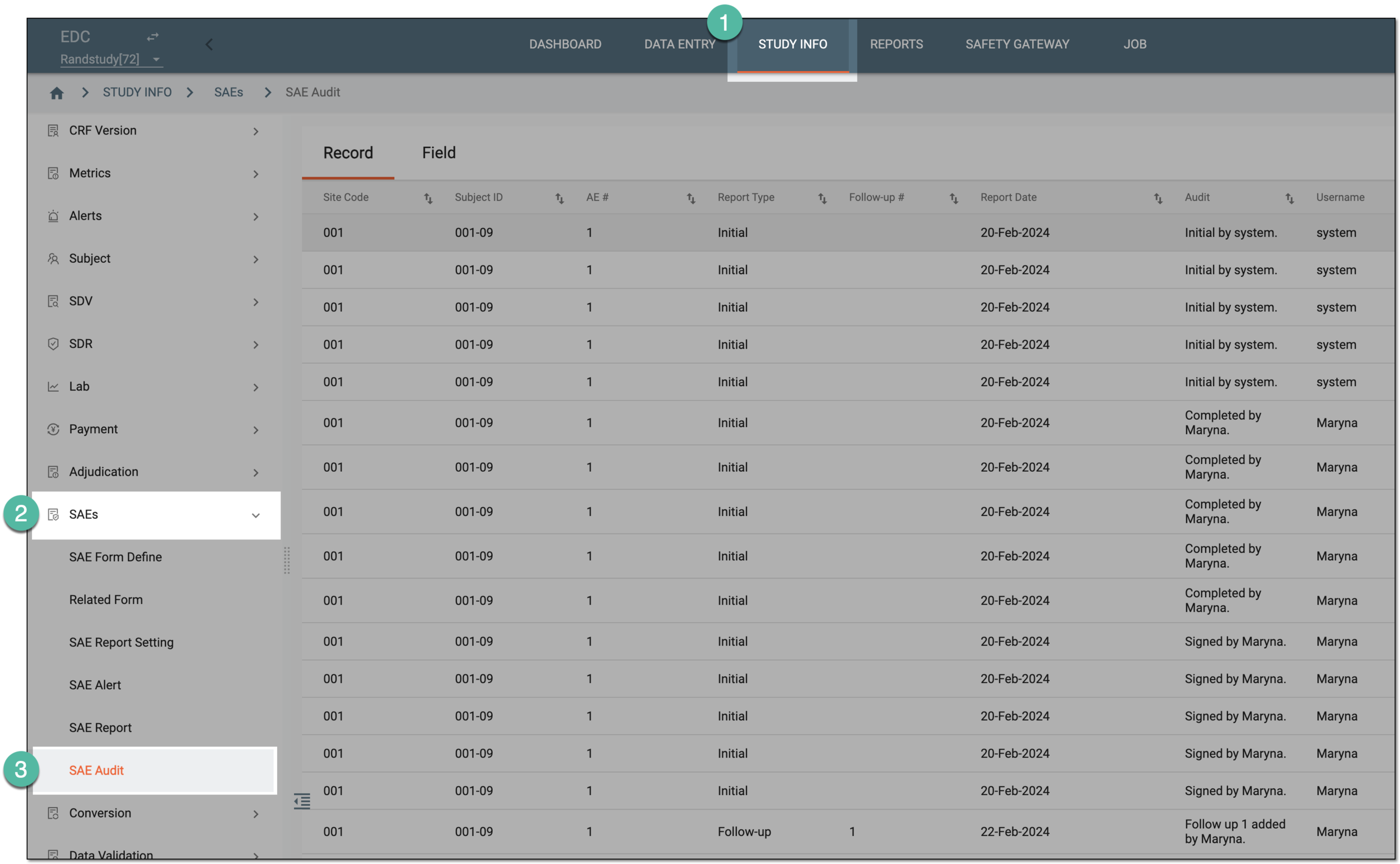 Figure 1. Accessing SAE audit report
-
On the page that opens, under the Report tab, review the log of changes performed in SAE records as explained in the following table.
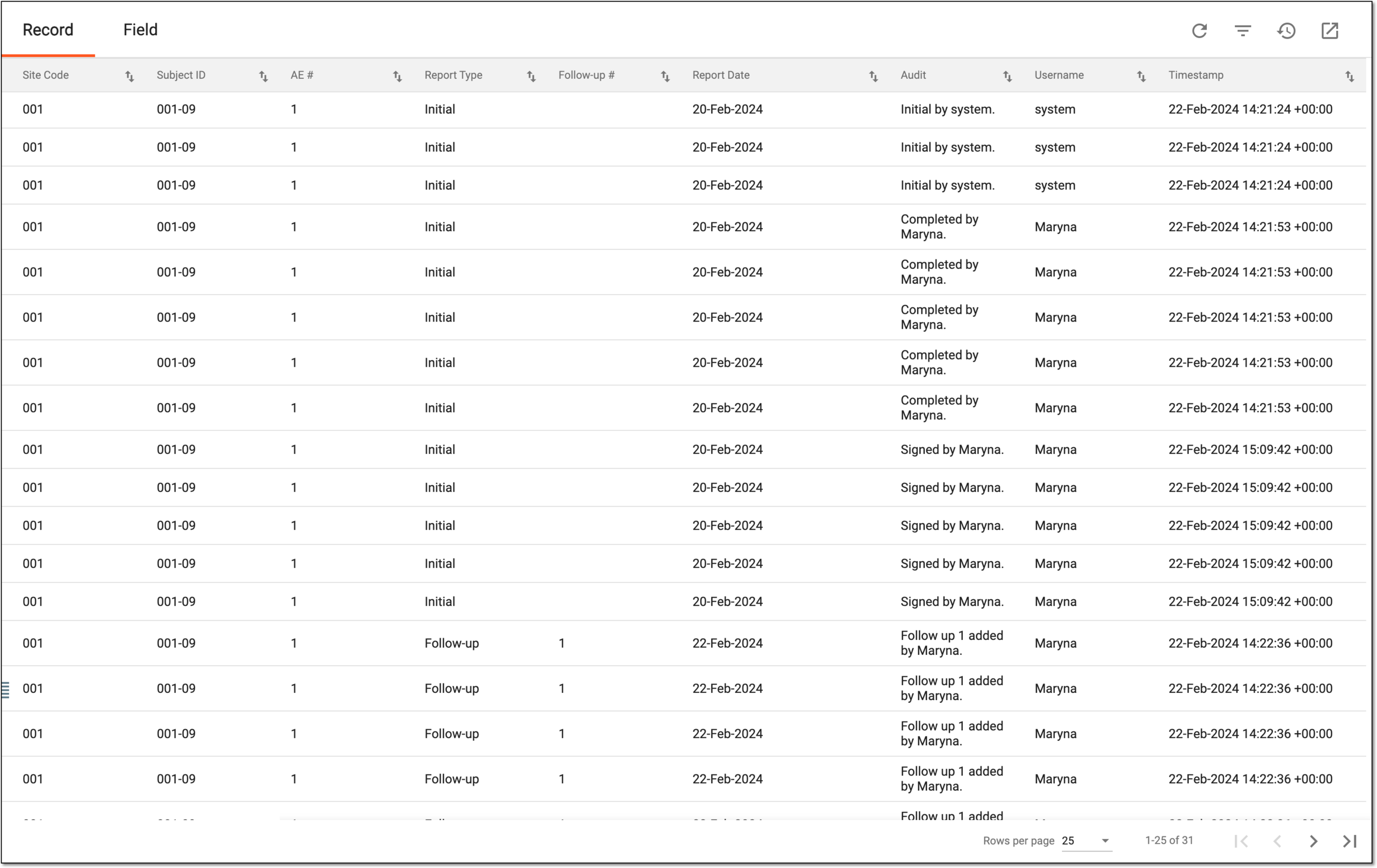 Figure 2. Viewing SAE record audit log
Column
Details
Site Code
Represents the unique identification number of the site where the SAE record is made.
Subject ID
Represents the unique identification number of the subject for whom the SAE record is made.
AE #
Represents the system-generated sequential number assigned to the SAE upon recording in the system. This helps you see, for instance, if this event is a first SAE for the same subject or if not, then which one.
Report Type
Represents the type of the report for the SAE as follows:
-
Initial: represents that the record is a first data entry for a specific SAE occurred with the subject.
-
Follow-up: represents that the record is an additional data entry for a specific SAE occurred with the subject. The follow-up record might contain updated details, new developments of subject condition, and so on.
Follow-up #
Represents the sequential number of the follow-up SAE record. This helps you see, for instance, if this record is a first follow-up to the initial SAE record or if not, then which one.
Report Date
Represents the date when the SAE occurrence is first reported.
Audit
Represents the audit trail entry made by the system to document the action taken on the SAE record.
Username
Represents the name of the system user who performed the action on the SAE record.
Timestamp
Represents the exact date and time when the action is performed on the SAE record.
-
-
Switch to the Field tab and review the log of changes in SAE record fields as explained in the following table.
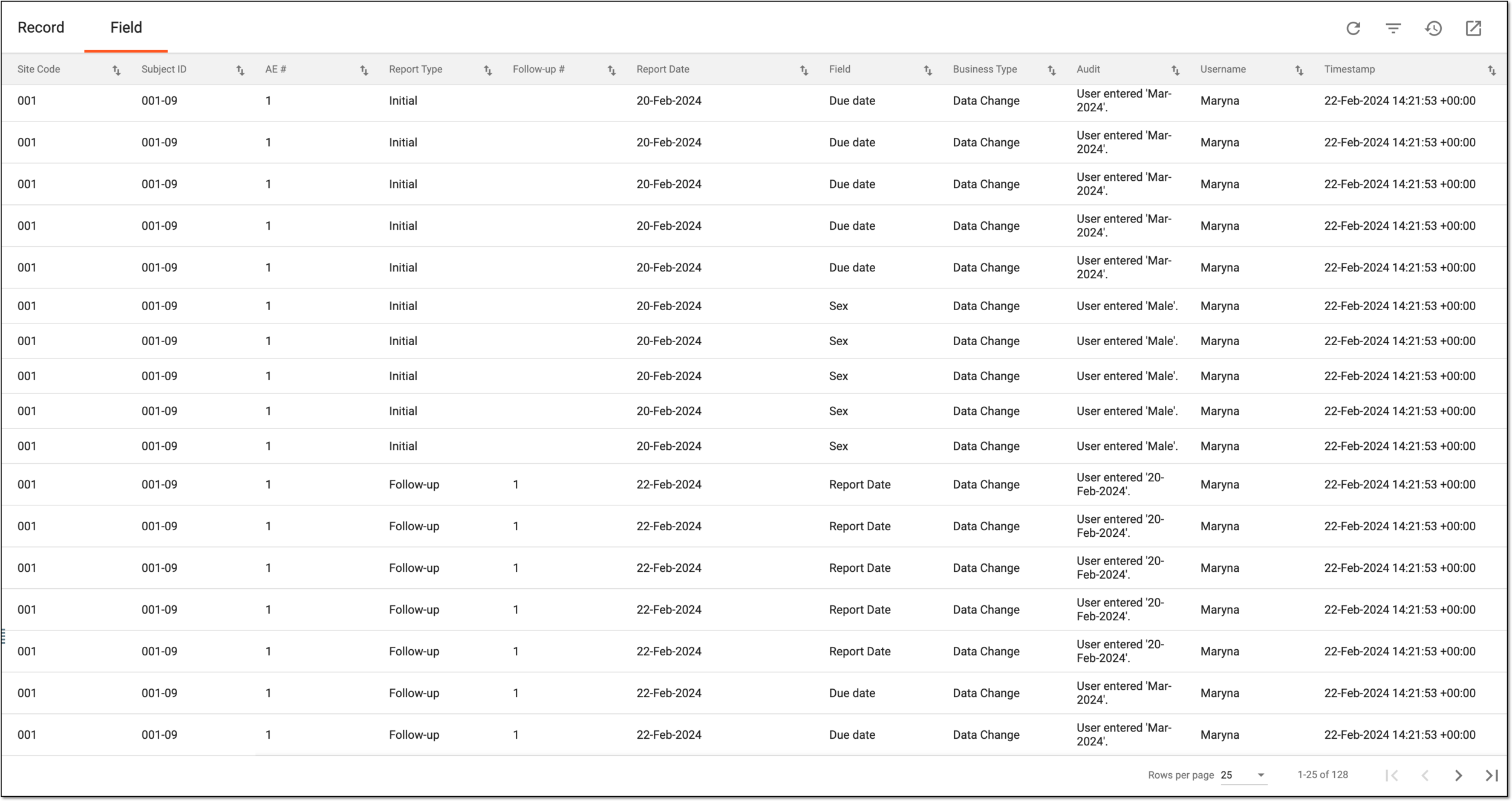 Figure 3. Viewing SAE field audit log
Column
Details
Site Code
Represents the unique identification number of the site where the SAE record is made.
Subject ID
Represents the unique identification number of the subject for whom the SAE record is made.
AE #
Represents the system-generated sequential number assigned to the SAE upon recording in the system. This helps you see, for instance, if this event is a first SAE for the same subject or if not, then which one.
Report Type
Represents the type of the report for the SAE as follows:
-
Initial: represents that the record is a first data entry for a specific SAE occurred with the subject.
-
Follow-up: represents that the record is an additional data entry for a specific SAE occurred with the subject. The follow-up record might contain updated details, new developments of subject condition, and so on.
Follow-up #
Represents the sequential number of the follow-up SAE record. This helps you see, for instance, if this record is a first follow-up to the initial SAE record or if not, then which one.
Report Date
Represents the date when the SAE occurrence is first reported.
Field
Represents the name of the field in the SAE form whose data is changed.
Business Type
Represents the type of action taken on the field, for instance, Data Change if the field details are updated or Manual Query if a query is opened on the field data.
Audit
Represents the audit trail entry made by the system to document the action taken on the SAE record field.
Username
Represents the name of the system user who performed the action on the SAE record.
Timestamp
Represents the exact date and time when the action is performed on the SAE record.
-
You have analyzed the detailed log of all changes performed with SAE records in your study.