Analyze end-of-study overview
Data acknowledgment before the end of the study is a process of confirming the receipt and accuracy of data and findings collected during a clinical trial.
With the End of Study Overview report, you can analyze the current status of data acknowledgment tasks per country and site to get a study-level understanding of data readiness for closure in EDC.
-
In the EDC application header, select the REPORTS tab.
-
On the page that opens, in the left pane, select End of Study > End of Study Overview.
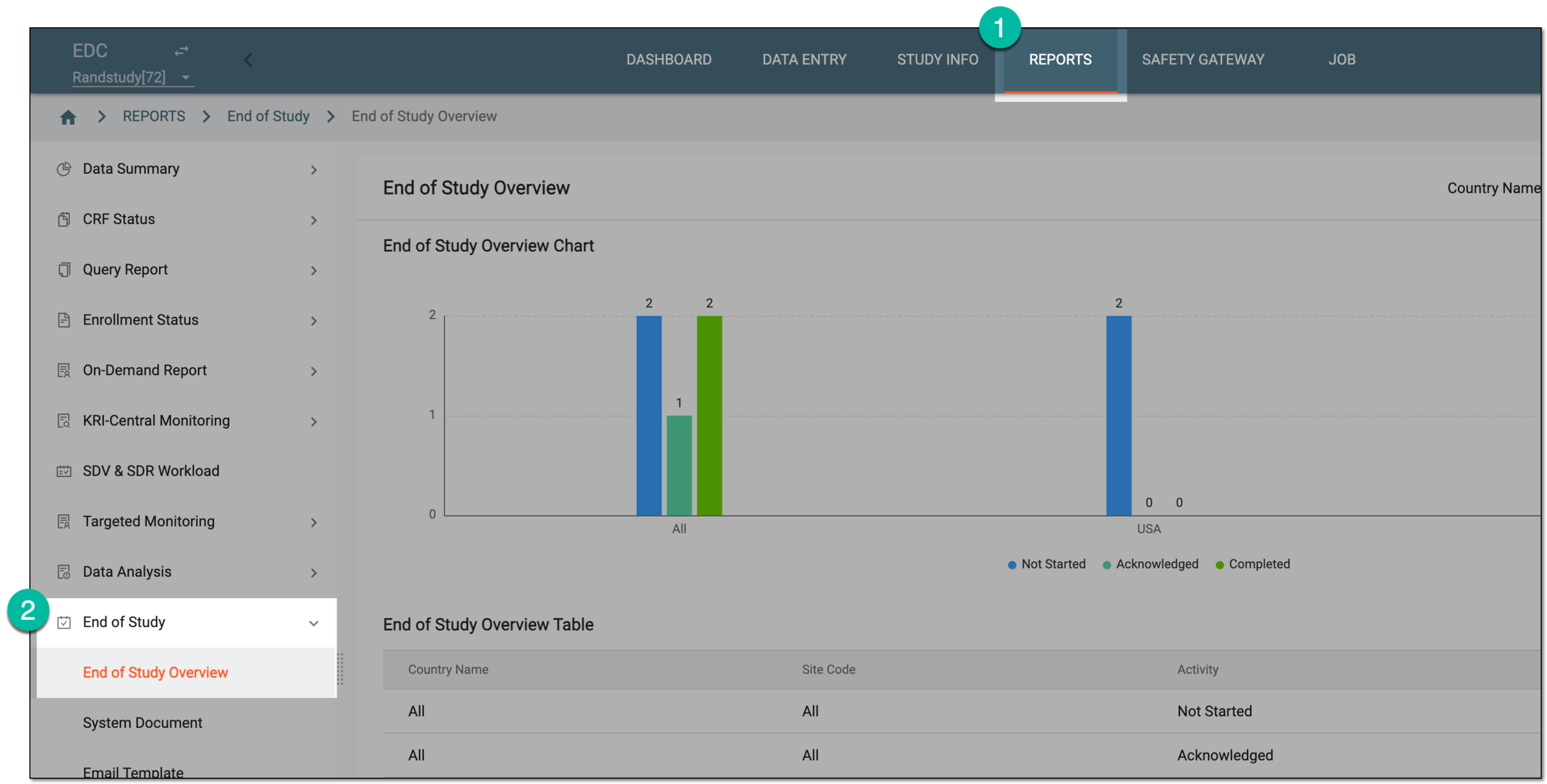 Figure 1. Accessing end-of-study overview
-
On the page that opens, analyze the details of the bar chart—End of Study Overview Chart—and table—End of Study Overview Table—to see the data acknowledgment progress. The chart and table contain the same details provided in visual and grid formats for your convenience. The statuses of data acknowledgment featured in the overview as explained in the following table.
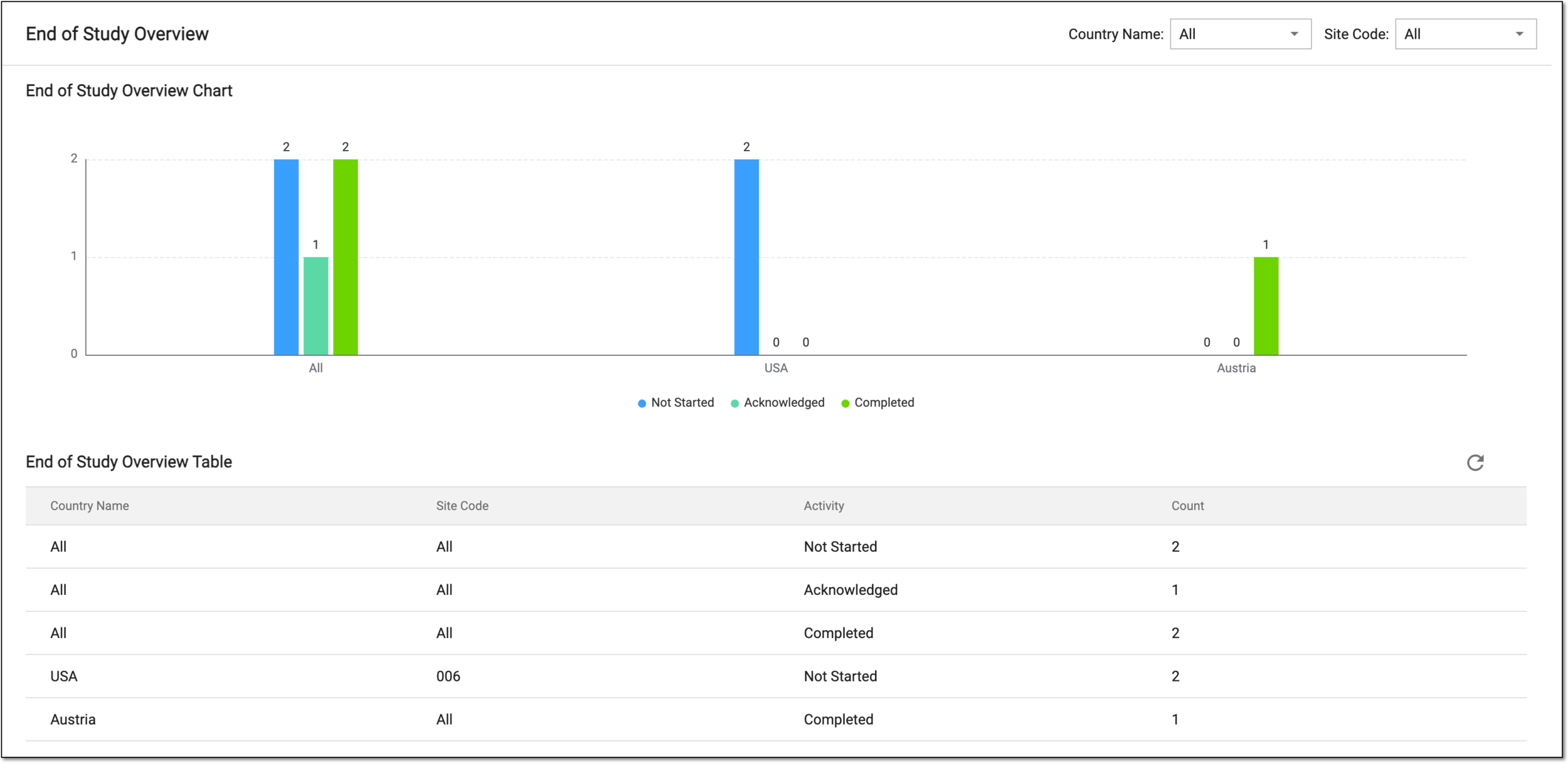 Figure 2. Analyzing end-of-study chart and table
Status
Details
Not Started
Represents that the data acknowledgment task for system files is created but not yet taken into work and completed by the assignee.
Acknowledge
Represents that the system document is acknowledged by the assignee but not yet downloaded from the EDC system.
Completed
Represents that the system document is acknowledged by the assignee and downloaded from the EDC system, thus, the data acknowledgment task is completed.
You have analyzed the statistical overview of the end-of-study data acknowledgment.