View monitoring visit calendar
A monitoring visit refers to an activity when a monitor, usually a clinical research associate (CRA), visits sites to review and verify study-related activities. All monitoring visits that are either generated based on monitoring plans, autogenerated based on the RBM engine, or created manually have a monitor assigned to them, and some might have companions—additional personnel to assist the monitor in their activities. In CTMS, all the monitors and their companions can view their schedule of monitoring visits on the calendar for convenience and planning purposes.
-
Access the study management page in one of the following ways:
-
In the CTMS application header, select the DASHBOARD tab and then select the study dashboard of your interest.
 Figure 1. Accessing study management from dashboard
-
In the CTMS application header, select the STUDY MANAGEMENT tab. Then from the Study Data List table, select the study name of your interest.
 Figure 2. Accessing study management from study data list
-
-
On the study page that opens, in the left pane, expand Monitoring and select Monitoring Visit.
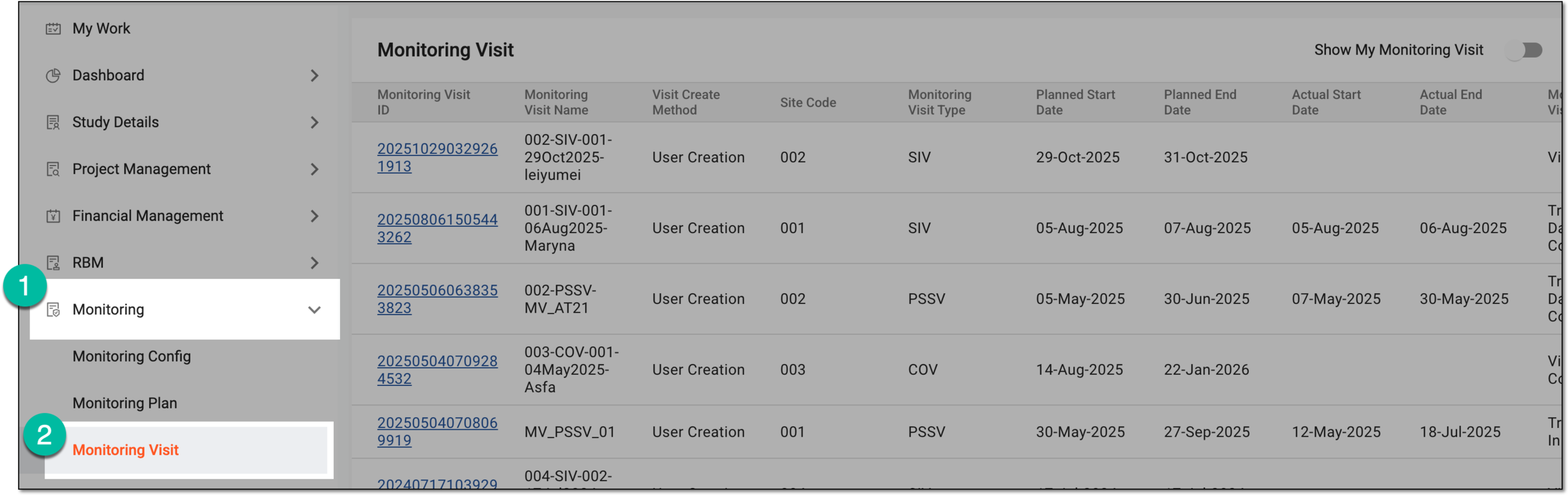 Figure 3. Accessing monitoring visit page
-
From the workspace toolbar of the Monitoring Visit table, select Calendar
 .
.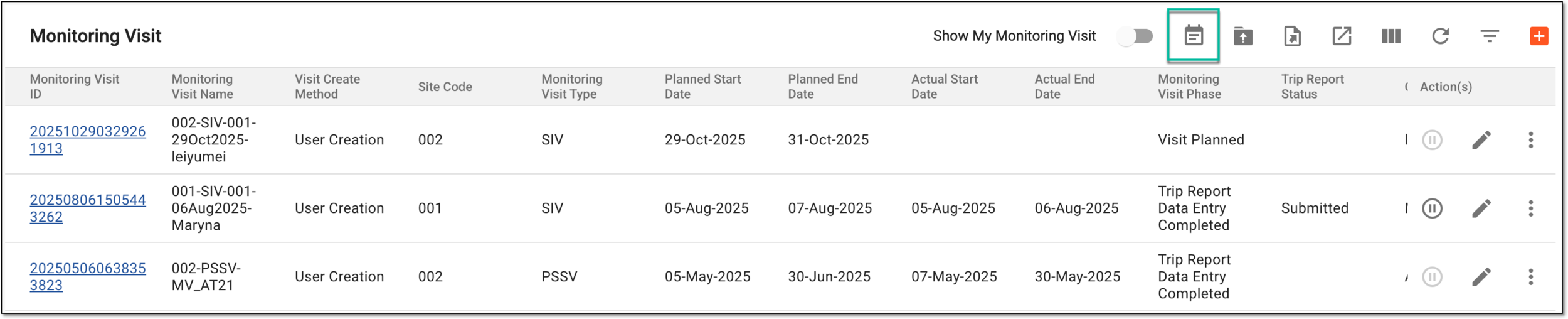 Figure 4. Selecting option to open calendar
-
On the Calendar page that opens, view the list of all scheduled monitoring visits for any monitor.
 Figure 5. Viewing monitoring visits calendar
Important
The icon
 next to user names indicates that they no longer have access to the system and thus cannot perform assigned monitoring
visit tasks. Consider this during monitoring visit coordination and management.
next to user names indicates that they no longer have access to the system and thus cannot perform assigned monitoring
visit tasks. Consider this during monitoring visit coordination and management.
Once viewed, you can go back to the previous page.