View monitoring visit versioning history
A monitoring visit refers to an activity when a monitor, usually a clinical research associate (CRA), visits sites to review and verify study-related activities, including data collection, patient safety, and adherence to the study protocol. The monitor also checks that the study is conducted in compliance with relevant regulatory requirements and GCP guidelines. When a new version of the monitor template has been created, you can upgrade trip report templates associated with your monitoring visits so they can include the latest updates. Later you can view the history of all the version changes and pertinent details.
-
Access the study management page in one of the following ways:
-
In the CTMS application header, select the DASHBOARD tab and then select the study dashboard of your interest.
 Figure 1. Accessing study management from dashboard
-
In the CTMS application header, select the STUDY MANAGEMENT tab. Then from the Study Data List table, select the study name of your interest.
 Figure 2. Accessing study management from study data list
-
-
On the study page that opens, in the left pane, expand Monitoring and select Monitoring Visit.
-
Above the Monitoring Visit table that appears, from the workspace toolbar, select Upgrade Version
 .
.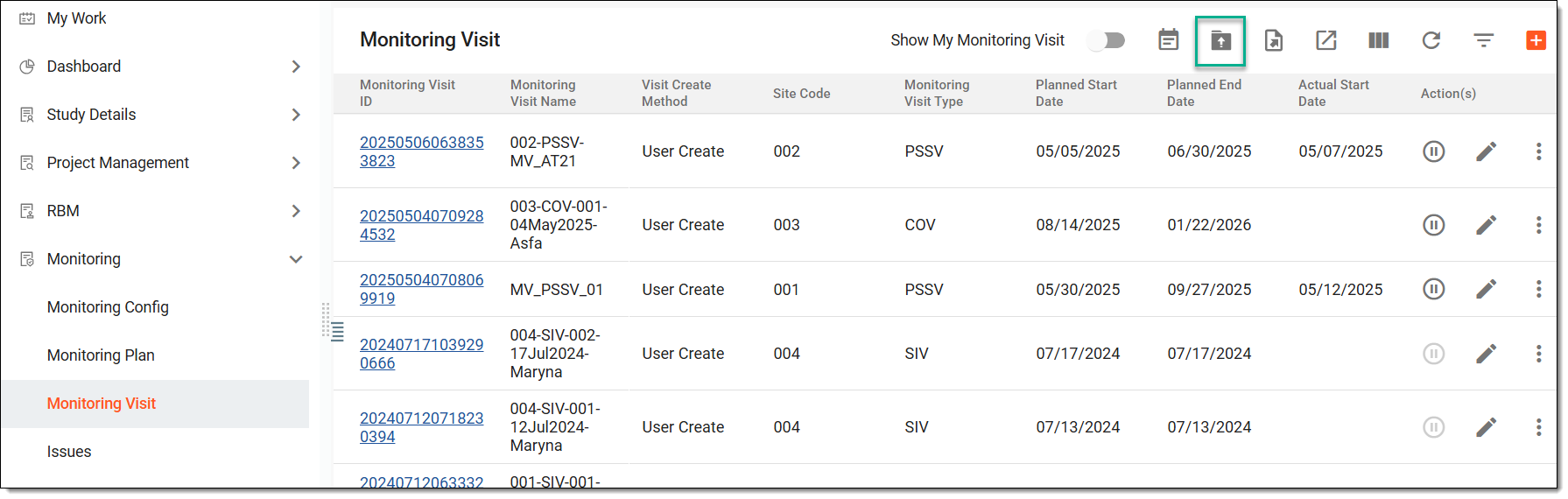 Figure 3. Accessing option to upgrade monitoring visit version
-
On the Upgrade Version page that opens, from the workspace toolbar, select Operation History
 .
.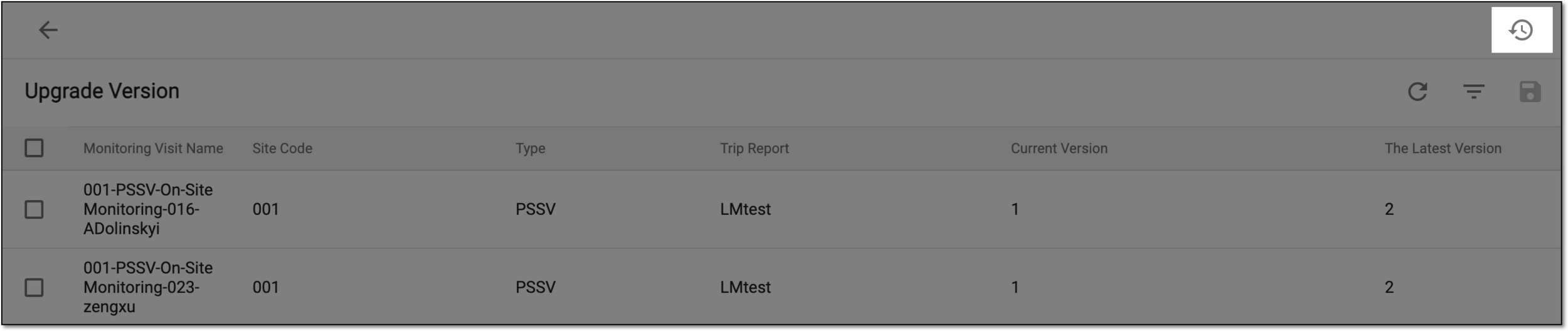 Figure 4. Selecting Operation History option
-
In the Change History dialog that opens, view the history of all the version upgrades and such details as the name of the operator who upgraded the version, their role, time of action, and others.
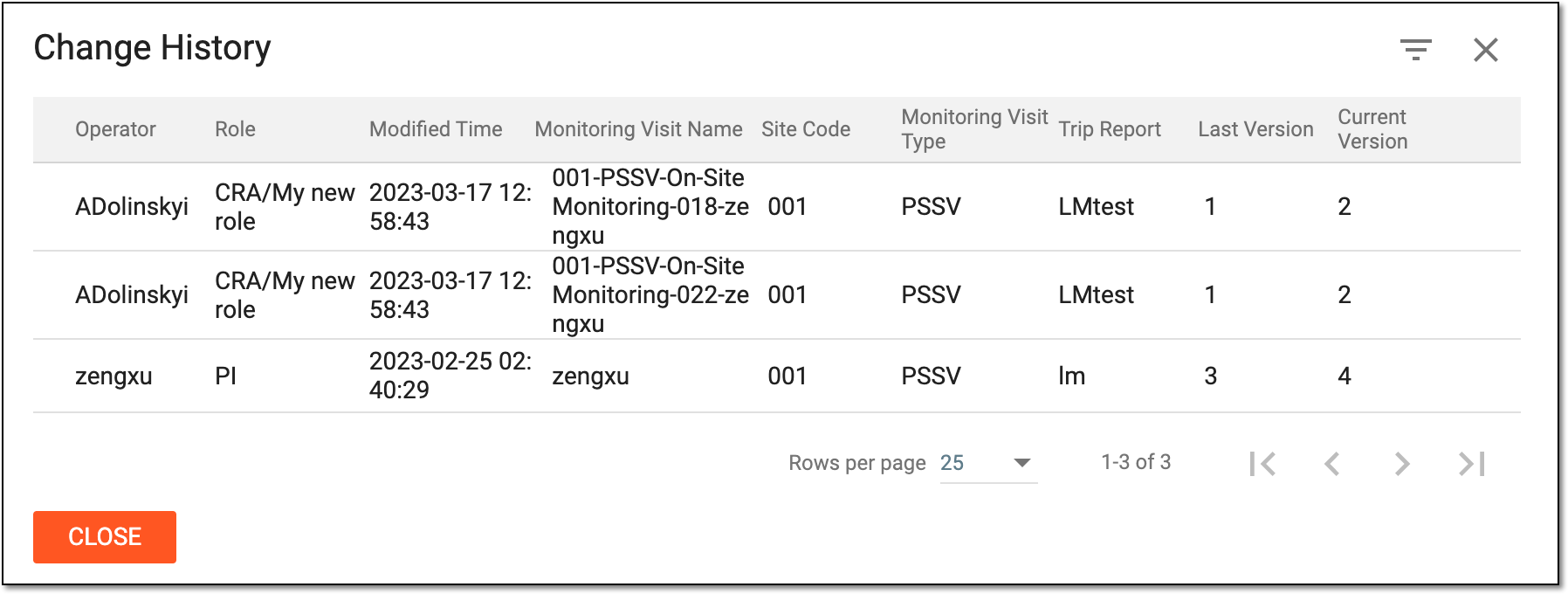 Figure 5. Viewing monitoring visit change history
-
Select
 .
.
You have viewed the operation history of the monitoring visit version upgrades.