Approve/Reject monitoring visit
A monitoring visit refers to an activity when a monitor, usually a clinical research associate (CRA), visits sites to review and verify study-related activities, including data collection, patient safety, and adherence to the study protocol. The monitor also verifies that the study is conducted in compliance with relevant regulatory requirements and GCP guidelines.
In CTMS, for each monitoring visit created in the system, it is individually set whether this visit requires approval of a certain role or a specific person. If the approval is necessary, the system creates a new approval task for assigned users or user roles upon creation, and then each time any edits are introduced to this visit. If you are responsible for approval of a monitoring visit, a respective task is assigned to you in the system.
The approval procedure also has a rejection option so that if there are any issues with the visit,
-
Access the study management page in one of the following ways:
-
In the CTMS application header, select the DASHBOARD tab and then select the study dashboard of your interest.
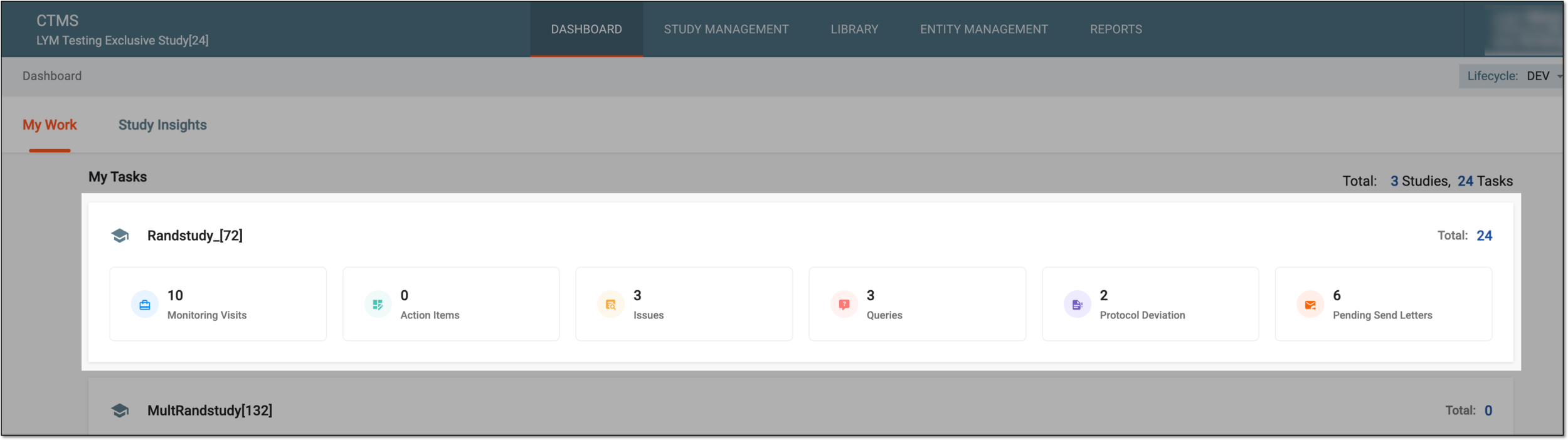 Figure 1. Accessing study management from dashboard
-
In the CTMS application header, select the STUDY MANAGEMENT tab. Then from the Study Data List table, select the study name of your interest.
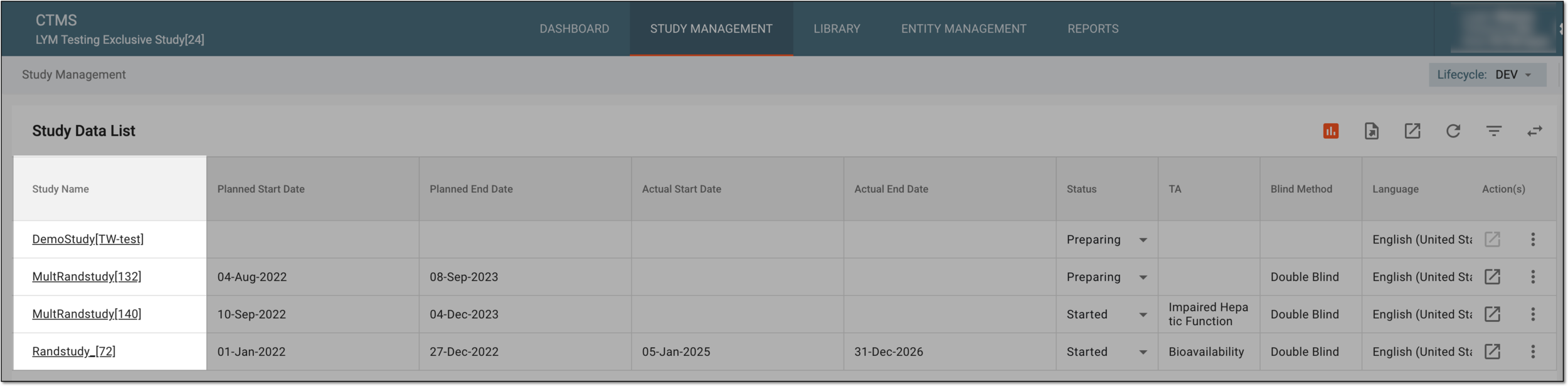 Figure 2. Accessing study management from study data list
-
-
On the page that opens, perform one of the following actions:
-
On the My Work dashboard select the Monitoring Visit tile to start working on monitoring visit tasks.
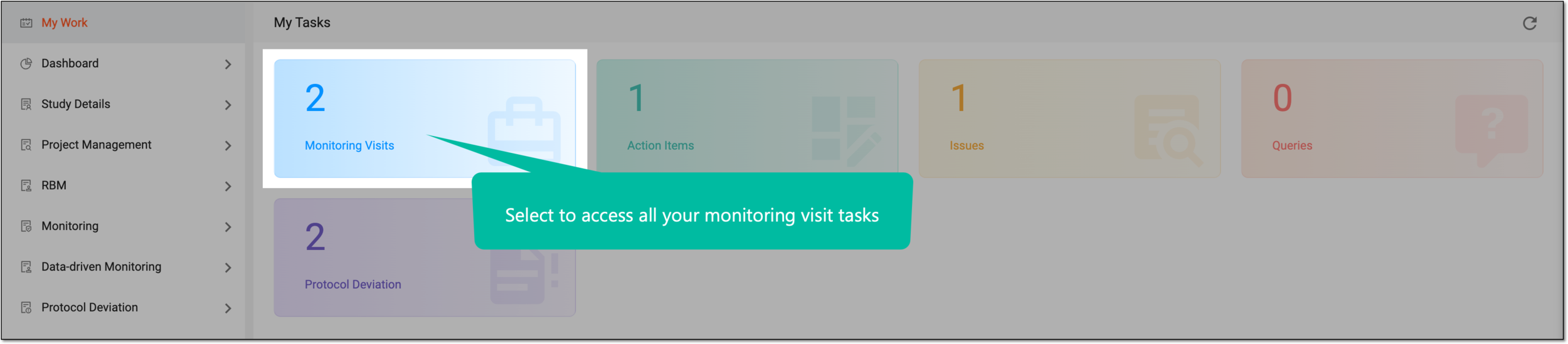 Figure 3. Accessing monitoring visit tasks
-
In the left pane, select Monitoring > Monitoring Visit and from the table that appears, locate and select the name of the monitoring visit you want to approve.
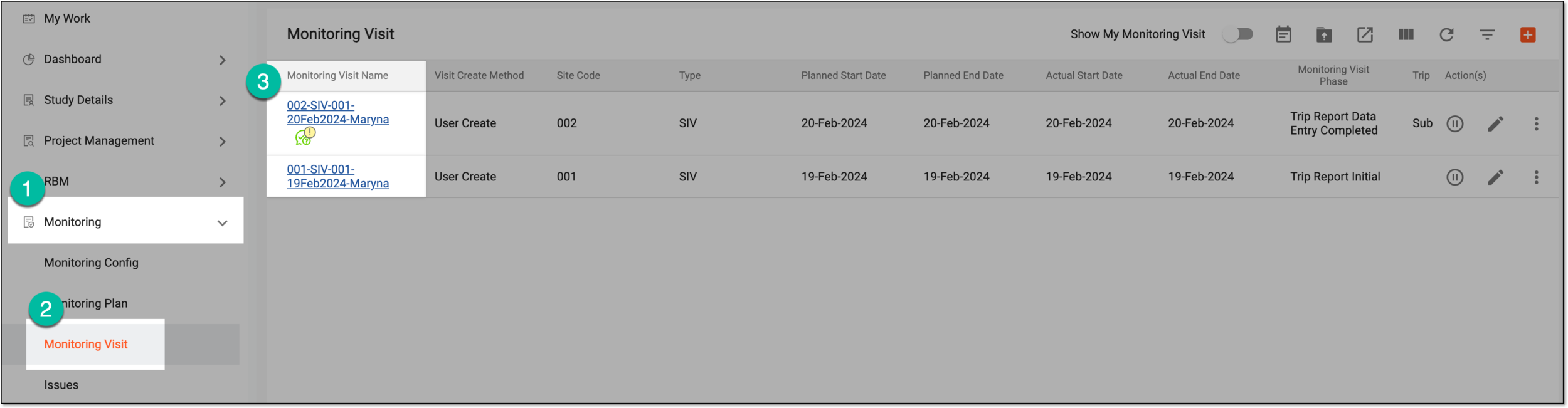 Figure 4. Accessing monitoring visit from list
-
-
On the page that opens, from the monitoring visit configuration form, select
 .
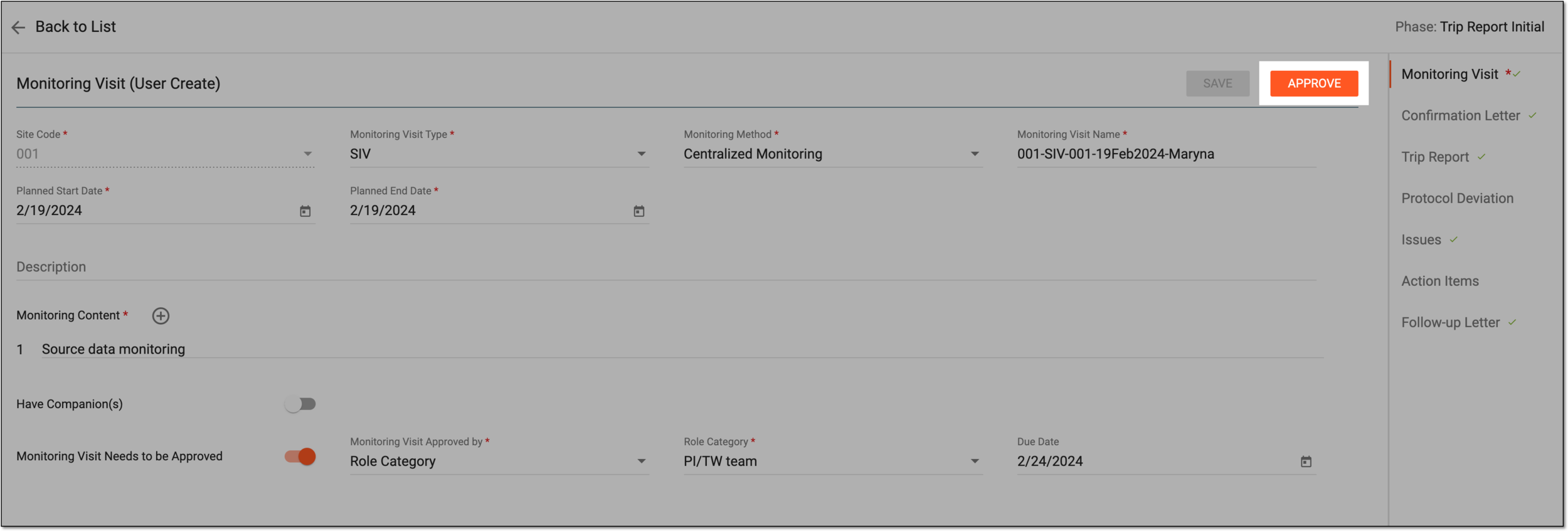 Figure 5. Approving monitoring visit
-
In the dialog that opens, based on your intention with the monitoring visit, do one of the following:
-
Approve: select this option and provide an optional comment to approve the monitoring visit.
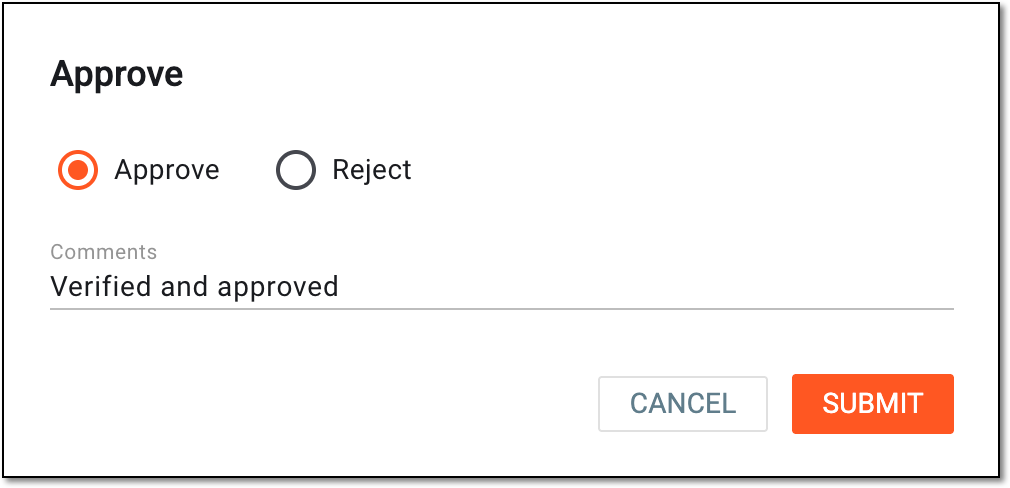 Figure 6. Approving monitoring visit
-
Reject: select this option and provide a mandatory comment to reject the monitoring visit.
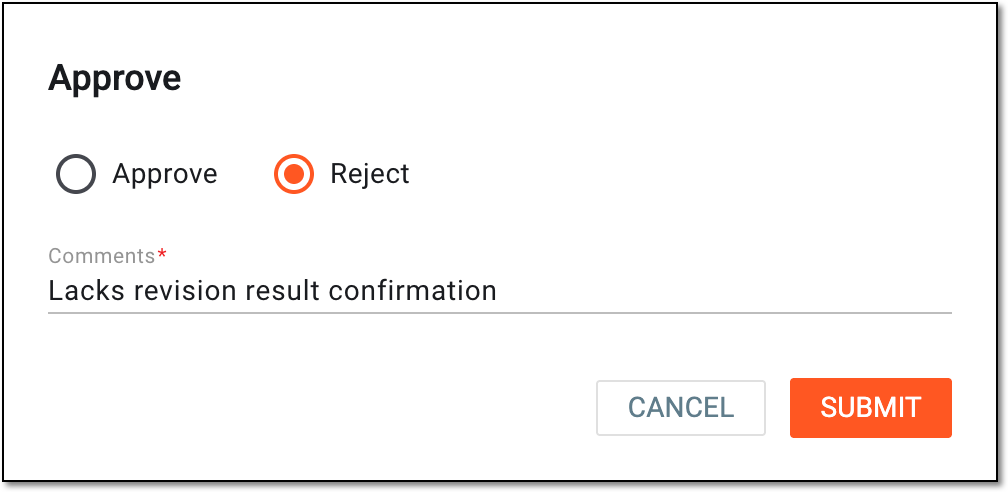 Figure 7. Rejecting monitoring visit
-
-
Select
 to proceed with your action.
The monitoring visit is now approved or rejected based on your selected option.
The rejected visit can now be revisited by the CRA in charge to make the needed changes. Once the rejected monitoring visit is edited and saved, it can seek approval from the person in charge again.