Edit monitoring visit
A monitoring visit refers to an activity when a monitor, usually a clinical research associate (CRA), visits sites to review and verify study-related activities, including data collection, patient safety, and adherence to the study protocol. The monitor also checks that the study is conducted in compliance with relevant regulatory requirements and GCP guidelines. You can update the configuration of existing monitoring visits if needed.
Important
Only the monitoring visit owner can edit their visit details. The monitoring visits owned by other users can only be viewed in the read-only mode.
-
Access the study management page in one of the following ways:
-
In the CTMS application header, select the DASHBOARD tab and then select the study dashboard of your interest.
 Figure 1. Accessing study management from dashboard
-
In the CTMS application header, select the STUDY MANAGEMENT tab. Then from the Study Data List table, select the study name of your interest.
 Figure 2. Accessing study management from study data list
-
-
On the study page that opens, in the left pane, expand Monitoring and select Monitoring Visit.
-
In the Monitoring Visit table that appears, next to the needed monitoring visit, select Edit
 .
.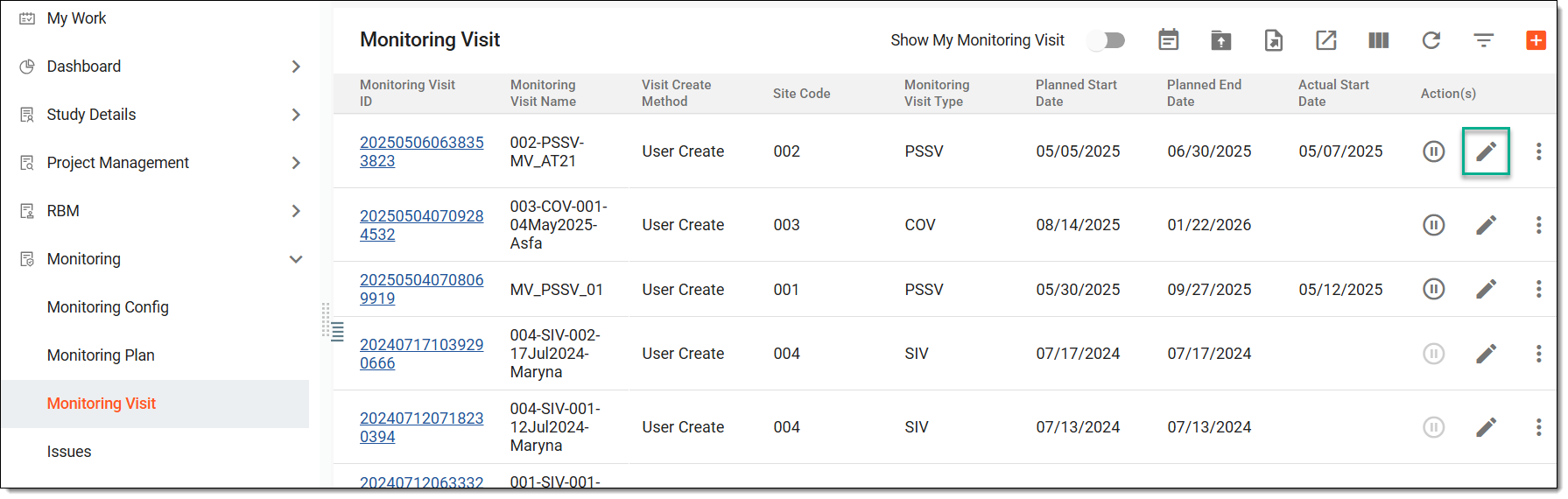 Figure 3. Accessing option to edit monitoring visit
-
On the page that opens, update the monitoring visit at the following steps:
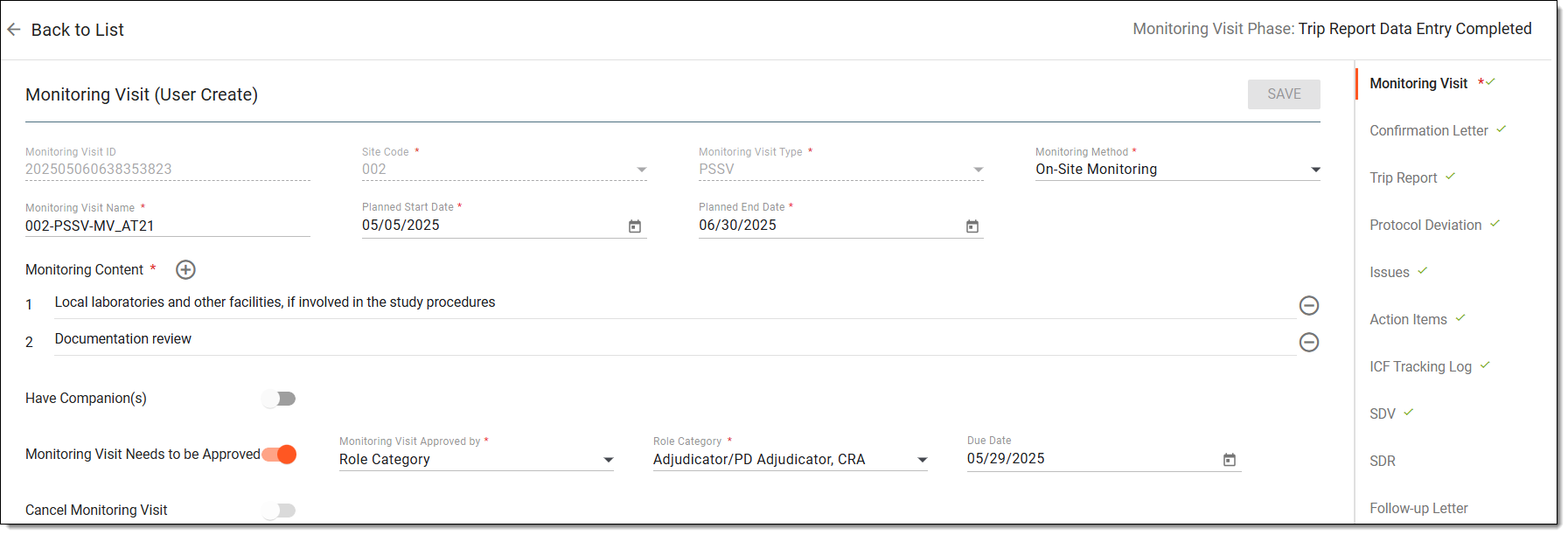 Figure 4. Editing monitoring visit
Once done, the monitoring visit is updated.