Work on assigned monitoring visit tasks
When managing a study in CTMS, you can access all your tasks from a single interactive dashboard called My Work. This dashboard features all your tasks conveniently categorized by tiles.
One of the tiles represents the tasks related to monitoring visits management. Using this dashboard functionality, such users as data managers, principal investigators, or else can directly access all the monitoring visits that require their approval, as well as trip reports awaiting submission or audit.
-
Access the study management page in one of the following ways:
-
In the CTMS application header, select the DASHBOARD tab and then select the study dashboard of your interest.
 Figure 1. Accessing study management from dashboard
-
In the CTMS application header, select the STUDY MANAGEMENT tab. Then from the Study Data List table, select the study name of your interest.
 Figure 2. Accessing study management from study data list
-
-
On the My Work page that opens, select the Monitoring Visits task category tile.
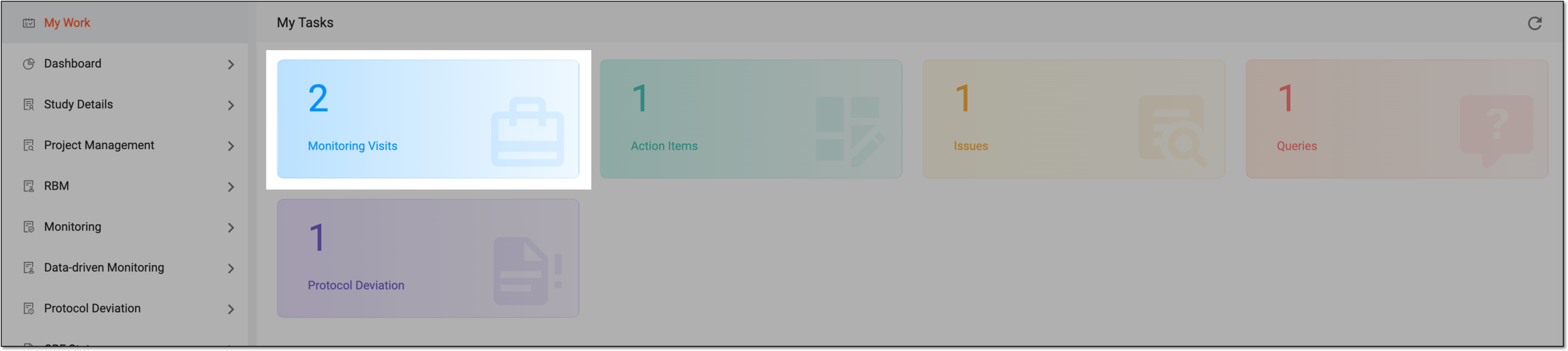 Figure 3. Selecting monitoring visit tasks
Important
Note that the task categories you see may differ depending on your user role and the set of tasks assigned to you in the system according to your field of responsibilities and company arrangements.
-
In the table that appears, the tasks of all types are displayed—Monitoring Visit Approval, Trip Report Submission, and Trip Report Approval. Optionally, select the number next to the task type of your interest to filter the table appropriately and facilitate your search.
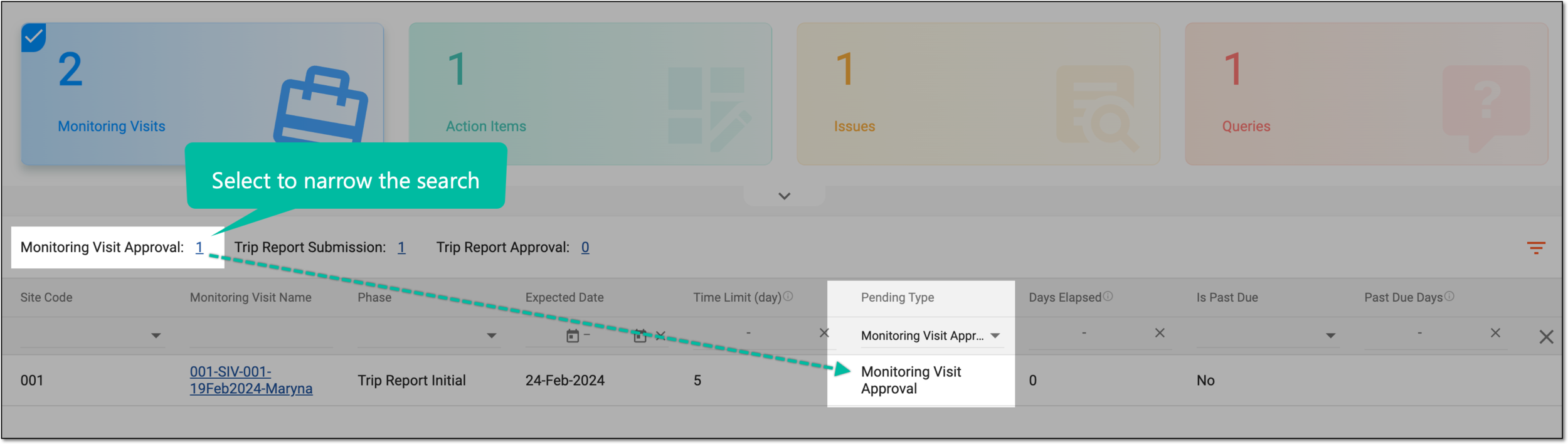 Figure 4. Selecting monitoring visit task type
Tip
Select
 to collapse the filter panel and return to the unfiltered task list.
 -
Locate the task on which you want to work and select its monitoring visit name:
-
For the tasks of the Monitoring Visit Approval type, to access the monitoring visits approval page.
-
For the tasks of the Trip Report Submission type, to access the trip report submission page.
-
For the tasks of the Trip Report Approval type, to access the trip report auditing page.
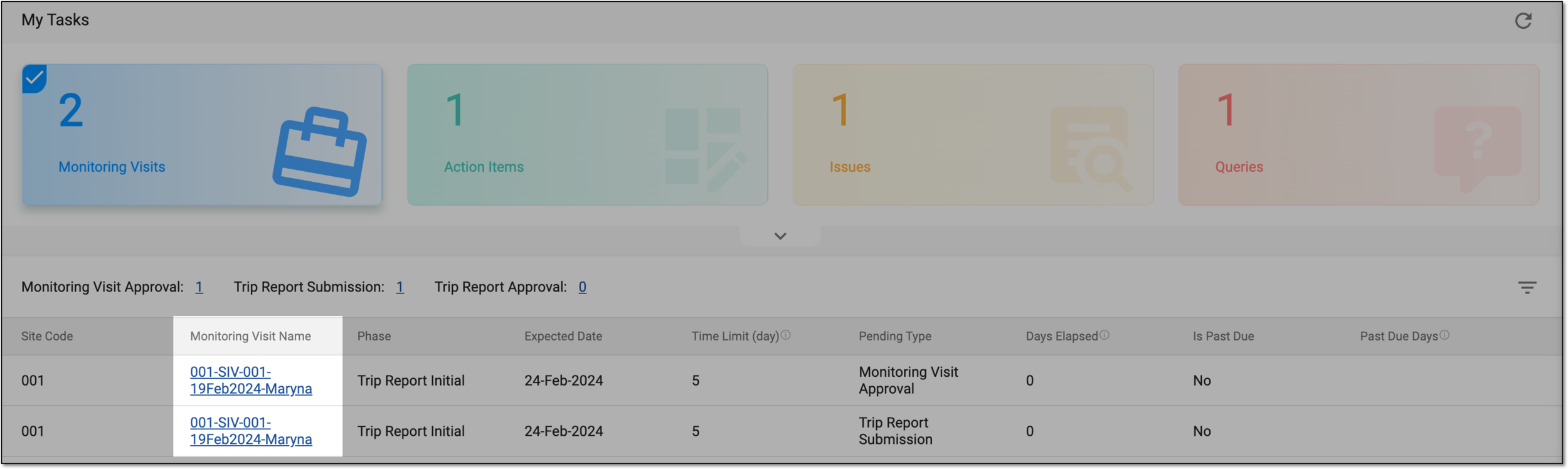 Figure 5. Selecting monitoring task to work on
-
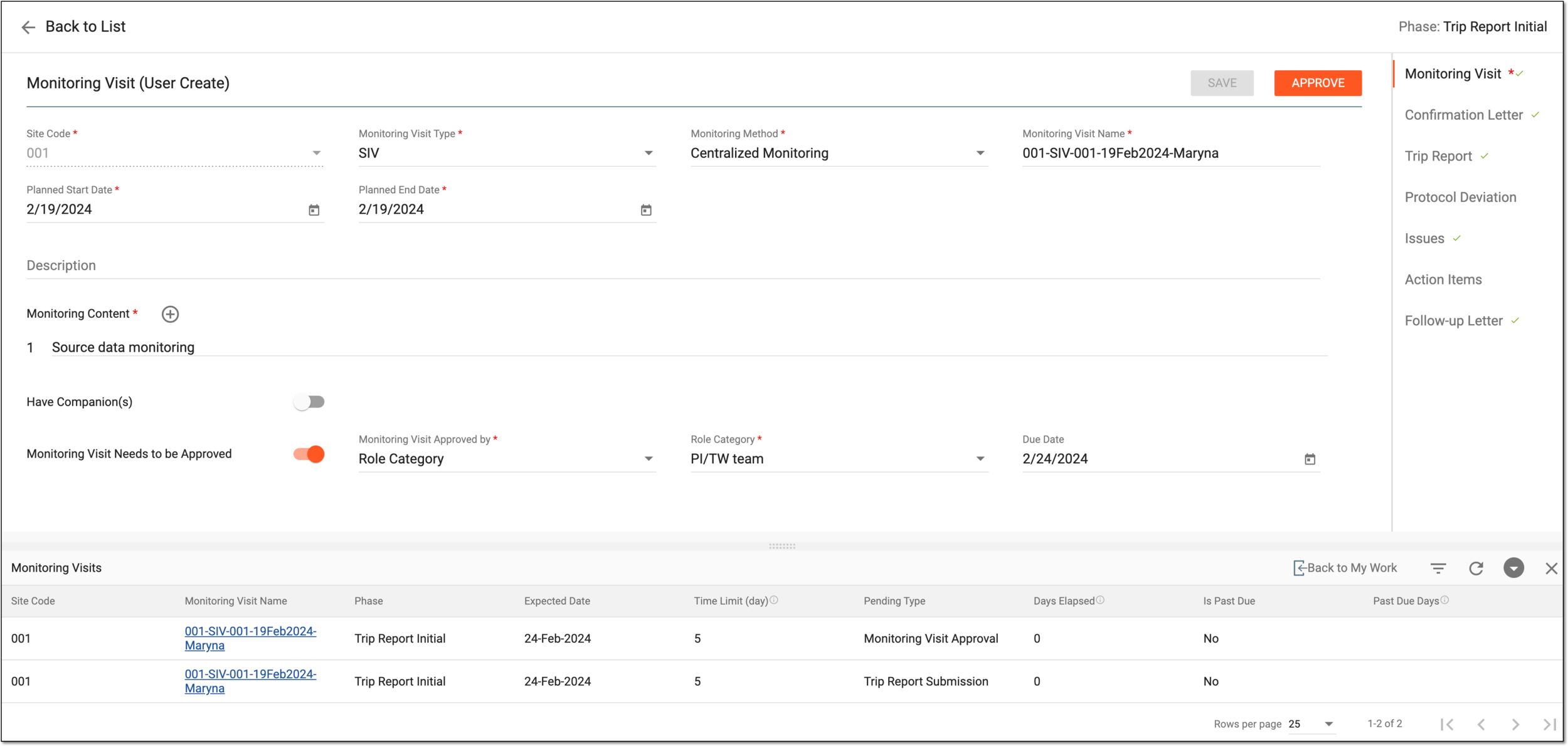
You have now accessed the needed work area—monitoring visits approval or trip report submission and auditing form.
Tip
Use the Monitoring Visits table to navigate between monitoring visit tasks without returning to the My Work dashboard. Otherwise, select Back to My Work to return to your other task categories.
You can also use refresh  to see the latest tasks or collapse
  or close
  the table if not needed.