Edit ICF tracking log template
In CTMS, you can edit the basic information of an ICF tracking log template, such as its name, approval requirement, and so on. This may be required if the existing details are incorrect, the person you had assigned to review and approve the template is no longer available or has to be changed for some other reason, and so on.
-
In the CTMS application header, select the LIBRARY tab.
-
On the page that opens, from the left pane, select ICF Tracking Log Template.
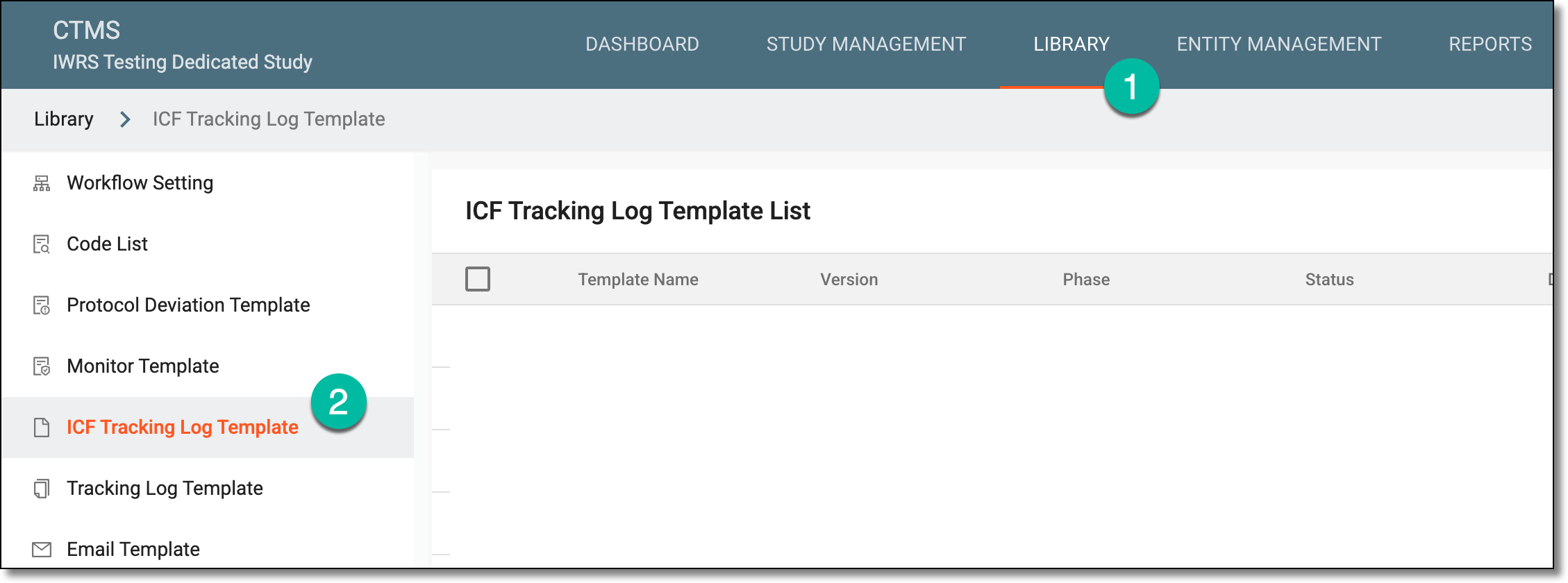 Figure 1. Accessing ICF tracking log template subtab
-
From the ICF Tracking Log Template List table, locate the template that you want to edit. Then next to it, select Edit
 .
. Figure 2. Selecting to edit template
-
In the Edit dialog that appears, modify the details as required and explained in the following table.
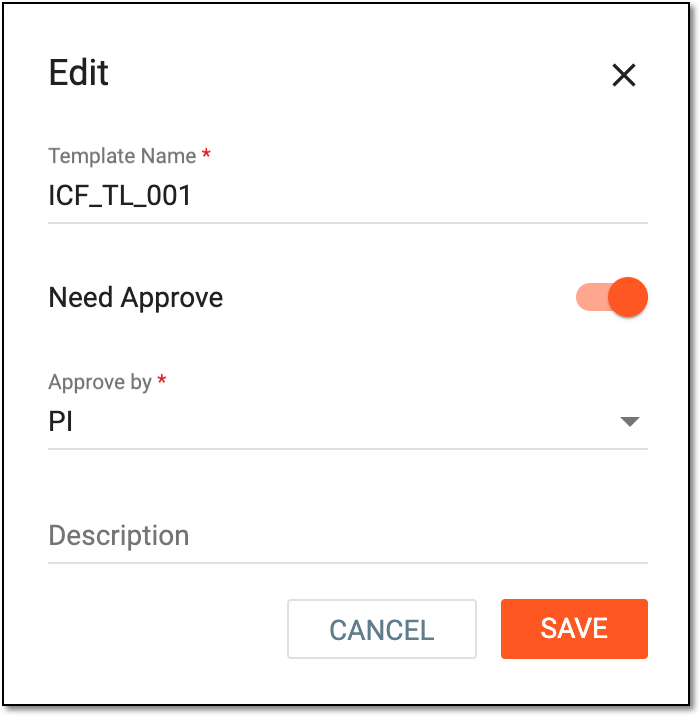 Figure 3. Editing ICF tracking log template basic information
Tip
In the following table, mandatory elements are marked with an asterisk (*).
Element
Details
Template Name*
Enter a unique name for your template. It is advised to use a descriptive and comprehensive name as it is used to distinguish the template from others when configuring the ICF tracking log setting.
Need Approve
-
Turn the toggle on if you want to assign an approver to verify the configured template before it becomes valid and available for further use in the system.
-
Turn the toggle off if there is no need to assign an approver to verify the configured template.
Approve by*
If the Need Approve toggle is turned on, select the user role responsible for approving your configured template.
This field is unavailable if the Need Approve toggle is turned off.Description
Enter additional information or helpful details about the template.
SAVE
Select
 to save the implemented changes.
CANCEL
Select
 to discard the changes without saving.
 -
-
Select
to save your changes.
Upon saving, the ICF tracking log template is updated.