View external system account list
An external system is referred to as an application, platform, or service that interacts with the eClinical system to provide specialized facilities that improve the workflows of eClinical trials.
For instance, if a user account A created in ADMIN is utilized to integrate eTMF application for file validation to improve the file storage mechanism is eTMF. In this scenario, user account A is an external system that needs to be managed in the ADMIN application.
The external system needs to be connected with the eClinical system for communication and exchange of data flow.
In this section, you can learn how to analyze the details of the account that connects the external system to an eClinical system.
-
In the ADMIN application header, select the CONFIGURATION tab.
-
On the page that appears, from the left pane, select Integration Account > External System Account.
-
In the External System Account table that appears, analyze the details as explained in the following table.
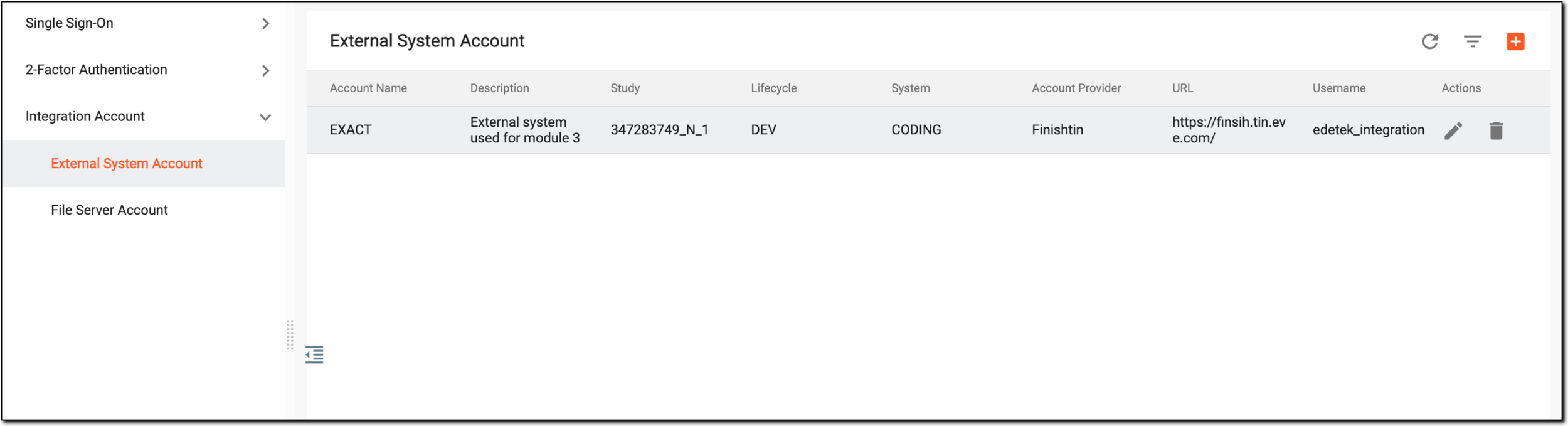 Figure 1. Viewing external system account
Element
Details
Account Name
Represents a meaningful name of the account specified by the user upon creation.
Description
Represents information about the account, for instance, the account is used for monitoring purposes.
Study
Represents the name of the study in the eClinical system that is connected to the external account.
Lifecycle
Represents the stage for which the account is created. It can be DEV, UAT, or PROD.
System
Represents the name of the eClinical application that is connected to the external account.
Account Provider
Represents the name of the external system associated with the eClinical system.
URL
Represents the web address that links to a specific location of the external system account. This link is used to interact with the external system account and is provided by the supplier of the external system.
Username
Represents the login name of the user who created the external system account.
Created Time
Represents the time when the account is created.
Created by
Represents the name of the user who created the account.
Modified Time
Represents the time when the most recent changes are made to the account.
Modified by
Represents the name of the user who made the most recent changes to the account.
You have viewed the details of an external system accounts in the ADMIN application.