Edit external system account
An external system is referred to as an application, platform, or service that interacts with the eClinical system to provide specialized facilities, such as validating data, that improve the workflows of the eClinical trials. The details of the external system connected to eClinical system might require updates when the name of the account changes, the system changes, and so on.
In this section, you can understand how to make changes to an existing external system account.
-
In the ADMIN application header, select the CONFIGURATION tab.
-
On the page that appears, from the left pane, select Integration Account > External System Account.
-
In the External System Account table that appears, next to the needed account, select Edit
 .
.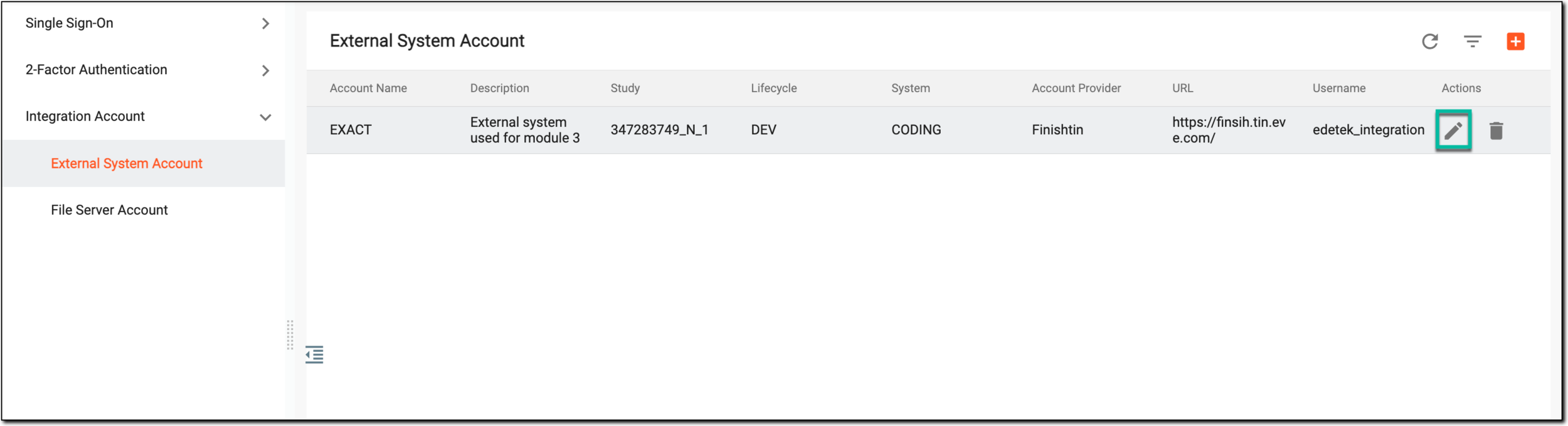 Figure 1. Selecting to edit external system account
-
In the Edit dialog that appears, edit the required fields as needed. These fields are identical to the ones explained in the table of the Add external system account section.
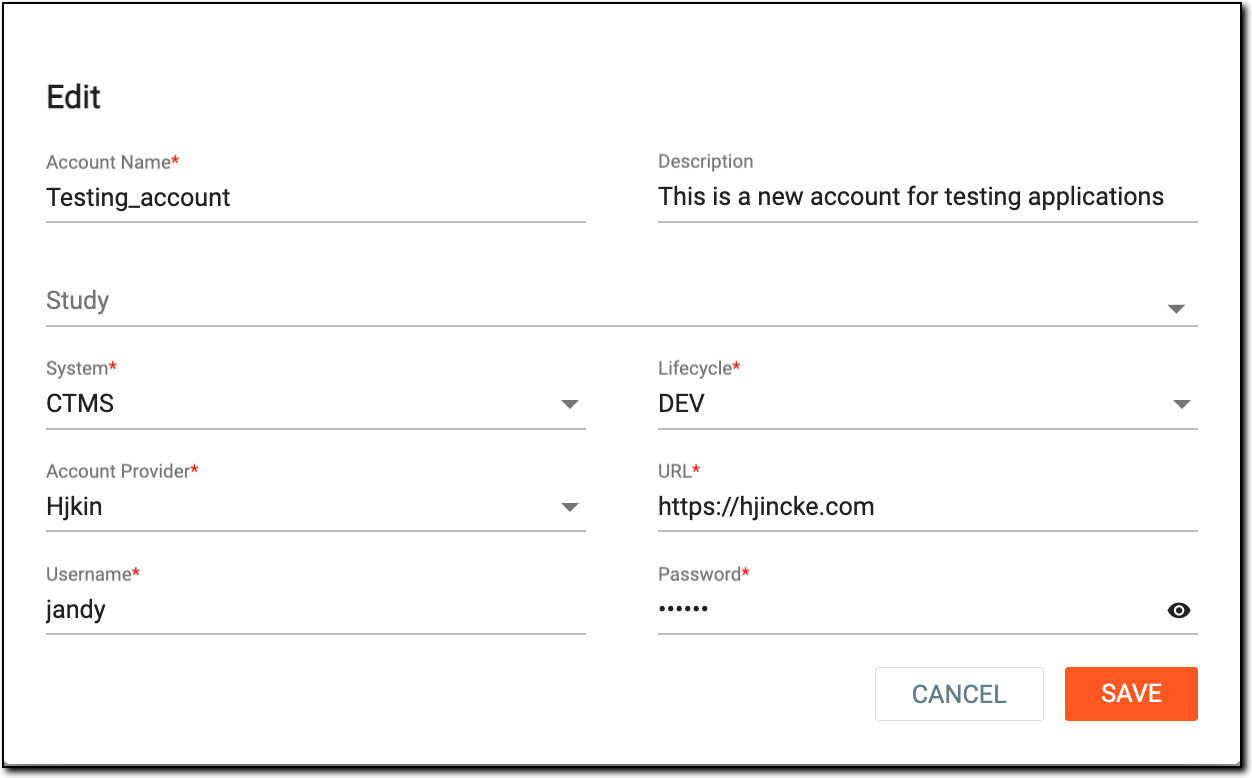 Figure 2. Editing external system account
-
Select
 to save the implemented changes.
Upon saving, your changes are implemented, the account details are updated, and you can use the updated details in the external system account to sign in and perform data exchange with the eClinical application.