Set subject phase as exclusion criteria
Target source data verification (TSDV) is a more complex and sophisticated type of SDV setting in EDC than global or general verification types, as it provides an opportunity to perform more selective configurations of the verification process. One such configuration is the setting of subject phases as exclusion criteria for the SDV process.
If a phase is set as exclusion criteria, the SDV requirement is not applicable for the data elements within this phase even if otherwise they are intended for SDV according to the ongoing TSDV plan.
For instance, you know you do not want SDV performed on any CRFs completed before subject enrollment. Let us assume, there is only the Registered subject phase preceding the Enrolled one. Thus, you set the Registered phase as an exclusion criterion and the system ignores all the forms from it even if they otherwise comply with the TSDV plan.
-
In the left pane of the page that opens, expand SDV and select the SDV Setting tab.
-
In the EDC application header, select the STUDY INFO tab.
-
On the SDV Setting - Target SDV page that opens, select the Exclusion Criteria - Subject Phase tab.
-
On the page that opens, select the checkboxes next to the subject phases you want to exclude from the SDV process. Then from the workspace toolbar, select Execute
 .
.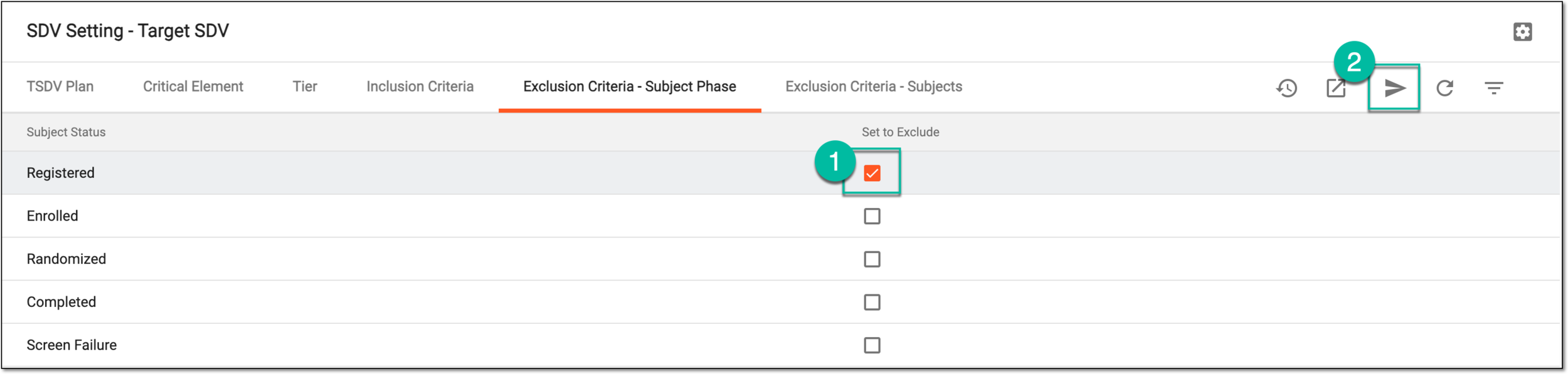 Figure 1. Setting phase as exclusion criteria
-
In the confirmation dialog that appears, select
 to proceed with your action.
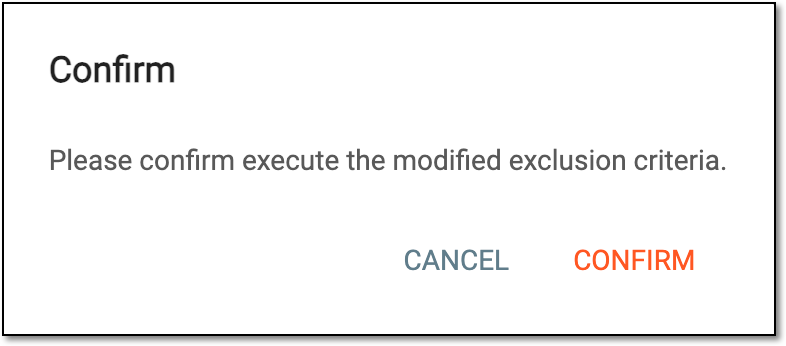 Figure 2. Confirming exclusion criteria modification
Once confirmed, the selected subject phases are excluded from the SDV process.
A specific phase that a subject has to complete in the course of a clinical trial to move further to the next phase. For instance, Screening, Enrolled, Randomized, and others.
 |
In eClinical, subject phases are designed individually for each study via the SD application, although they are referenced in others, like IWRS or EDC.
A specialized document in a clinical trial designed to collect the subject data.
See also eCRF.