Define SDV workload
Source Data Verification (SDV) involves the review and comparison of data recorded in the source documents such as laboratory results, medical history, adverse event records, and so on against the data captured on the case report forms (CRFs). During SDV, a trained monitor or clinical research associate (CRA) compares the source data to the CRFs to identify any discrepancies or errors.
Once you have selected the SDV type for your study and configured either global, general, or target SDV settings, the planning stage may be considered complete. The next stage of SDV implementation involves the measurement of the workload required for the SDV process itself. Once it is measured and the time required for the SDV process is thoroughly calculated, you can define the workload for each form. This means you need to specify the time needed to verify each CRF against the source documentation.
-
In the EDC application header, select the STUDY INFO tab.
-
In the left pane of the page that opens, expand SDV and select the SDV Workload tab.
-
In the SDV Workload table that appears, select checkboxes next to the forms for which you want to define the SDV workload.
-
Then from the workspace toolbar, select Edit
 .
. -
In the Workload (min) field of the Edit panel that expands, enter the minutes required to complete the SDV process for each of the selected forms.
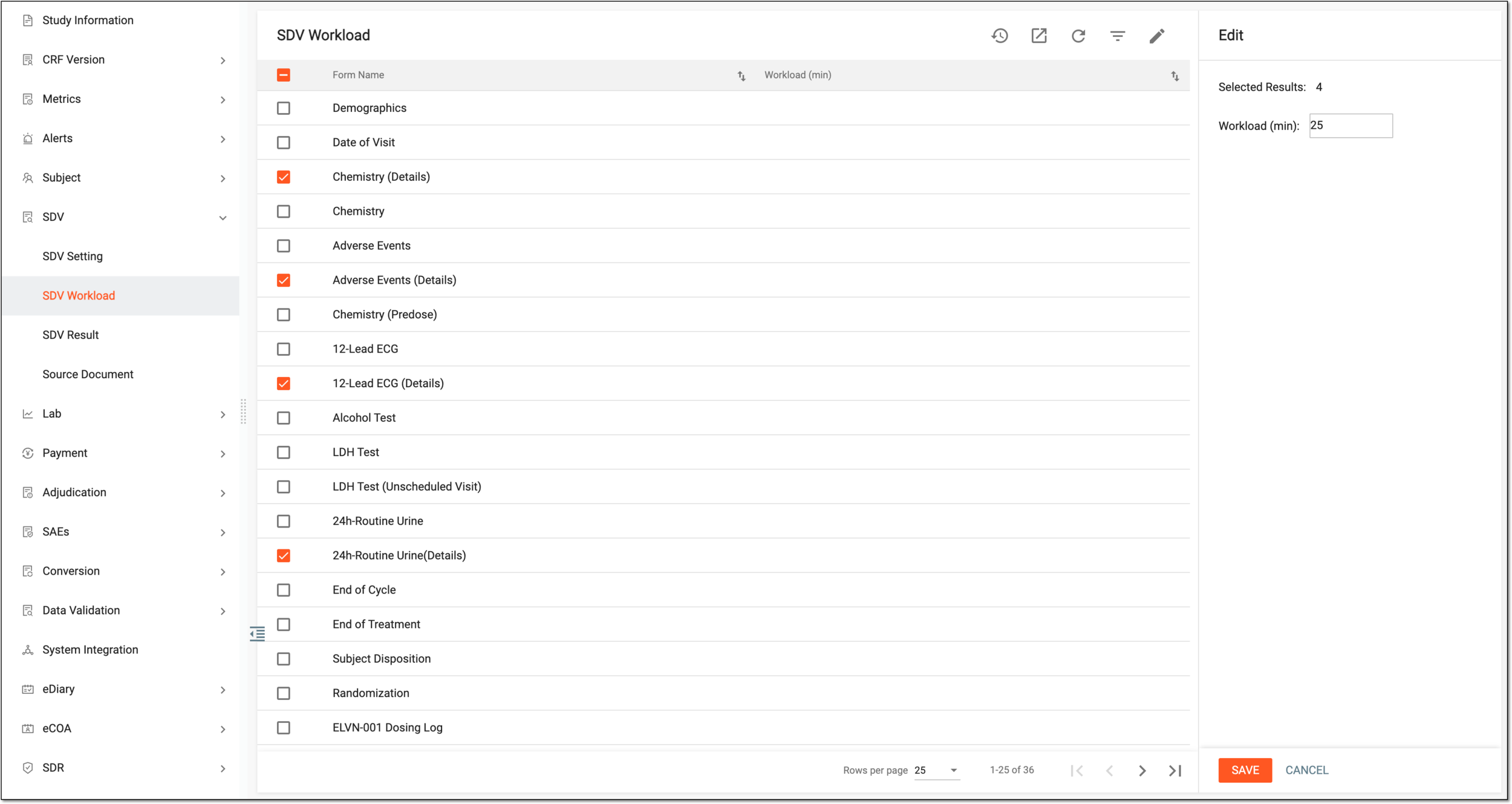 Figure 1. Defining SDV workload
-
Select
 to apply the specified SDV workload.
Once saved, the SDV workload is defined for the selected CRFs.