Edit order integration setting
The integration enables the automation of data transfers between IWRS and various vendor data providers. Currently, the shipment data exchange is supported via integration. To establish the shipment data providers for your study, you add the respective vendors to the list of integrations and configure their integration settings.
One such integration type is order integration. Once configured, you might need to update some details for this integration, for instance, change the vendor's server or your depot selection.
-
In the IWRS application header, select the INTEGRATION tab.
-
From the left pane, select the Integration Setting subtab.
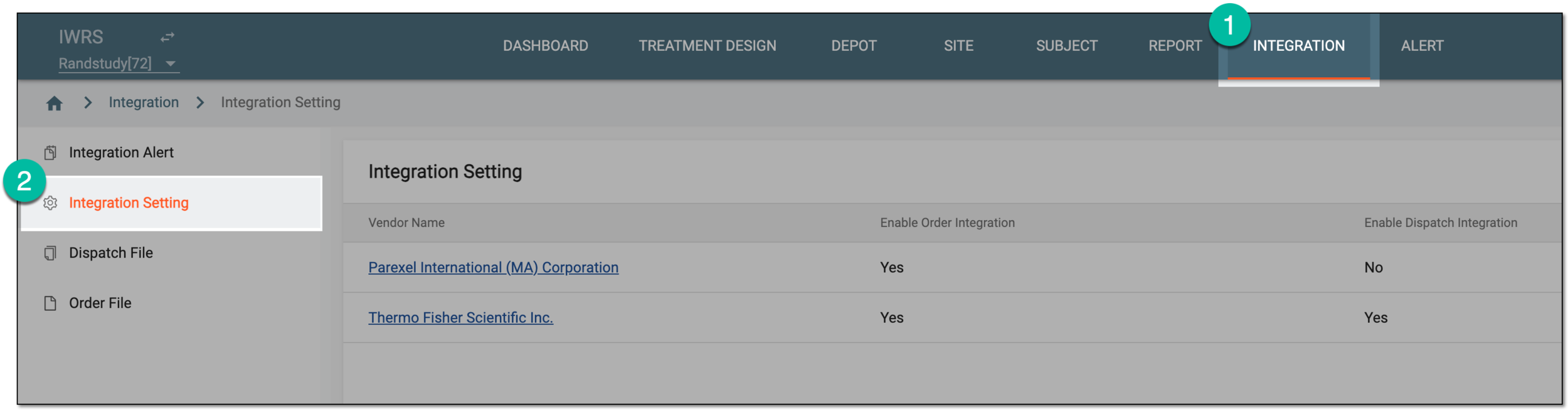 Figure 1. Accessing integration setting
-
In the Integration Setting table that appears, locate the vendor for whom you want to edit order integration. Then from the Vendor Name column, select the hyperlink.
 Figure 2. Selecting vendor to access integration settings
-
On the page that opens, select the Order Integration Setting tab.
-
In the table that appears, locate the order integration you want to update. Then from the Actions column next to it, select Edit
 .
. Figure 3. Selecting to edit order integration
-
In the Edit dialog that appears, update the data exchange details as needed. These details are identical to those explained in the table of the Configure order integration setting section.
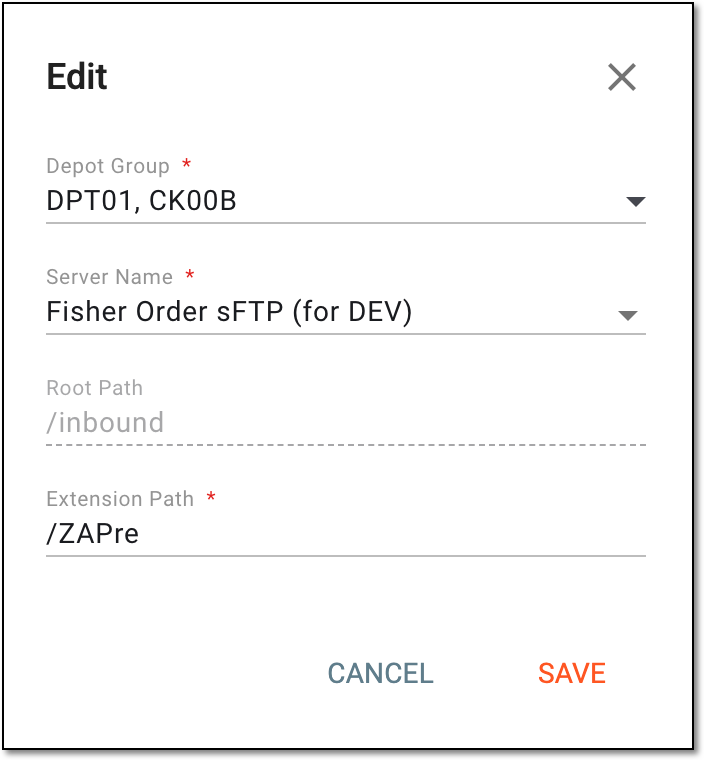 Figure 4. Editing order integration setting
-
Select
 to apply the implemented changes.
Upon saving, the order integration is updated. Once the supply shipment is created for the specified depots, the system generates the order file and sends it to the established vendor's server.