View user data authority changes report
A user group is created to unite certain users with similar activities and purposes so you can conveniently manage their access rights by providing unified access to selected sites and depots.
The User Data Authority Changes report provides similar details as the user role changes report; however, in this one, you can also view the user group details when changes are made in the user's authorization.
For instance, when the role of a user is changed from DM to PI, the authority to access the data also changes.
-
In the ADMIN application header, select the REPORT tab.
-
On the page that opens, in the left pane, select User Data Authority Changes.
-
In the User Data Authority Changes table that appears, view the changes in the user's authorization details, as explained in the following table.
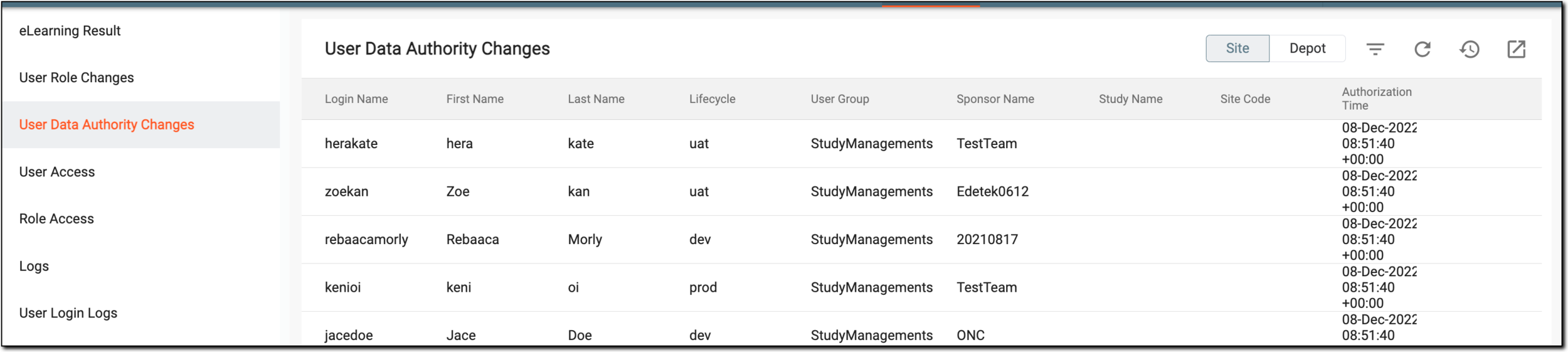 Figure 1. Viewing user data authority changes report
Column
Details
Login Name
Represents the eClinical system sign-in name of the user whose data access has been changed.
First Name
Represents the first name of the user whose data access has been changed.
Last Name
Represents the last name of the user whose data access has been changed.
Lifecycle
Represents the stage at which the changes took place, for instance, dev, prod, or else.
User Group
Represents the name of the user group to which the user whose data access has been changed has been assigned.
Sponsor Name
Represents the name of the sponsor under which the data access has been changed.
Study Name
Represents the name of the study to which the user has access after changing the data authority.
Site Code
Represents the code of the site to which the user has access after changing the data authority.
Authorization Time
Represents the time stamp when the user's data access permission has been changed.
Authorization Expiration Time
Represents the time when access permissions for the user are withdrawn. It is when the user is removed from certain data authority privileges.
Changed Time
Represents the time when the administrator changes the user's data access authority.
Changed by
Represents the name of the user who changed the user's data access authority.
Operation
Represents the action performed when the data access authority changes.
You have viewed the report on changes in user data authority. You can export it to work with it offline.