Add permuted block randomization scheme
In IWRS, you can select the randomization method—permuted block or dynamic—per cohort. If you select to use the permuted block (PB) randomization method for the cohort, the first configurational step is to add the randomization scheme.
A randomization scheme is a plan according to which subjects enrolled in a study are randomized and receive their treatment. Thus, by adding a new scheme, you ensure that the required subjects are randomly assigned to arms.
-
In the IWRS application header, select the TREATMENT DESIGN tab.
-
On the page that opens, in the left pane, select the Period subtab.
-
In the Period List table that appears, locate the period of your interest. Then in the Period Name column, select the value to open the period configurator.
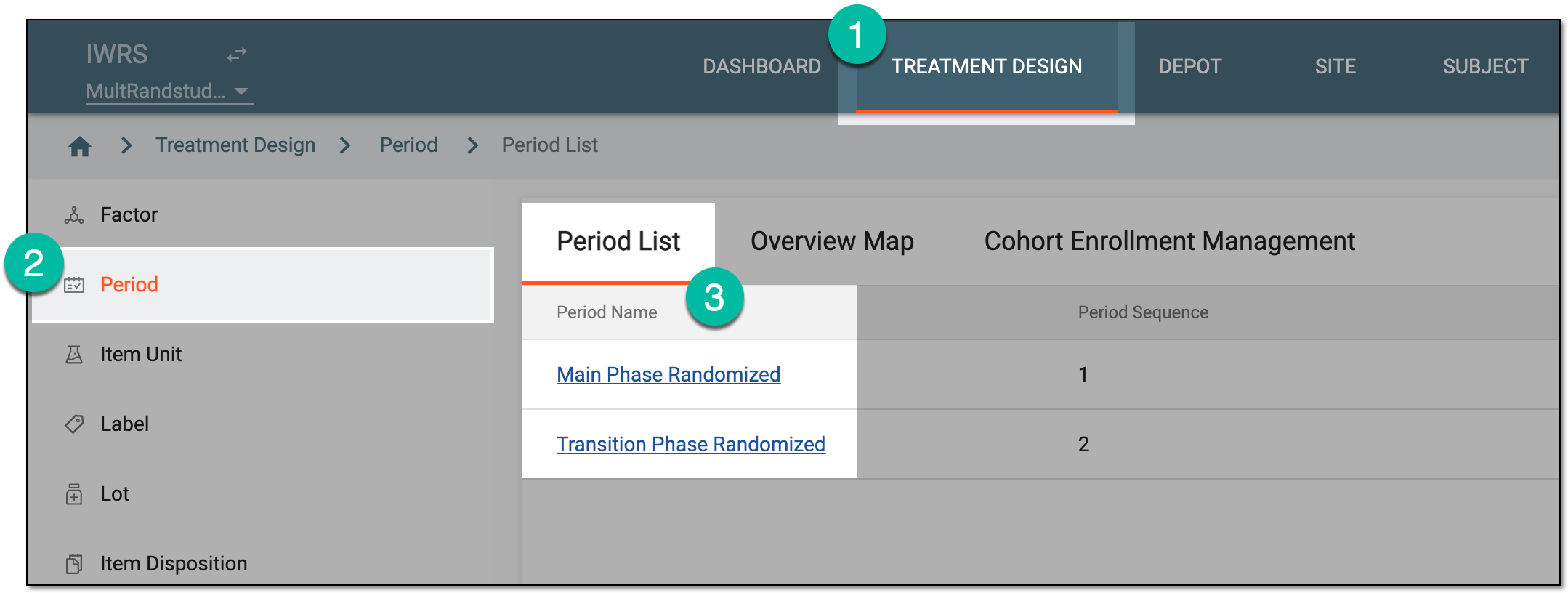 Figure 1. Selecting period to configure
-
In the period configurator, drill down the explorer tree and select Randomization List.
-
On the Randomization List page that opens, from the workspace toolbar, select New Item
 .
.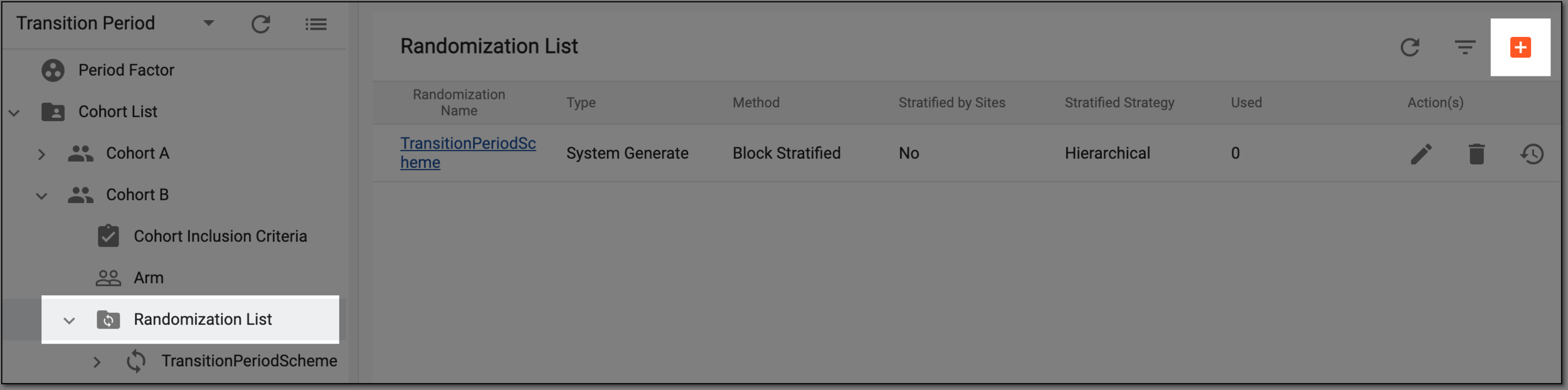 Figure 2. Selecting to add new randomization scheme
-
In the Add dialog that appears, start configuring your scheme by setting the preferences as described in the following table.
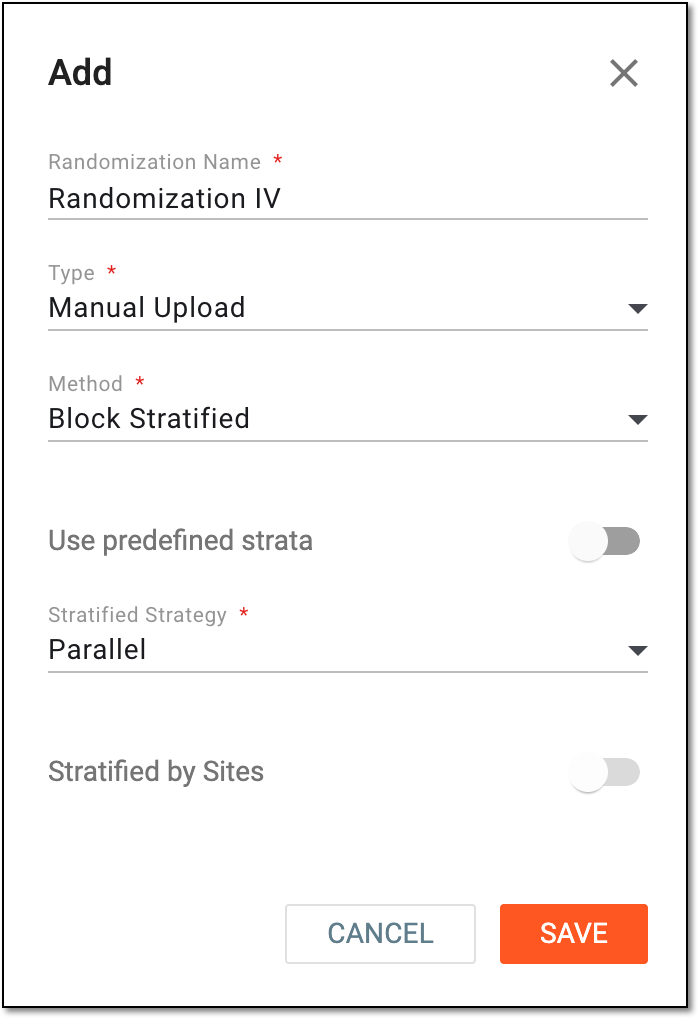 Figure 3. Adding new randomization scheme
Tip
In the following table, mandatory elements are marked with an asterisk (*).
Element
Details
Randomization Name*
Enter a unique name of the randomization scheme you create.
Type*
Select one of the following randomization scheme types:
Method*
Select the method of your randomization scheme:
Use predefined strata
Set the parameter as follows:
This selection is only available for the block-stratified
                                  method.
Stratified Strategy*
Select the stratification strategy for your randomization. The values can be the following:
This selection is only available for the following setups:-
For the system-generated type -
For the manual upload type with the block-stratified method and the predefined strata toggle turned off
Stratified by Sites
Turn the toggle on so that the site is automatically used as the stratification factor.
SAVE
Select
 to add your randomization scheme.
CANCEL
Select
 to stop creating a randomization scheme, close the dialog, and return to the randomization scheme list of the Period configurator. In such a case, no changes are saved.
 -
Once saved, the new randomization scheme is added. You can proceed with configuration of the randomization scheme.