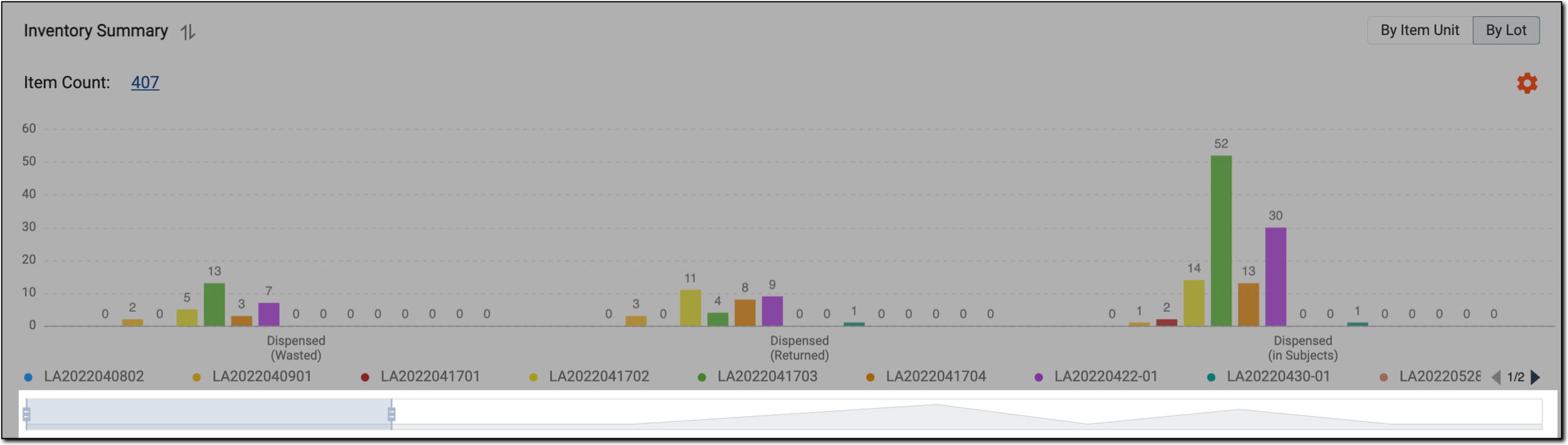
Inventory summary by lot
In IWRS, the DASHBOARD tab provides you with multiple charts to get a summary of IWRS data and processes. The Inventory Summary bar chart is one such chart displayed on the DASHBOARD. In the
Inventory Summary chart, when By Lot  is selected, the displayed chart provides you information on the
drug status of a site or depot given by item lot. Each bar
presents a lot in the IWRS system along with its status and count of items.
is selected, the displayed chart provides you information on the
drug status of a site or depot given by item lot. Each bar
presents a lot in the IWRS system along with its status and count of items.
Important
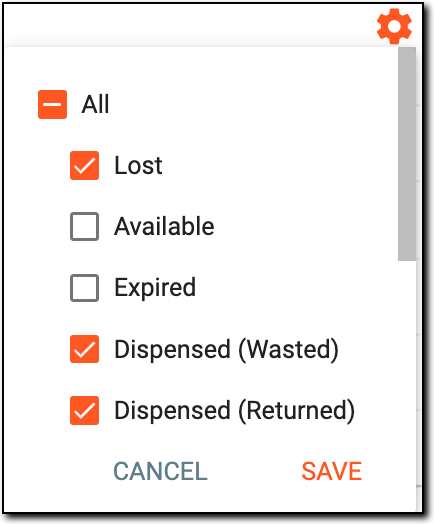
Select Set Disposition  to view only selected status data in the bar
chart.
to view only selected status data in the bar
chart.
 |
The information in this bar chart is updated in real-time, that is as soon as a new item is accounted for or the status of an item in a certain lot is changed, the chart is automatically updated.
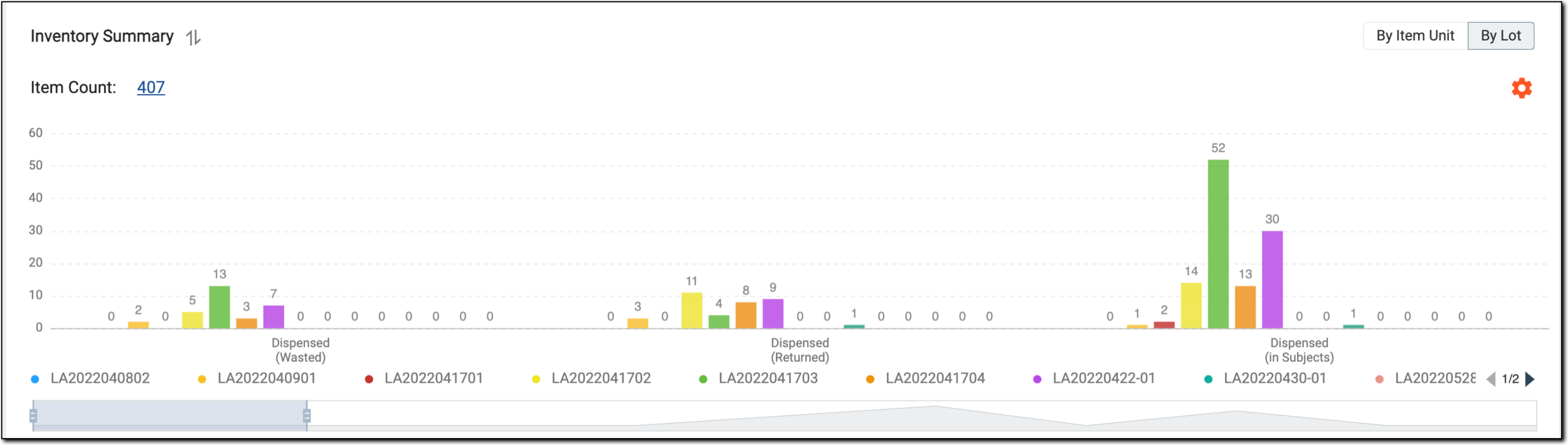
In the preceding figure, each bar depicts a lot along with the count of items and the status. By selecting the Item Count hyperlink it redirects you to the inventory summary report with the filters applied.
Important
As shown in the following figure, you can use the bar below the chart to zoom in and zoom out.