Resend user account creation email
When a new user is added to ADMIN, an email is sent to the user to provide them with the details and link to the system to activate their account. This email expires after 48 hours have passed since the email was sent. Once it expires, you can resend the creation email manually.
-
In the ADMIN application header, select the USER tab.
-
In the User Management table that appears, next to the needed user, select More
 >
Resend Creation Email
>
Resend Creation Email  .
.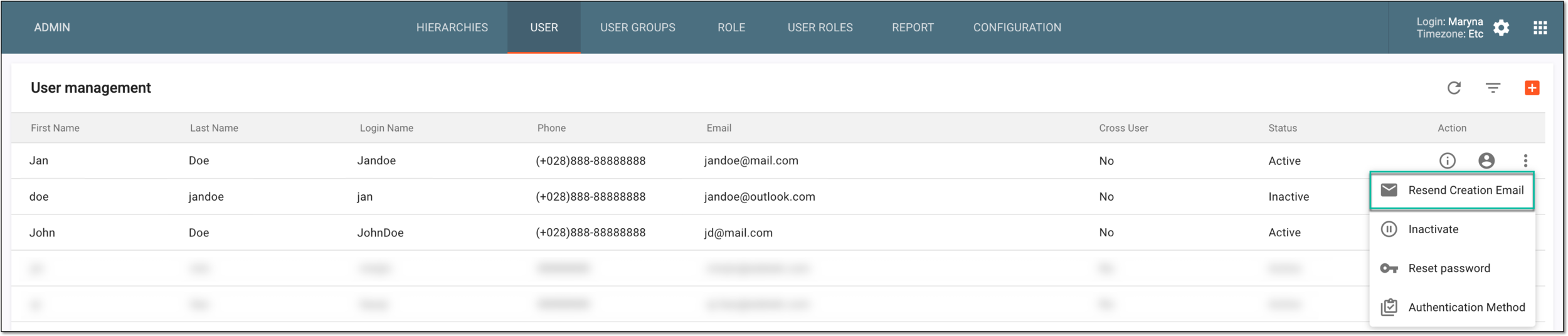 Figure 1. Selecting option to resend creation email
-
On the page that appears, turn on the Resend Creation Email toggle. Then in the Email Alert text box, review and adjust the preconfigured default text of the letter.
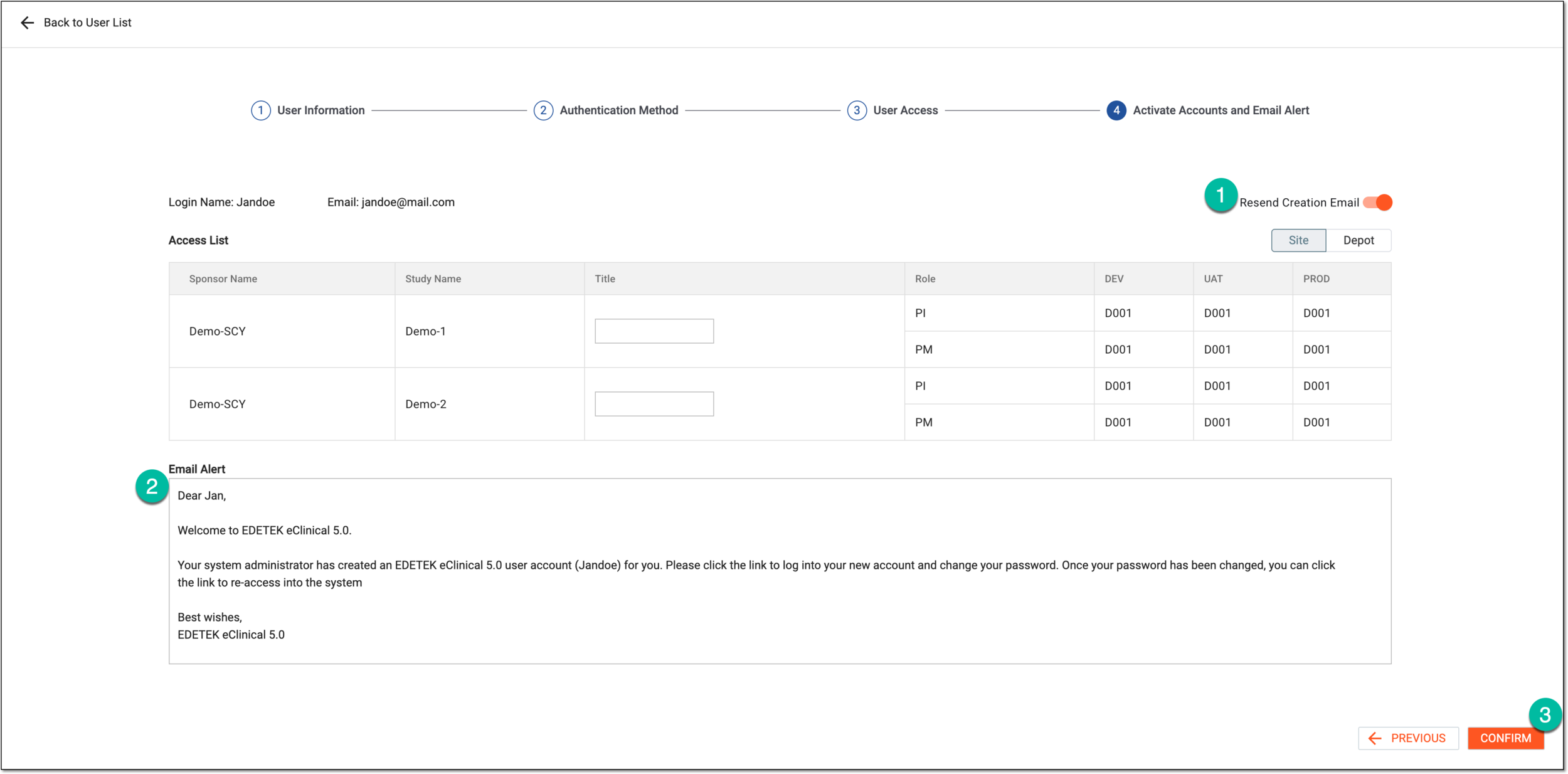 Figure 2. Resending user account creation email
-
Select
 to resend the email.
Tip
Select
 to discard your changes and go to the user access editing.
Once confirmed, the creation email is sent to the user and they can follow the embedded link to access the system.