View differences between follow-up and previous safety data
The safety data in PV is an AE/SAE event data sent from EDC that serves as a base for ICSR creation. When you have both initial and follow-up data sent from EDC, you can compare the available versions to detect their differences.
-
In the PV application header, select the INTAKE tab.
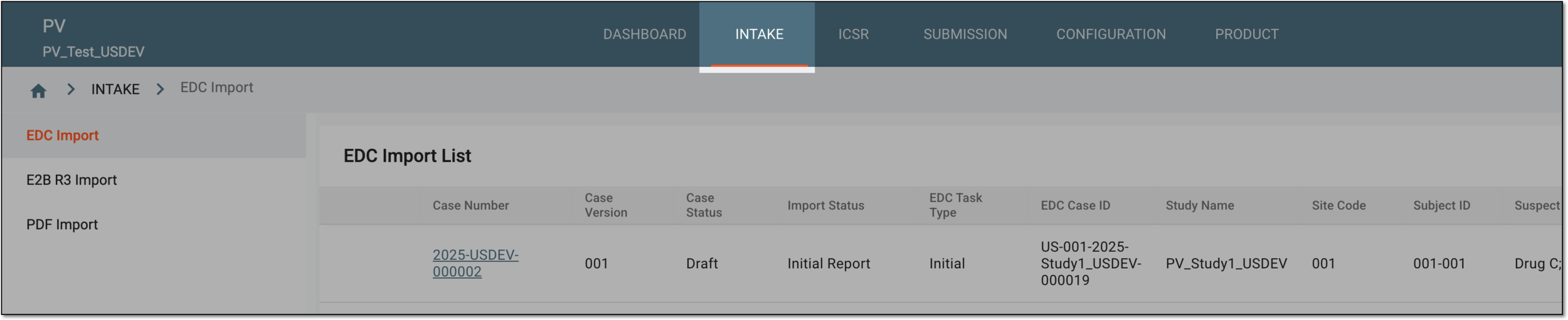 Figure 1. Accessing intake management
-
On the page that opens, in the left pane, select the EDC Import subtab.
-
In the EDC Import List that appears, locate the follow-up safety data that you need to compare to the previous version. Then in the Actions column next to it, select View Differences
 .
.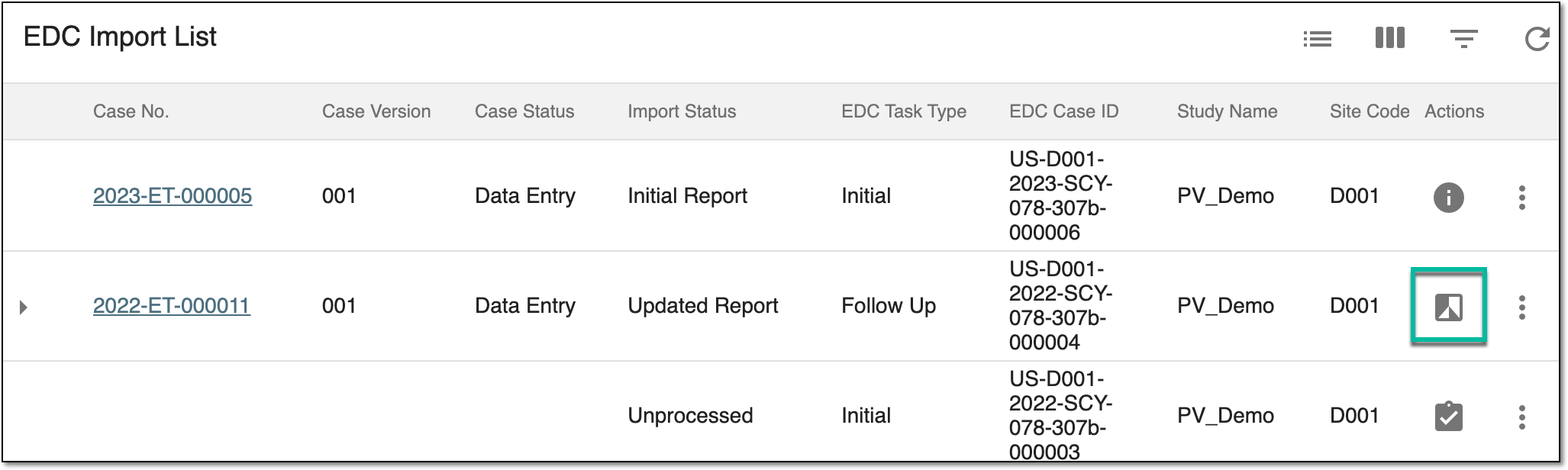 Figure 2. Comparing follow-up data to initial
-
On the page that opens, in the left pane, navigate between subtabs to view the details. All the differences—edits, new additions, or deletions—are highlighted. Review the available differences as explained in the following table.
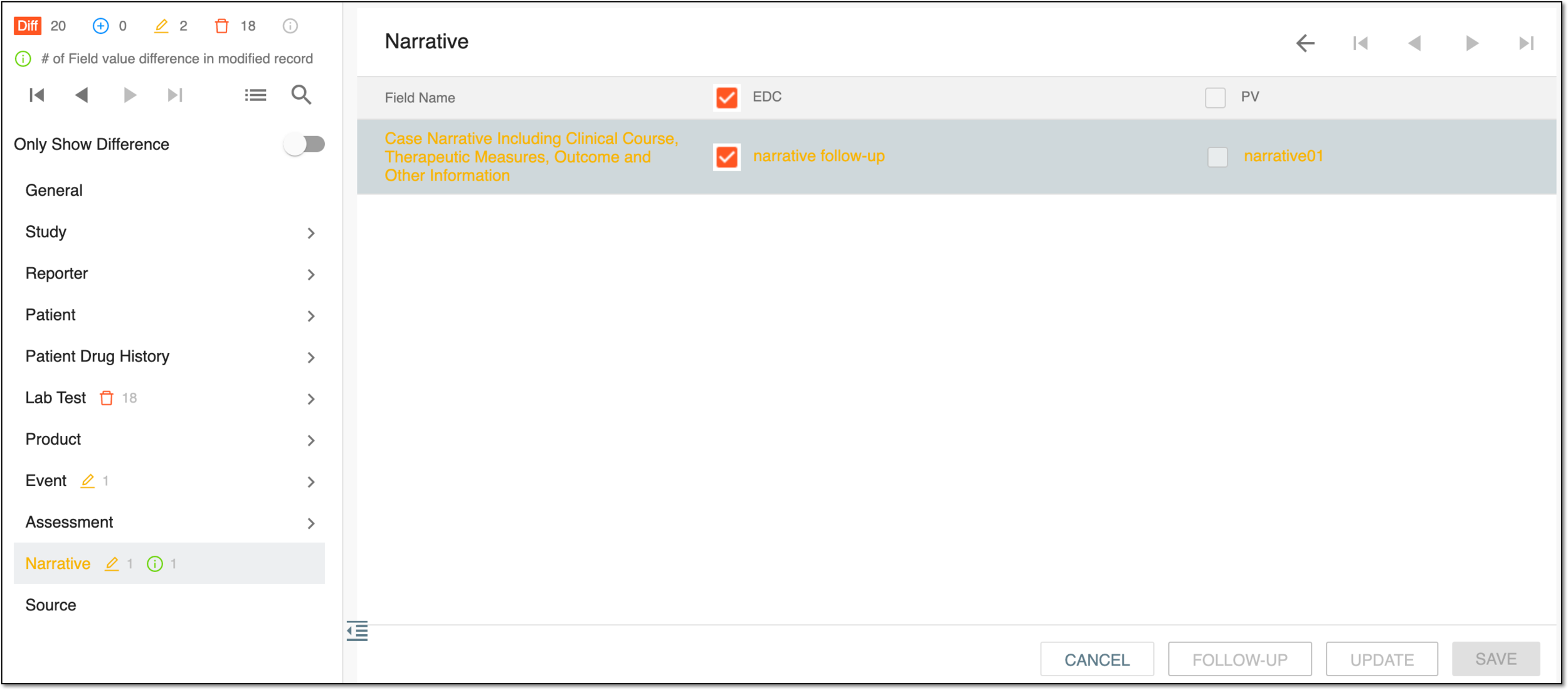 Figure 3. Reviewing differences between follow-up and previous data
Element
Details

At the top of the left pane, represents the total number of differences discovered by the system between the follow-up safety data and the previous version.

-
At the top of the left pane, represents the total number of new additions discovered by the system in the follow-up data compared to the previous version.
-
Next to the subtab name, represents the number of new additions in that specific tab discovered by the system in the follow-up data compared to the previous version.

-
At the top of the left pane, represents the total number of edits discovered by the system in the follow-up data compared to the previous version.
-
Next to the subtab name, represents the number of edits in that specific tab discovered by the system in the follow-up data compared to the previous version.

-
At the top of the left pane, represents the total number of deletions discovered by the system in the follow-up data compared to the previous version.
-
Next to the subtab name, represents the number of deletions in that specific tab discovered by the system in the follow-up data compared to the previous version.

Select this icon to view the summary of all the changes made to the data as depicted in the following image.
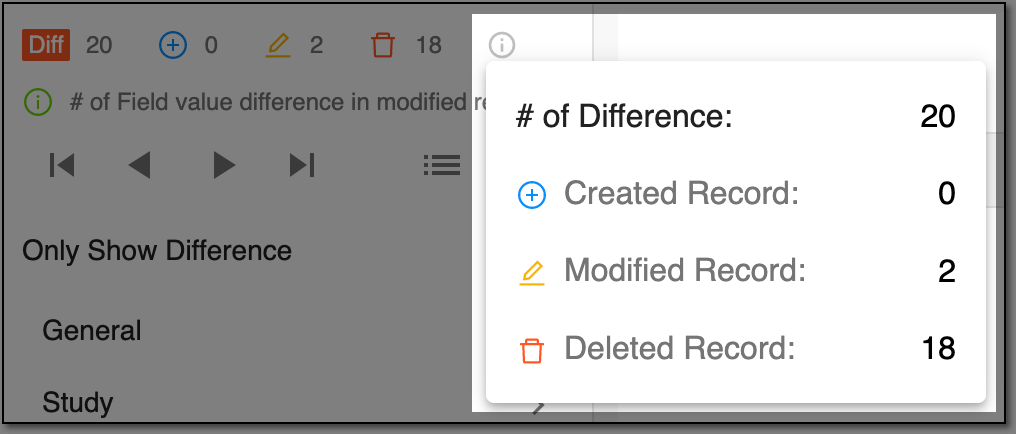 Figure 4. Viewing changes summary

Represents the number of differences between form field values in the follow-up data compared to the previous version.

Select these control icons to conveniently switch between differences discovered by the system—go to the first, next consequent, previous, or last one.
Only Show Difference
Turn this toggle on/off to hide/display the subtabs under which the system has not discovered any differences between the follow-up data and the previous version.
-
-
Select
 to close the safety data details and return to EDC Import List.
You have compared the follow-up safety data to the previous version. You can also view the safety data change history.