Export SAE report
SAE report comprises information related to the SAE occurrences during a clinical trial. This information is pulled from the SAE forms completed under the DATA ENTRY tab of the EDC application. Having the full SAE report is vital for the FDA approval process.
In EDC, you can export SAE report data as an XLSX file or download a ZIP archive comprising SAE-related forms in PDF format and use them as per your business needs. For instance, you can share them with the parties who have no access to EDC.
-
In the EDC application header, select the STUDY INFO tab.
-
On the page that opens, in the left pane, select the SAE > SAE Report subtab.
-
On the SAE Report page that opens, in the filter block at the top, optionally select the preferred parameters to generate the report according to your current business needs. The available search options are explained in the table of the View SAE report section.
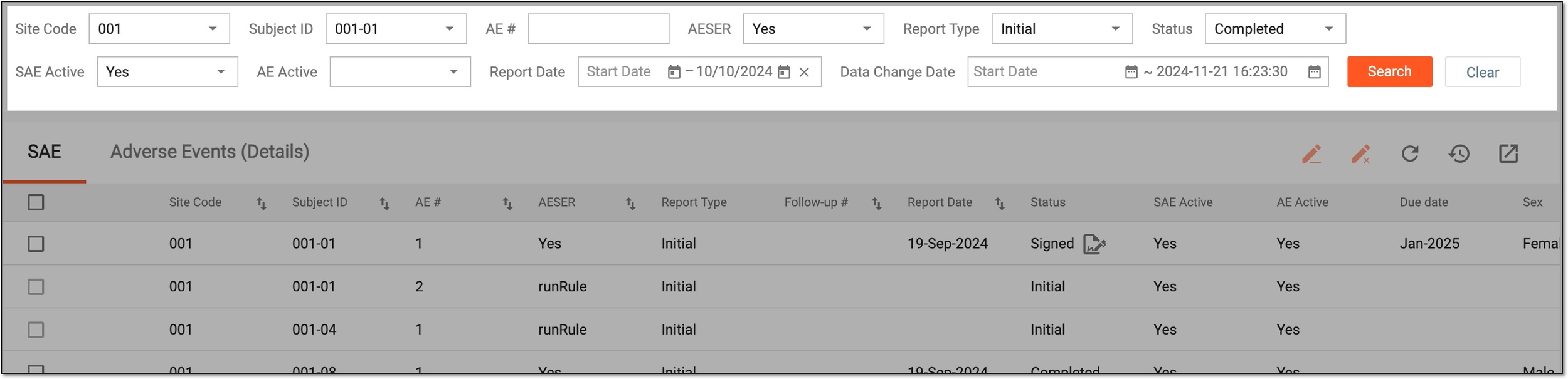 Figure 1. Selecting SAE report parameters
-
From the workspace toolbar, select Export
 and then one of the following options:
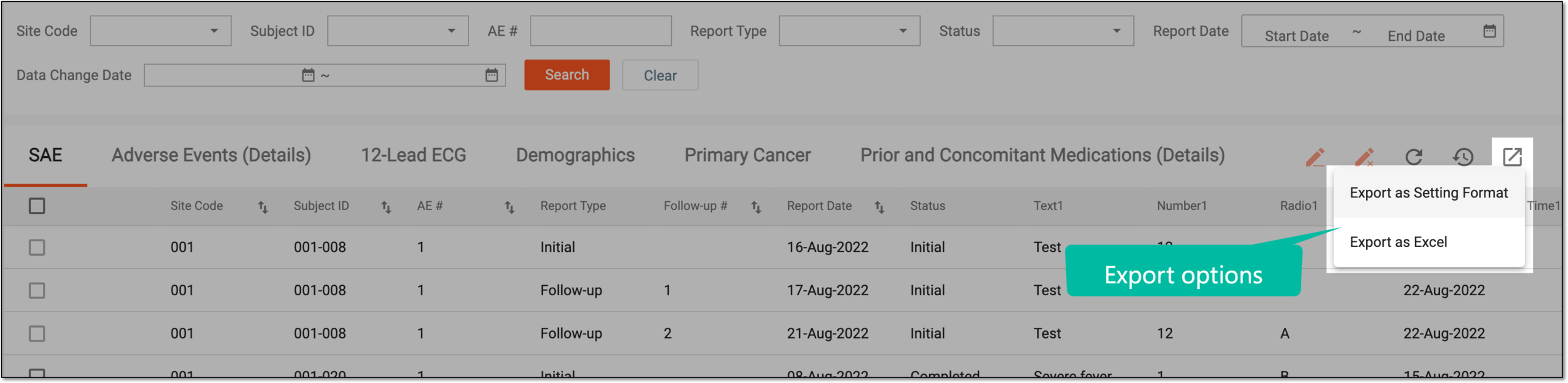 Figure 2. Selecting export options
-
Export as Setting Format: select this option to export a ZIP archive comprising SAE-related forms per each subject in PDF format.
-
Export as Excel: select this option to export an XLSX file comprising the report data on the SAE-related forms statistics.
-
-
Once selected, the widget appears displaying your download progress. Select the widget to open the My Downloads dialog.
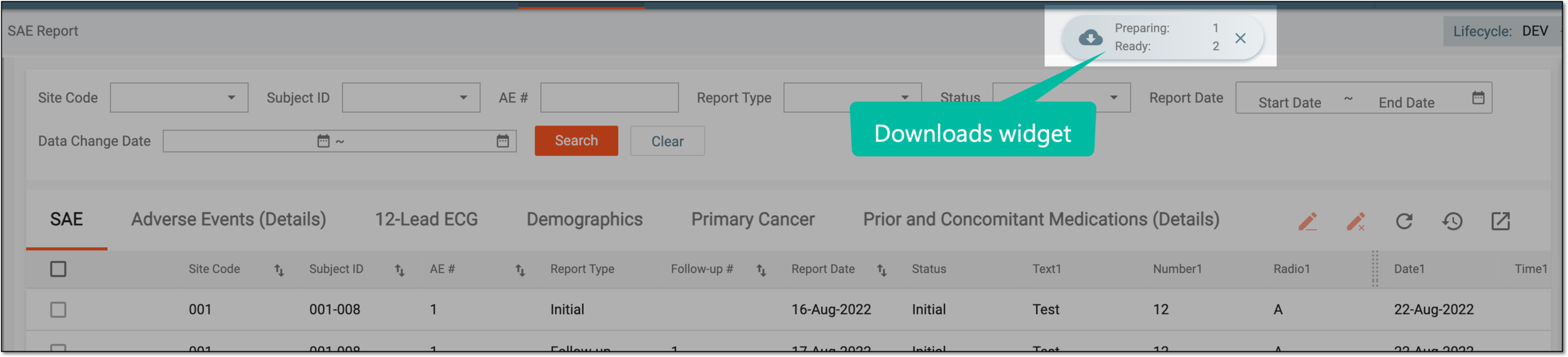 Figure 3. Downloads widget
-
In the My Downloads dialog that opens, you can find the following tabs:
-
Preparing: under this tab, you can find all the files whose export is in progress, and they are not yet ready for download.
-
Download is Ready: under this tab, you can find all the files whose export is complete, and they can be downloaded to your computer.
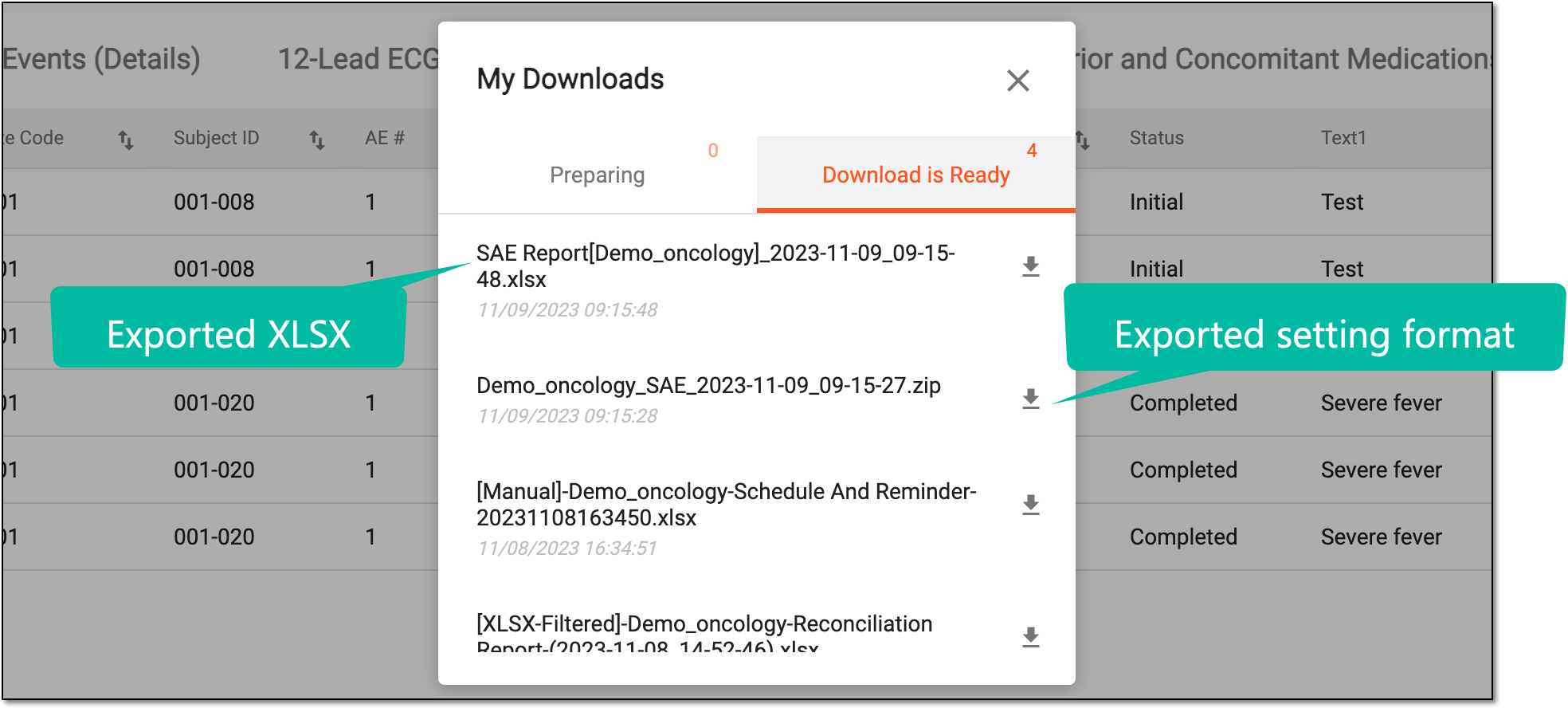 Figure 4. Viewing downloads
-
-
Under the Download is Ready tab, next to the file that you want to download, select
 .
.
Once downloaded and saved, the selected format of a file—XLSX or ZIP—becomes available on your computer.