Set condition for subject replacement in cohort
The randomized subjects included in the cohort can be replaced. When a subject is discontinued, the sponsor can replace the discontinued subject with a new subject. The new subject is assigned the same treatment design, moreover, the same arm of the discontinued subject is assigned to the new subject. This helps in making the treatment assignment balanced.
For instance, if one subject is no longer qualified to take part in a study and their participation is ceased, a new subject is enrolled and, in simple words, takes the place of the discontinued subject. Thus, the newly enrolled subject must be assigned to the same study group and receive the same treatment to maintain balance.
To make subject replacement possible, you need to set up a condition that, once met, enables the system to recognize that one subject qualifies to replace the discontinued one.
Important
This functionality is only available if the permuted block randomization method is selected for your cohort.
-
In the IWRS application header, select the TREATMENT DESIGN tab.
-
On the page that opens, in the left pane, select the Period subtab.
-
In the Period List table that appears, locate the period of your interest. Then in the Period Name column, select the value to open the period configurator.
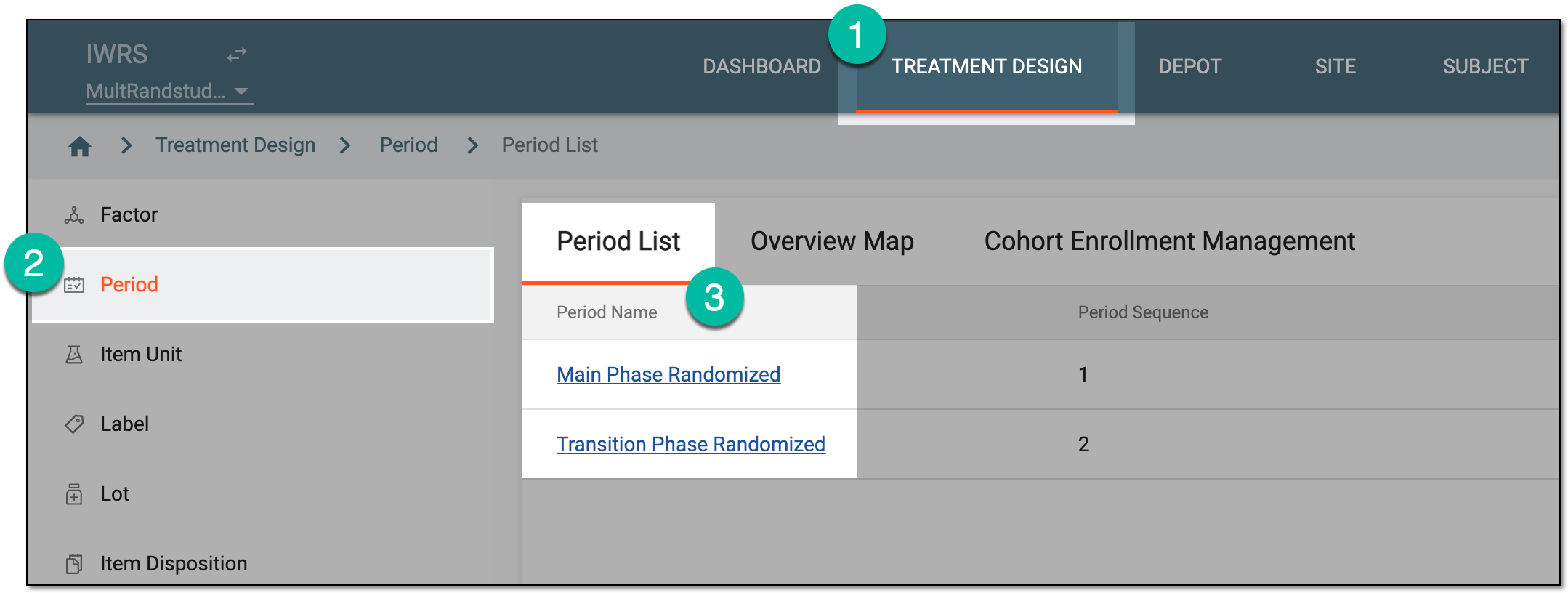 Figure 1. Accessing period configurator
-
In the period configurator, drill down the explorer menu and select the Cohort List subtab.
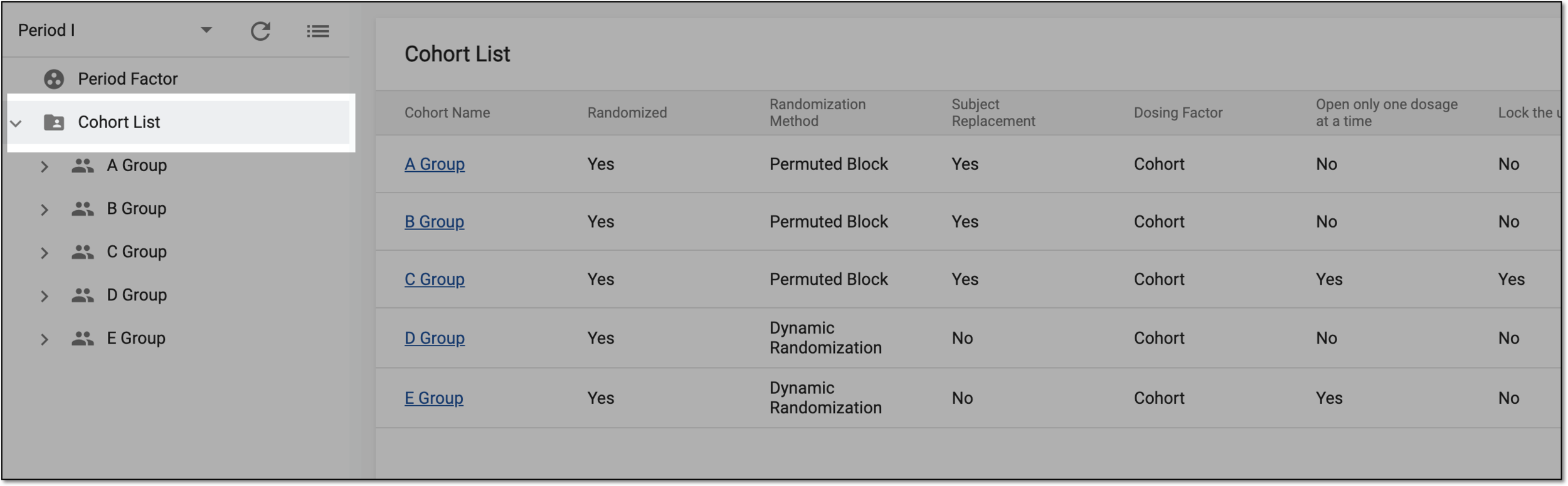 Figure 2. Accessing cohort list
-
From the list of cohorts, expand the one of your interest and select Subject Replacement
 .
.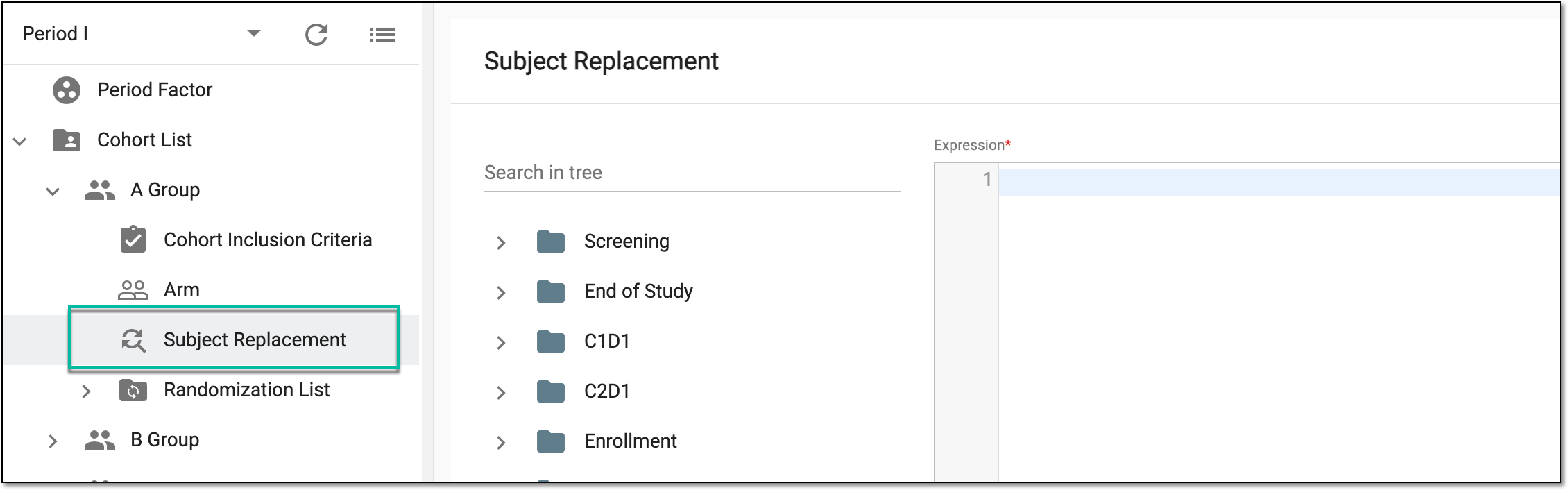 Figure 3. Selecting subject replacement
-
On the Subject Replacement page that appears, in the Expression editor, set the condition against which the system validates if the subject qualifies for replacement. Only the subjects for whom all the conditions set in this expression are true become eligible for replacement.
Important
If you clear the expression and save, the system will allow you to replace the existing subjects without prior condition validation. For such an unconditional replacement setting, you can enable the review and approval procedure to introduce a tier of scrutiny.
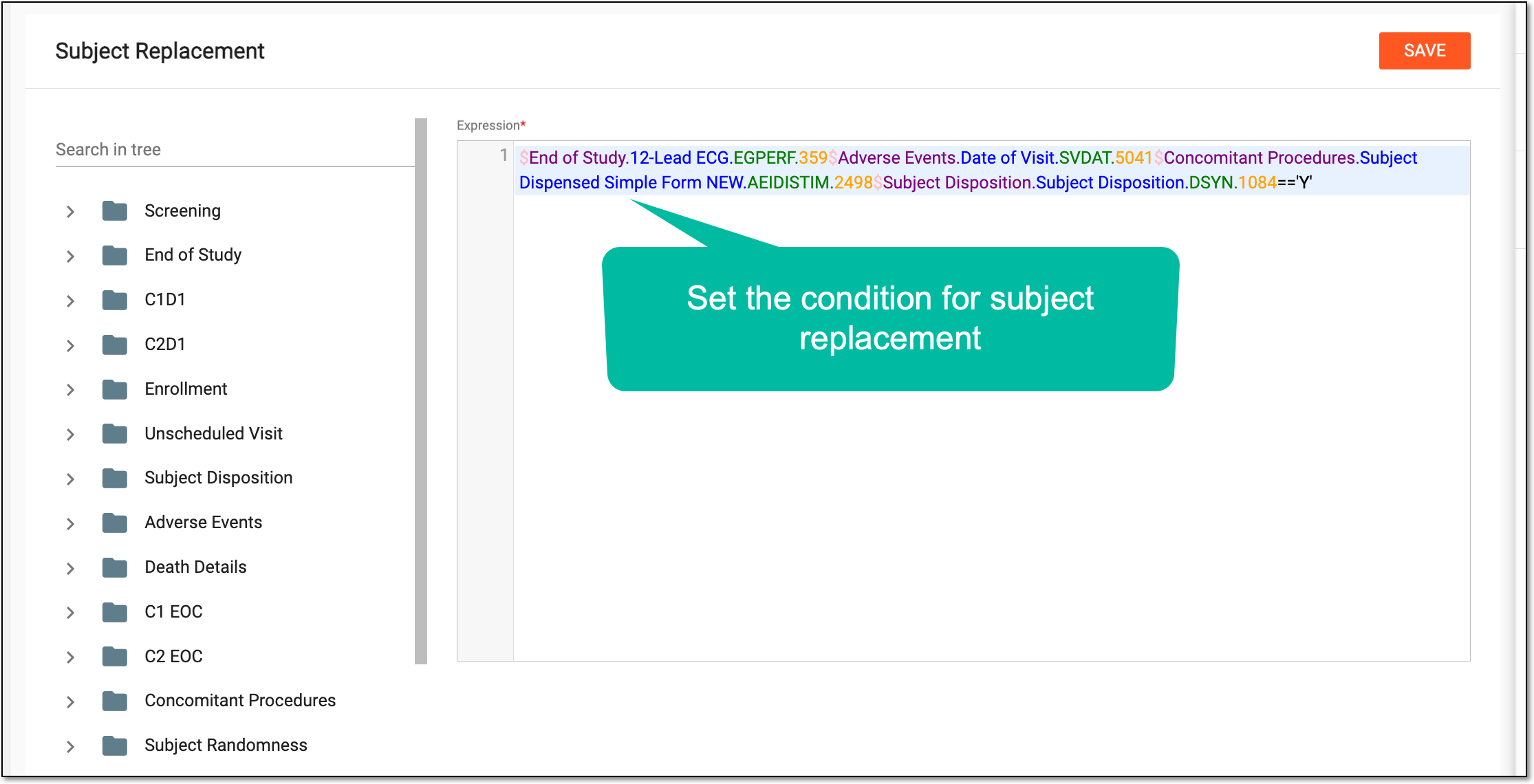 Figure 4. Viewing subject replacement
-
Select
 to implement the changes.
Once saved, the replacement condition becomes active. Once the set condition is met the discontinued subject is replaced with the new one.