View cohort history
In IWRS, you can view the complete history of all actions performed with a cohort from its creation and up to date.
For example, you may want to trace when the cohort was created, when the inclusion criteria were added to the cohort, when the treatment arms were assigned to the cohort, and so on.
-
In the IWRS application header, select the TREATMENT DESIGN tab.
-
On the page that opens, in the left pane, select the Period subtab.
-
In the Period List table that appears, locate the period of your interest. Then in the Period Name column, select the value to open the period configurator.
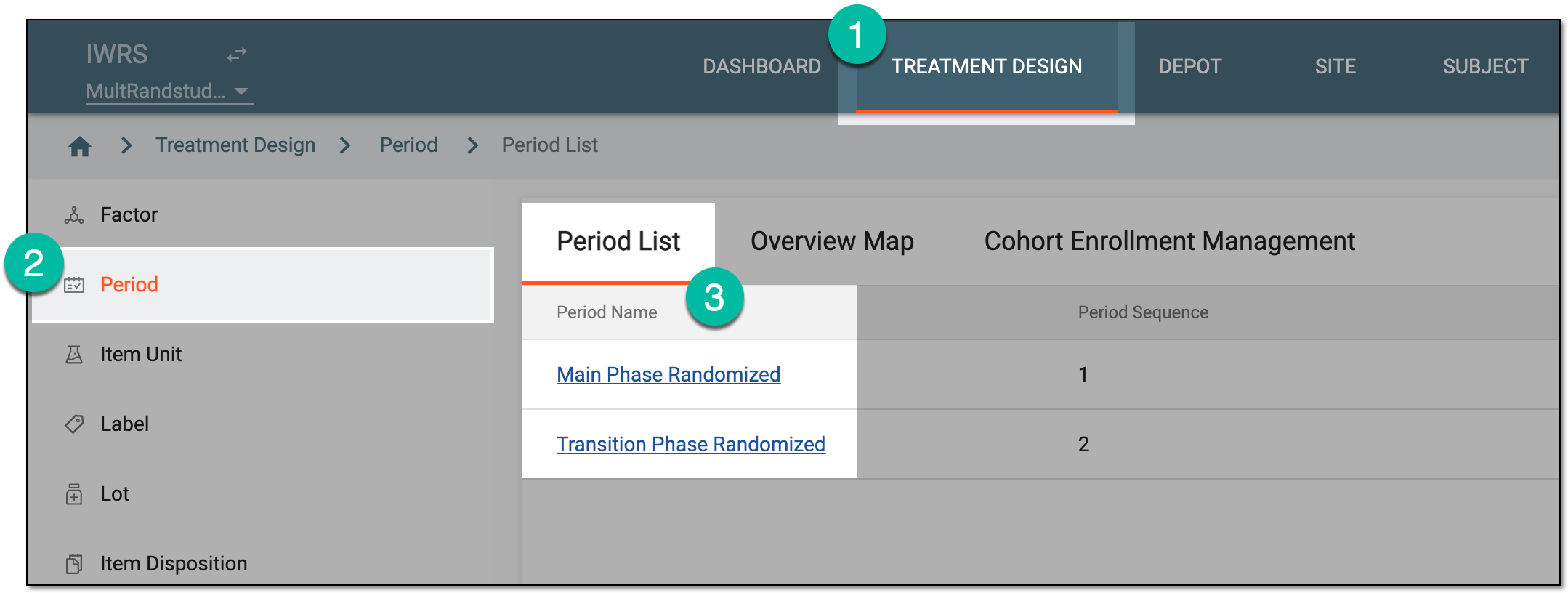 Figure 1. Accessing period configurator
-
In the period configurator, drill down the explorer menu and select the Cohort List subtab.
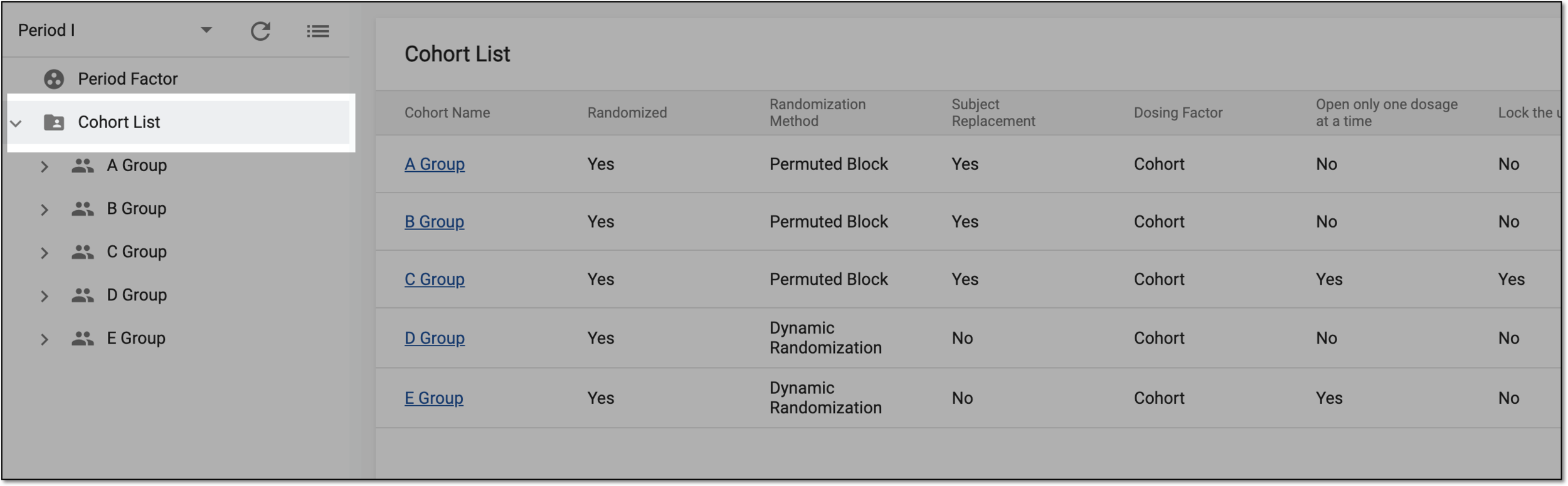 Figure 2. Accessing cohort list
-
In the Cohort List table, go to the cohort for which you want to track the history. Then next to it, from the Action(s) column, select Operation History
 .
. Figure 3. Accessing cohort operation history
-
In the Operation History dialog that appears, view the detailed information on the cohort you need.
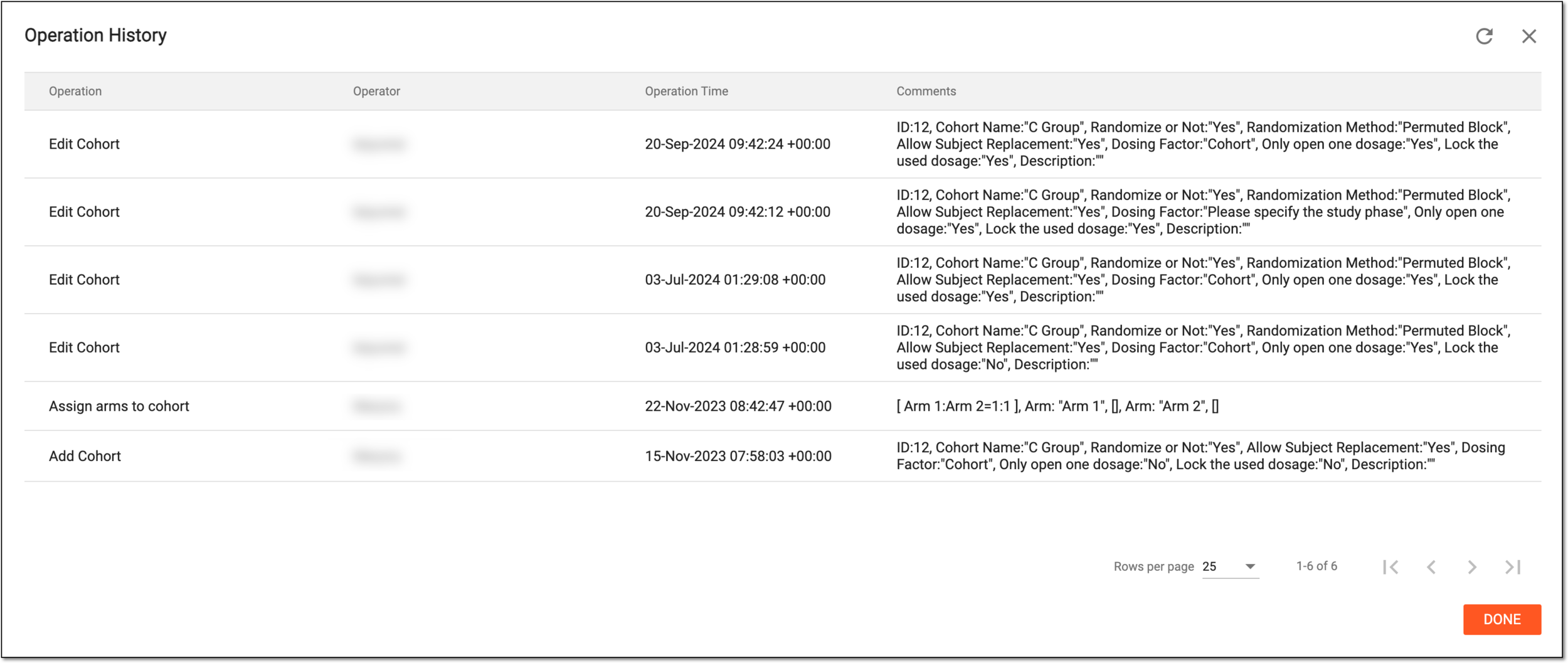 Figure 4. Analyzing cohort operation history
-
Select
 or
or  to close the dialog.
Once the dialog is closed, you are redirected to the Cohort List table.