Conversion definitions
The diversity of data sources and tools involved in clinical research often leads to inconsistencies in data representation. Different labs and medical facilities can use varying units for the same measurements (for example, milliliters versus ounces, Fahrenheit versus Celsius), leading to challenges in data interpretation. Additionally, subject data may require standardization to align with medical coding terms from established dictionaries like MedDRA or WHODrug.
Data standardization is crucial for compiling unified and coherent datasets. The EDC app offers a suite of tools for the configuration of automated data conversion and standardization in compliance with industry regulations. This automation ensures that data from disparate sources is compatible for analysis and eliminates the need for manual adjustments to the raw data.
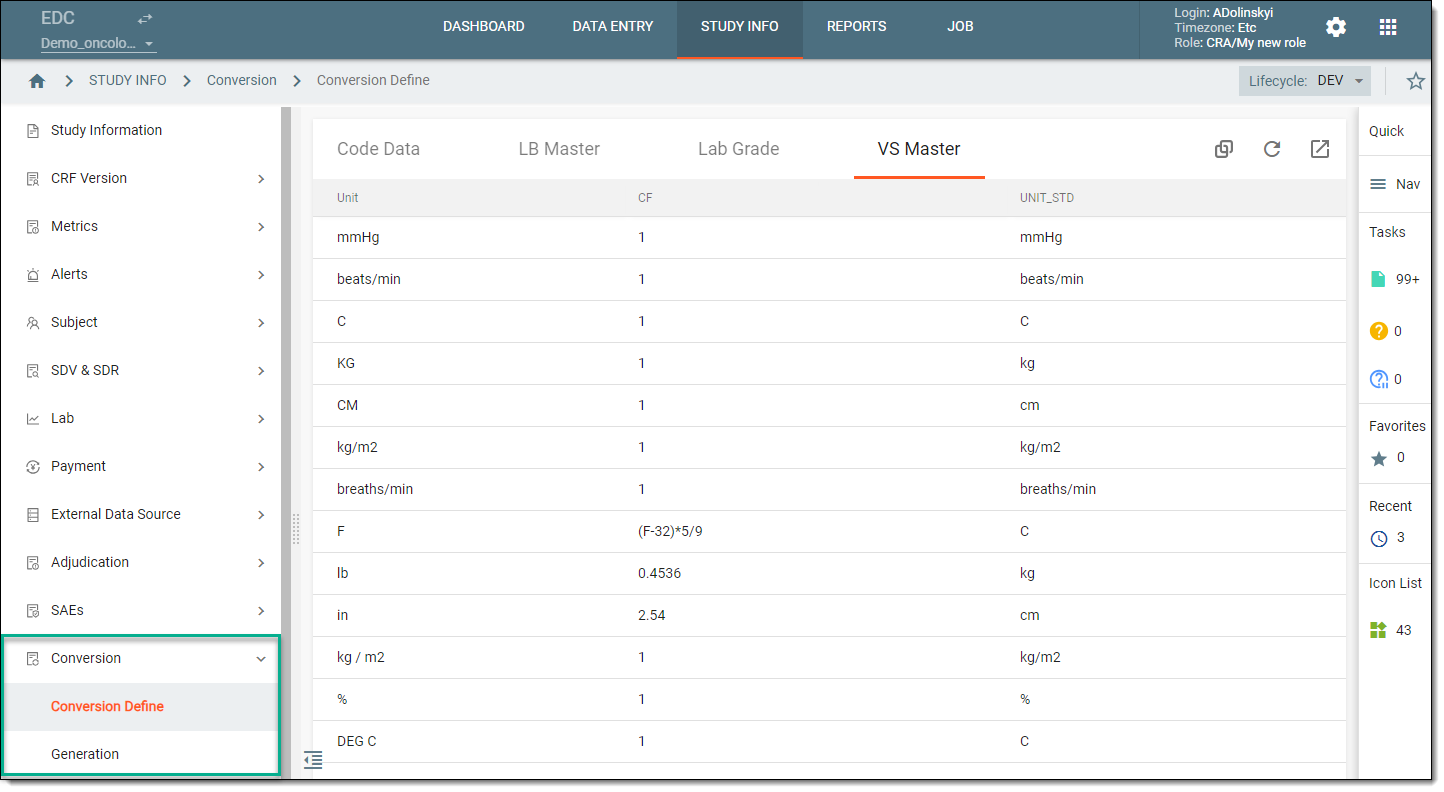
The process of configuring the automated conversion can be done with a variety of EDC tools as follows:
-
Raw data coding: to apply the coding for the conversion of specific data into medical terms in compliance with the MedDRA and WHODrug dictionaries, as well as define a mapping for domain keys so that the standardized data is generated in separate columns.
-
Lab grading: to enable a standardized grading system when interpreting lab results to the industry-regulated lab grading identifiers of toxicity levels in subjects' tests and assays during raw data generation. The lab grading system is hardcoded in the R script file by EDETEK biostatisticians and you can activate and use this file for your study, or you can upload your custom script if needed.
-
Vital signs master units: to view a master table with formulas for converting vital signs measurements from the imperial to the metric system. You can also specify variables that require metric system measurements. During the raw data generation process, EDC automatically performs these conversions from imperial to metric units, ensuring data consistency across the study.
-
Raw data generation: to generate raw data in a ZIP package after the necessary data standardization and conversion settings have been applied. The raw data is converted according to the defined configuration before being compiled into datasets. You can then share the generated package containing datasets with other teams, clinicians, or third-party data analysts.
Tip
It is not mandatory to use all available data standardization and conversion instruments before generating the raw data package. You can apply only those conversion settings that are relevant to your specific research objectives or data requirements.