Define vital signs unit mapping
When configuring the automated data standardization and conversion, you can preview the table containing measurement units that can be encountered across various CRFs related to the collection of subjects' vital signs. This table serves as a conversion matrix, detailing the specific formulas required to translate measurements taken in the imperial system into their metric system equivalents.
However, the table does not automatically mandate the conversion of all imperial units. Before the system can carry out the conversion of vital sign measurements, you need to define unit mapping for variables that require standardization. If conversion settings are applied, the system automatically converts the specified vital signs from imperial to metric units according to the preconfigured formula during the generation of a raw data package.
Suppose you have some sites reporting subjects' temperature in Fahrenheit but you need to have these vital signs measured in Celsius for further data analysis. The temperature readings are recorded in the VSORRES column and measurement units are stored in the VSORRESU column. You can specify these columns as requiring vitals standardization. During the raw data package generation, the system will refer to the vital signs master table for the formula to accurately convert all temperatures from Fahrenheit to Celsius.
Important
It is not mandatory to define vital signs unit mapping before generating the raw data package. You can apply vitals conversion settings when it is required to comply with the study protocol or data analysis requirements.
-
In the EDC application header, select the STUDY INFO tab.
-
In the left pane of the page that opens, select Conversion > Conversion Define.
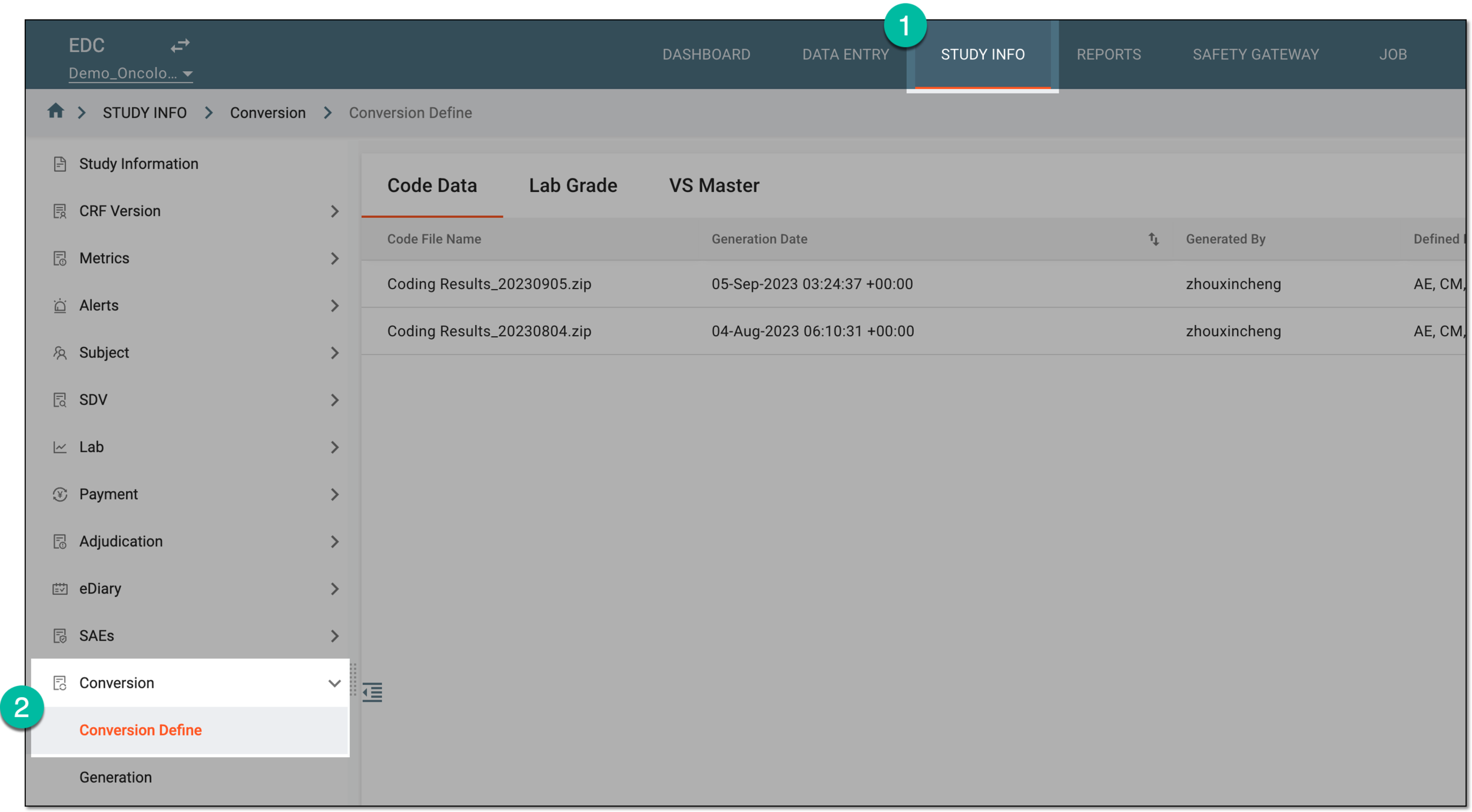 Figure 1. Accessing conversion definitions
-
In the contents panel that appears, select the VS Master tab.
-
From the workspace toolbar that appears, select VS Mapping
 .
.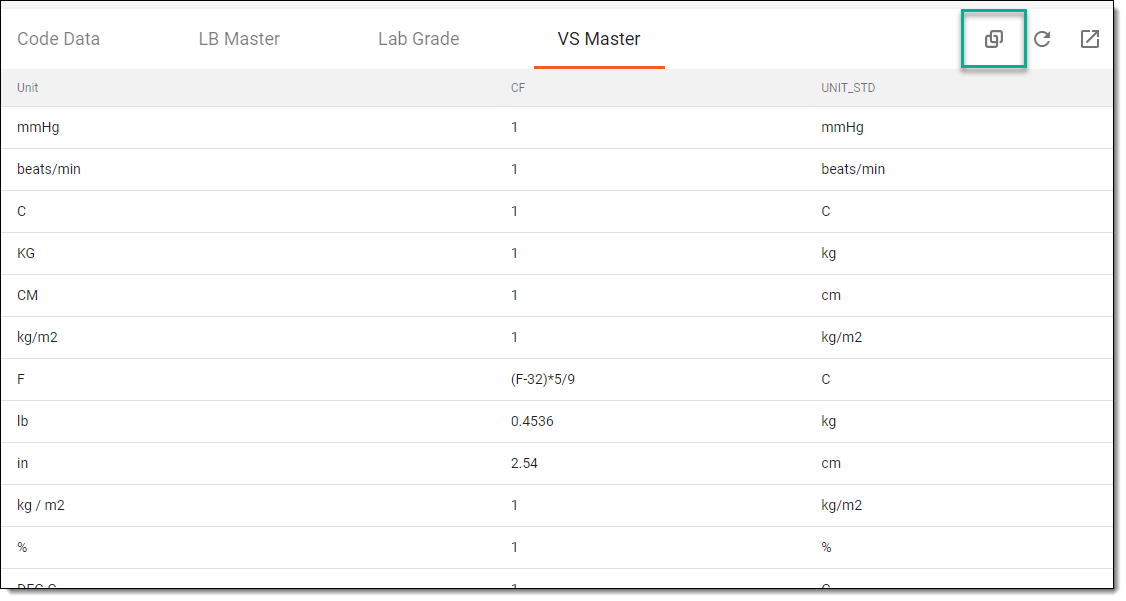 Figure 2. Selecting option to view lab unit mapping
-
In the VS Mapping dialog that opens, define vital signs unit mapping as explained in the following table.
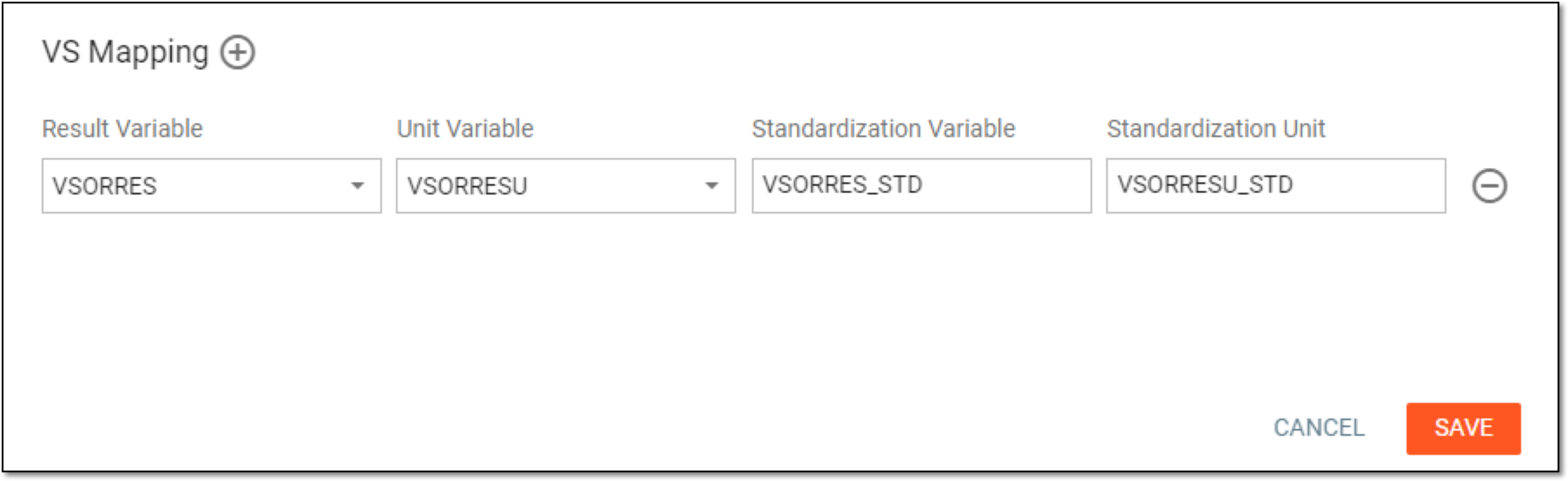 Figure 3. Defining vital signs unit mapping
Element
Details
Result Variable
Select the variable storing vital signs records that need to be converted. The list of variables is populated from the VS domain.
Unit Variable
Select the variable storing measurement units that need to be considered during vitals conversion. The list of variables is populated from the VS domain.
Standardization Variable
Enter the name of the variable where the converted vital signs records need to be stored in the VS dataset of the generated raw data package. The name is populated automatically when you select the result variable so you may use it without changes.
For example, if the original subject temperature has been recorded as 100, this column will show it as 37.8.
Standardization Unit
Enter the name of the variable where the converted measurement units need to be stored in the VS dataset of the generated raw data package. The name is populated automatically when you select the unit variable so you may use it without changes.
For example, if the original subject temperature has been measured in F (Fahrenheit), this column will show it as C (Celsius).

Select the plus symbol to add a new row to the vitals conversion configuration.

Select the minus symbol to remove any existing row from the vitals conversion configuration.
SAVE
Select
 to apply vitals conversion configuration.
CANCEL
Select
 to discard the changes.
Once saved, the vital signs unit mapping is defined. The system will convert vitals in the indicated columns during the next raw data package generation.