Export vital signs units master file
When configuring the automated data standardization and conversion, you can preview the table containing measurement units that can be encountered across various CRFs related to the collection of subjects' vital signs. This table serves as a conversion matrix, detailing the specific formulas required to translate measurements taken in the imperial system into their metric system equivalents.
The entire matrix table with predefined imperial and metric measurement units as well as conversion formulas can be exported in the XLSX format. You can then analyze all vital signs units offline on your computer or share the file with EDETEK biostatisticians in case conversion settings need to be updated.
-
In the EDC application header, select the STUDY INFO tab.
-
In the left pane of the page that opens, select Conversion > Conversion Define.
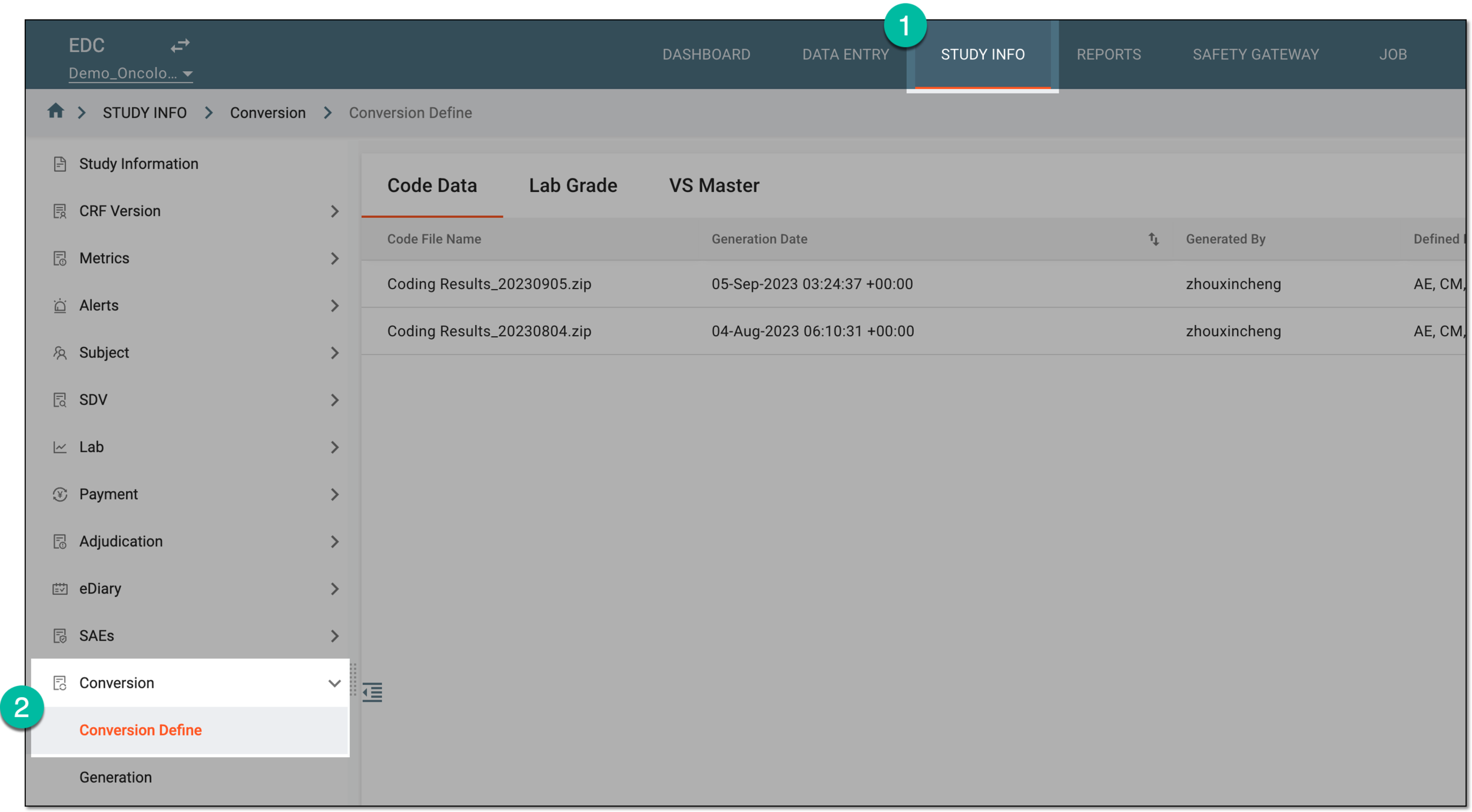 Figure 1. Accessing conversion definitions
-
In the contents panel that appears, select the VS Master tab.
-
From the workspace toolbar that appears, select Export
 .
.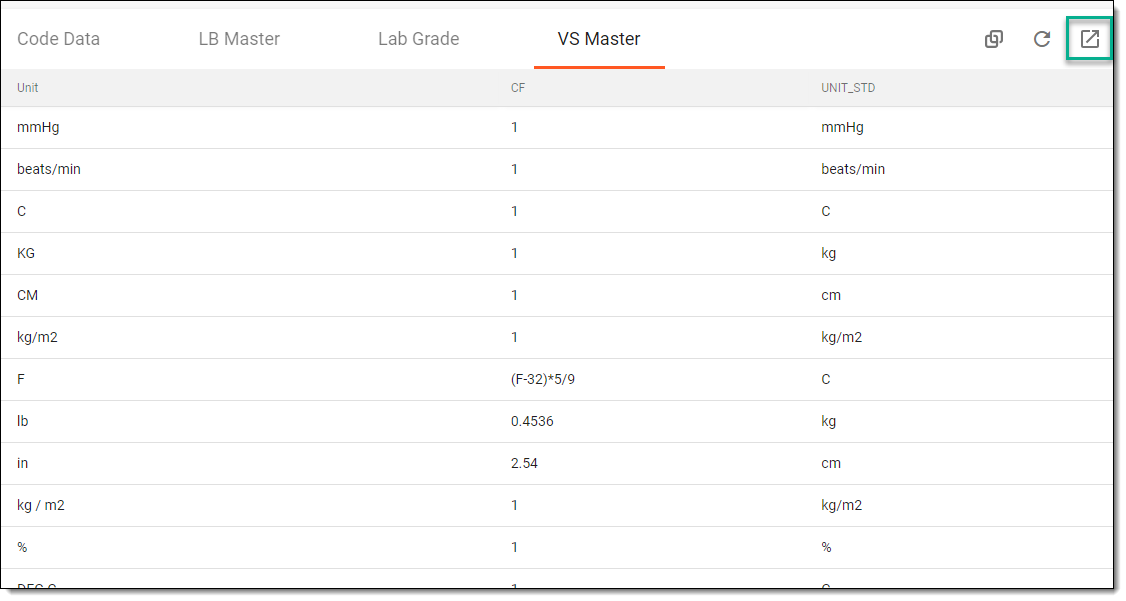 Figure 2. Exporting vital signs units master file
Once selected, the master file with vital signs measurement units is exported to your computer. You can now analyze these units offline.