Summary of labs
In the EDC application, when subject lab results are entered in respective forms of the DATA ENTRY tab, the system automatically compares the data against the normal ranges preset for those exact lab tests.
You can view the summary of all the lab test data entered in the EDC application under the STUDY INFO > Summary of Lab subtab.
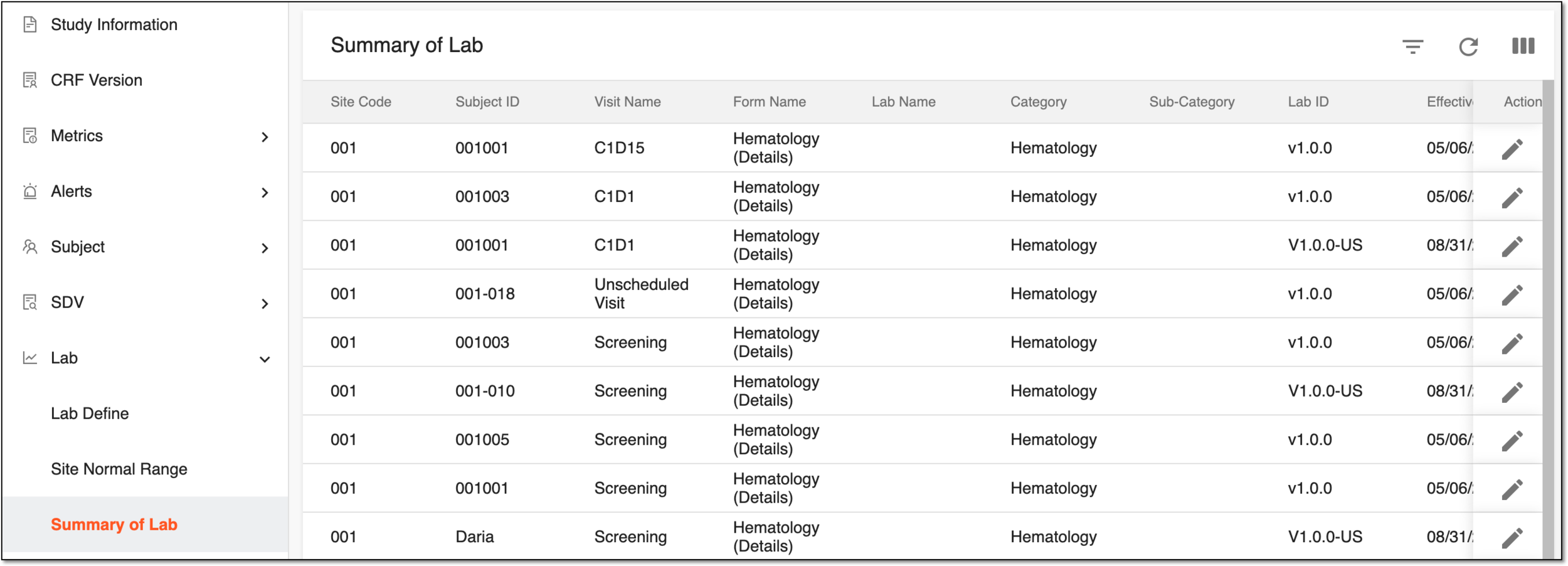
You can find the details of all the Summary of Lab table columns in the following table.
|
Column |
Details |
|---|---|
|
Site Code |
Represents the code of the site at which the lab test data has been collected for a subject. |
|
Subject ID |
Represents the ID of the subject for whom the lab test data has been collected. |
|
Visit Name |
Represents the name of the visit at which the lab test data has been collected for a subject. |
|
Form Name |
Represents the name of the CRF into which the lab test data has been entered. |
|
Lab Name |
Represents the name of the lab that has provided the lab test data. |
|
Category |
Represents the category of the lab test that has been held to receive the result data. |
|
Sub-Category |
Represents the subcategory parameter is not currently used in the EDC application. This column value stays blank. |
|
Lab ID |
Represents the unique ID of the lab that has provided the lab test data |
|
Effective Date |
Represents the date when the collected lab test data becomes effective. |
|
Expiration Date |
Represents the date when the collected lab test data becomes expired. |