View existing placeholders
In eTMF, placeholders (also known as "planned documents") are folders or containers that store study documents and records planned to be collected during a clinical trial. With these documents and records, you can evaluate the clinical trial conduct, the integrity and quality of trial data, and compliance of the investigator, sponsor, and monitor with the standards of Good Clinical Practice (GCP) and with all applicable regulatory requirements (ICH Guideline for GCP, E6, Section 8).
Placeholders are usually created based on the study milestones and essentially serve as containers for a missing study document or record planned to be received during a clinical study (such as consent forms, indemnity contracts, investigator's curricula vitae, and so on).
With eTMF, you can view the already created placeholders and use them to upload the needed study documents or records there.
-
In the eTMF application header, select the TMF tab.
-
On the page that opens, in the left pane, select the Study List subtab.
-
In the Study List table, select the needed study name.
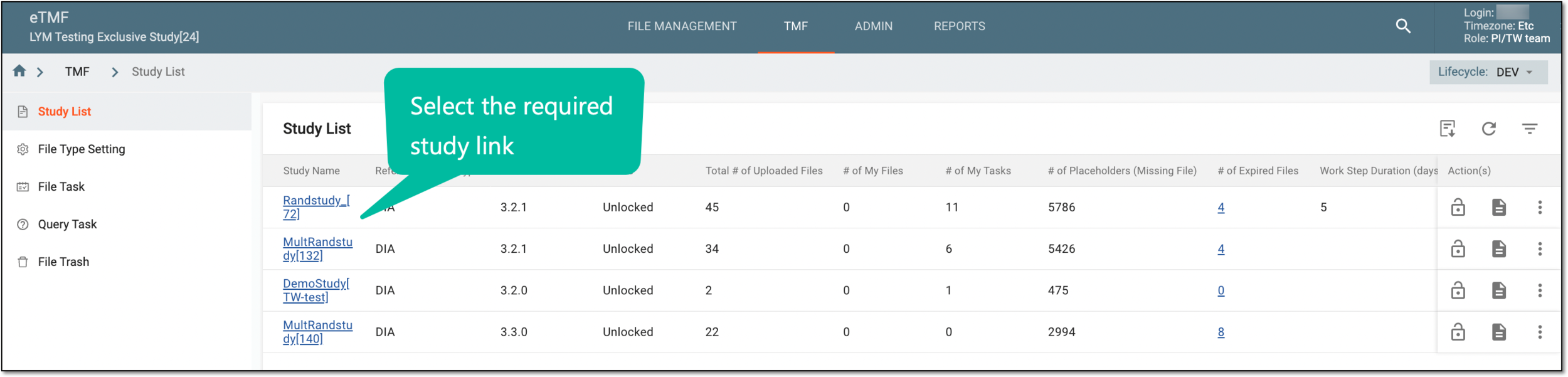 Figure 1. Selecting study
-
On the page that opens, select the Study Tracking pane option.
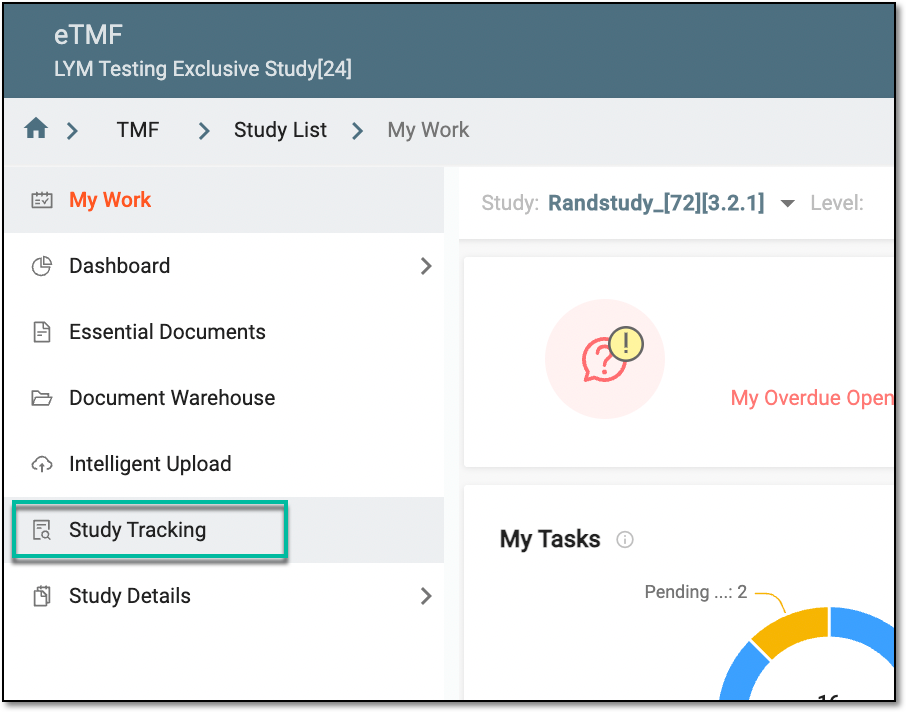 Figure 2. Accessing study tracking page
-
On the Study Tracking page that opens, switch to the Placeholder tab.
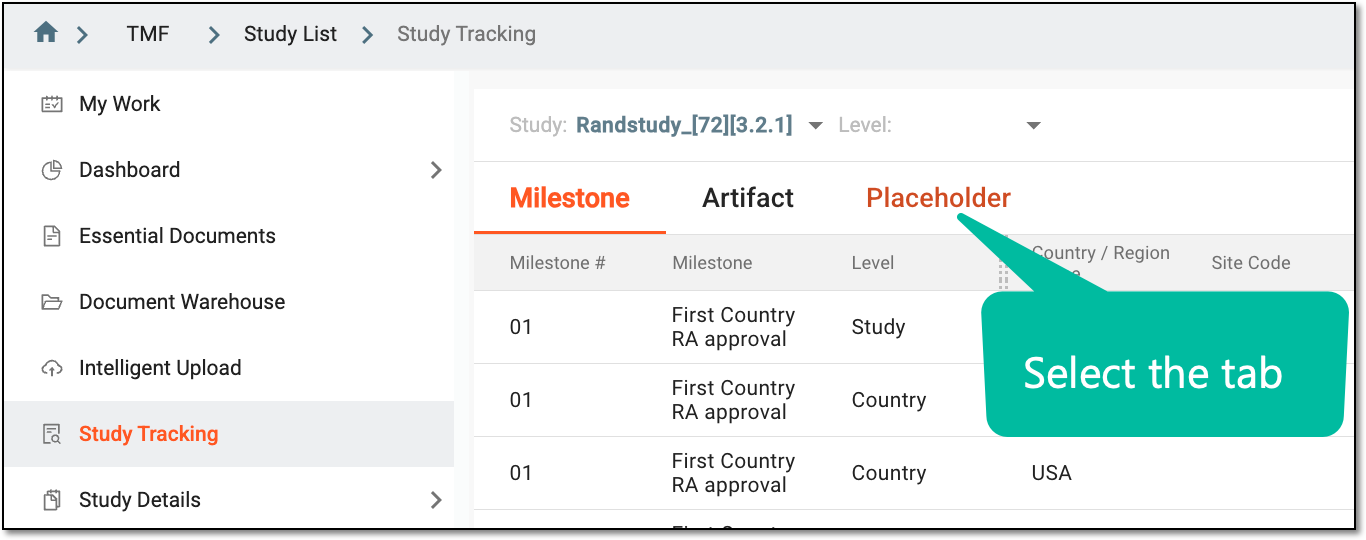 Figure 3. Accessing placeholders
-
In the Placeholder table, view all the existing placeholders of your study and analyze their details as explained in the following table.
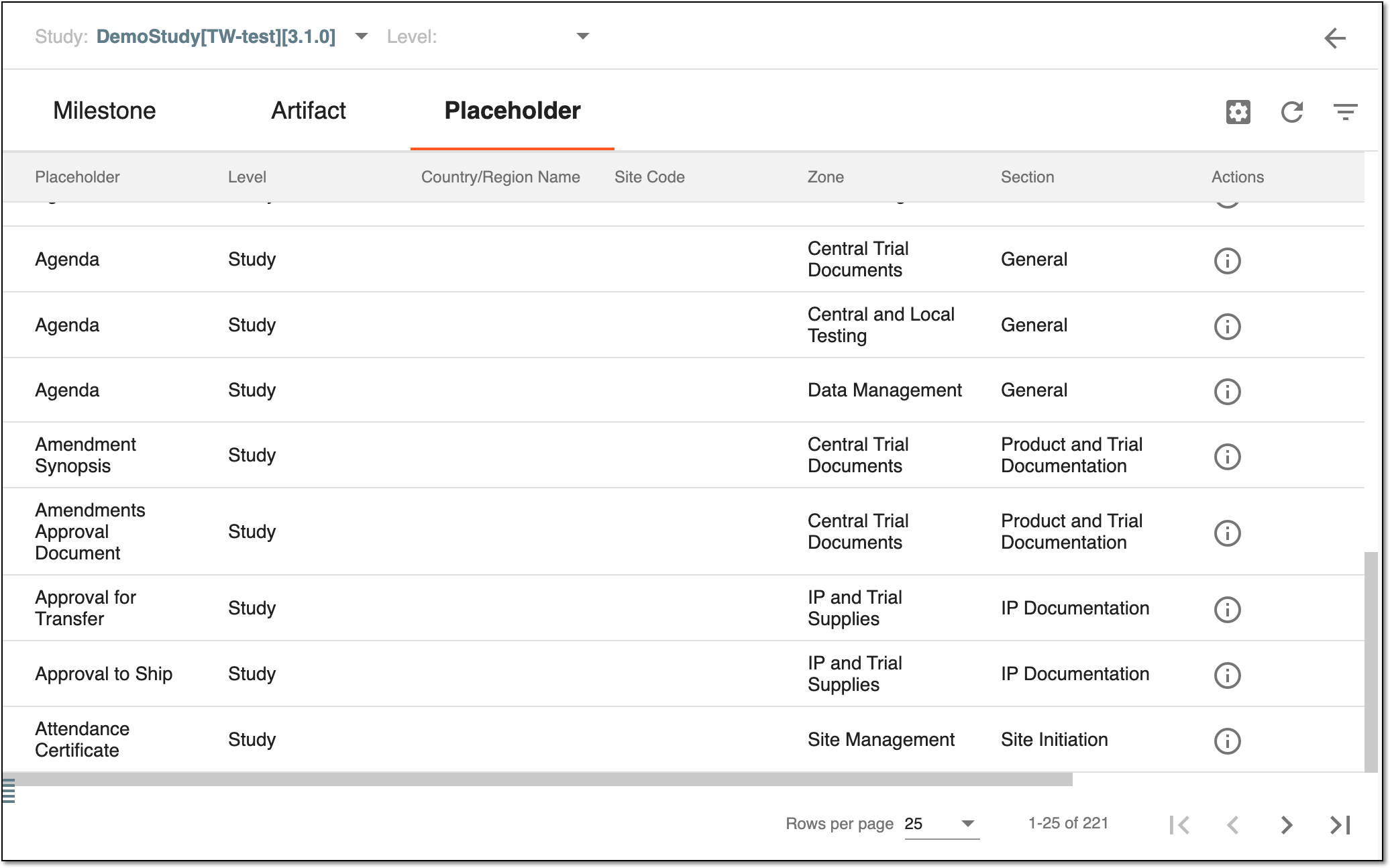 Figure 4. Viewing existing study placeholders
Column
Details
Placeholder
Represents the placeholder name that usually reflects the type of documents that you expect to be uploaded and stored in this placeholder once you collect them, for example, Core Document List, SOP Deviations, Committee Correspondence, and so on.
Level
Represents the level at which the documents are expected to be filed in this placeholder:
-
Study: the documents in this placeholder are filed at the clinical trial level (which means that the filed documents are relevant for all sites and countries within this study).
-
Country/Region: the documents in this placeholder are relevant for all study sites within a specific country.
-
Site: the documents in this placeholder are filed at the site level only.
Country/Region Name
If the placeholder level is set to Country/Region, the field displays the name of the country or region for which the documents in this placeholder are relevant to be filed. Otherwise, the field is empty.
Site Code
If the placeholder level is set to Site, the field displays the code of the site for which the documents in this placeholder are relevant to be filed. Otherwise, the field is empty.
Zone
Reflects the zone for your expected documents and records.
For example, if your expected documents relate to the general design or management and oversight of the trial, the Trial Management zone is displayed; if your expected documents relate to regulatory submissions and approvals (to/from health authorities), the Regulatory zone is displayed, and much more.
Section
Represents the name of the section into which the previously selected zone was divided.
Artifact
Represents the name of the artifact you are planning to upload into your placeholder.
Time(s) Can Be Used
Represents the number of times that files can be uploaded to this placeholder. You can set or change this number by editing the placeholder usage configurations.
# of Uploaded Files
Represents the number of files uploaded for this placeholder.
Status
Represents the current status of the placeholder, such as Empty, Incompletely Filled, or Completely Filled.
-
You have viewed the list of all existing placeholders.