Edit placeholder
In eTMF, placeholders (also known as "planned documents") are folders or containers that store study documents and records planned to be collected during a clinical trial. With these documents and records, you can evaluate the clinical trial conduct, the integrity and quality of trial data, and compliance of the investigator, sponsor, and monitor with the standards of Good Clinical Practice (GCP) and with all applicable regulatory requirements (ICH Guideline for GCP, E6, Section 8).
Some placeholders can only be used for file upload once, and others can be used multiple times.
For instance, the placeholder created for storing the monitoring visit confirmation letters from CTMS can be used multiple times to accept all the incoming files from CTMS. On the contrary, the placeholder created for the final version of a study protocol must be used only once for the file upload.
In eTMF, with the Edit option, you can configure how many times a placeholder can be used for file upload.
-
In the eTMF application header, select the TMF tab.
-
On the page that opens, in the left pane, select the Study List subtab.
-
In the Study List table, select the needed study name.
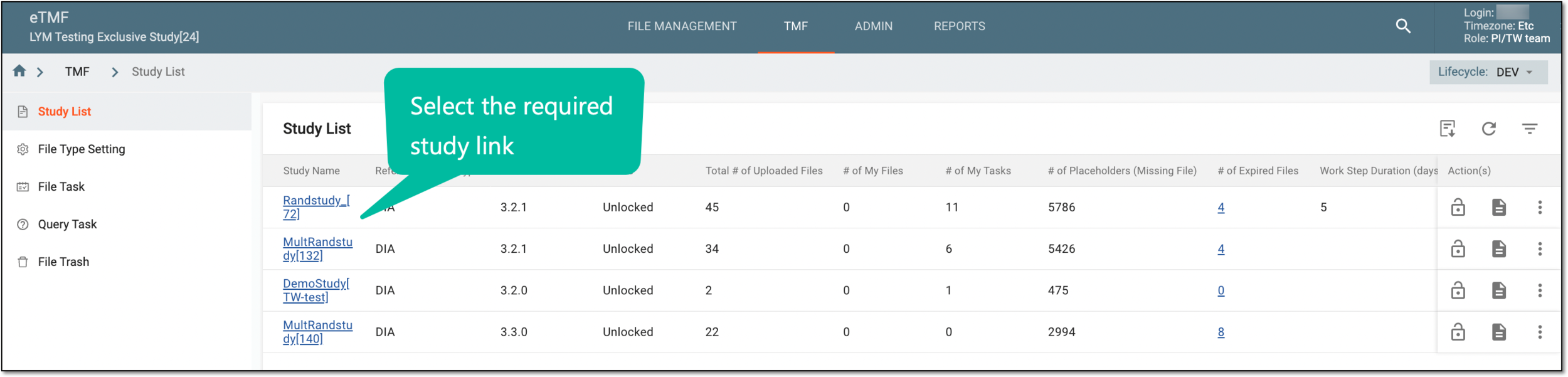 Figure 1. Selecting study
-
On the page that opens, select the Study Tracking pane option.
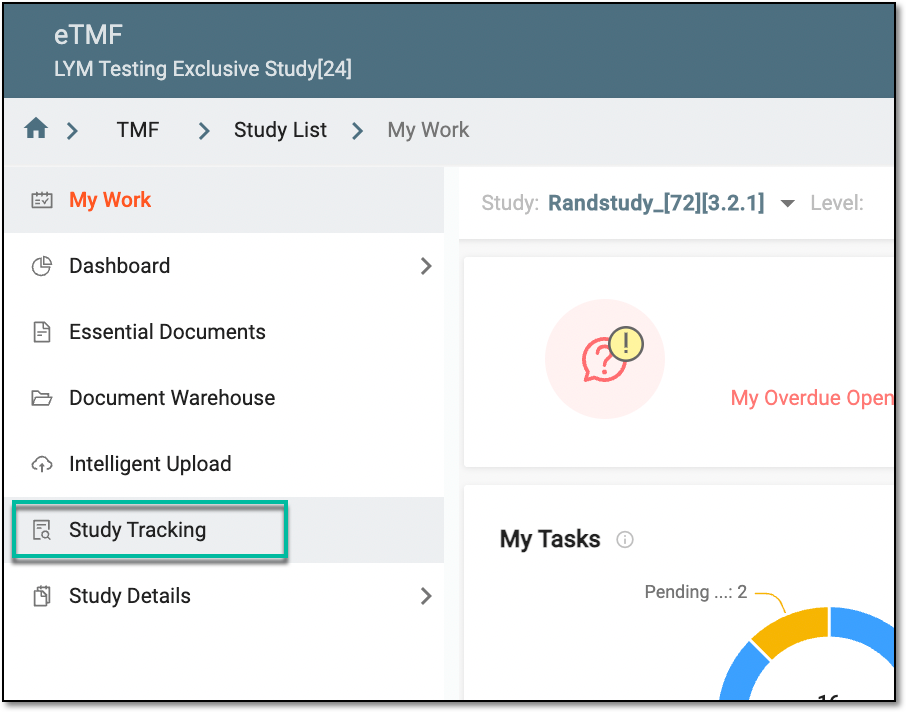 Figure 2. Accessing study tracking page
-
On the Study Tracking page that opens, switch to the Placeholder tab.
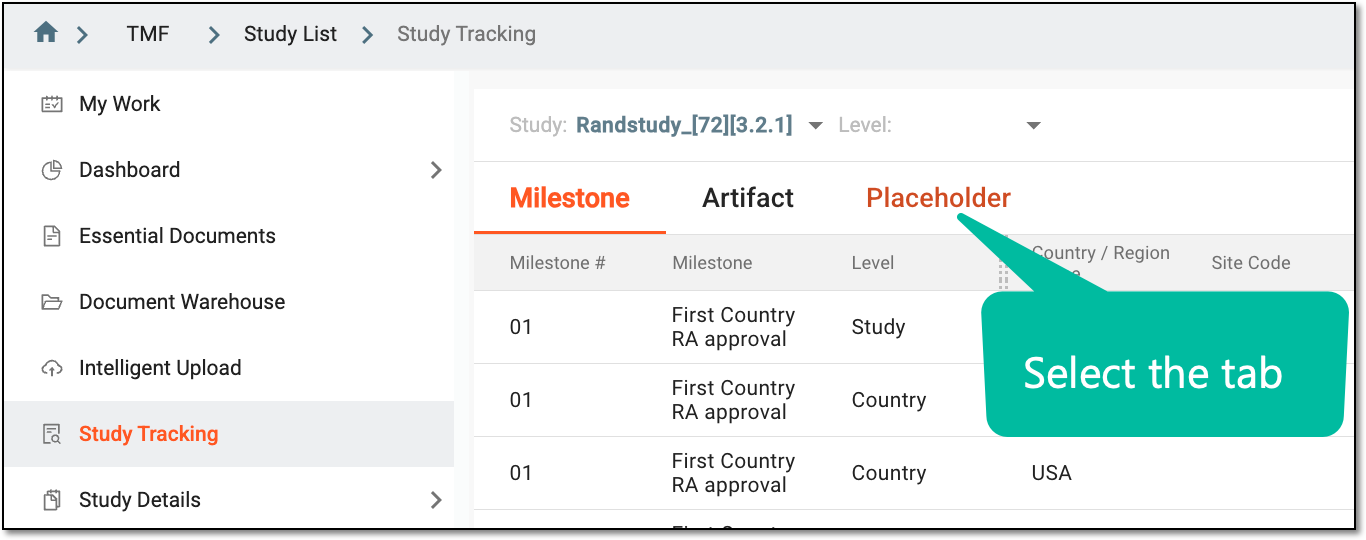 Figure 3. Accessing placeholders
-
On the page that opens, depending on your needs, perform one of the following actions:
-
To edit the placeholder usage configurations individually, next to the needed placeholder, from the Action(s) column, select Edit
 .
. Figure 4. Selecting to edit individual placeholder configurations
-
To edit the placeholder usage configurations in batch, select the checkboxes next to the needed placeholders. From the workspace toolbar, select Edit
. Figure 5. Selecting to edit placeholder configurations in batch
-
-
In the Edit dialog that appears, configure your placeholder usage as explained in the following table.
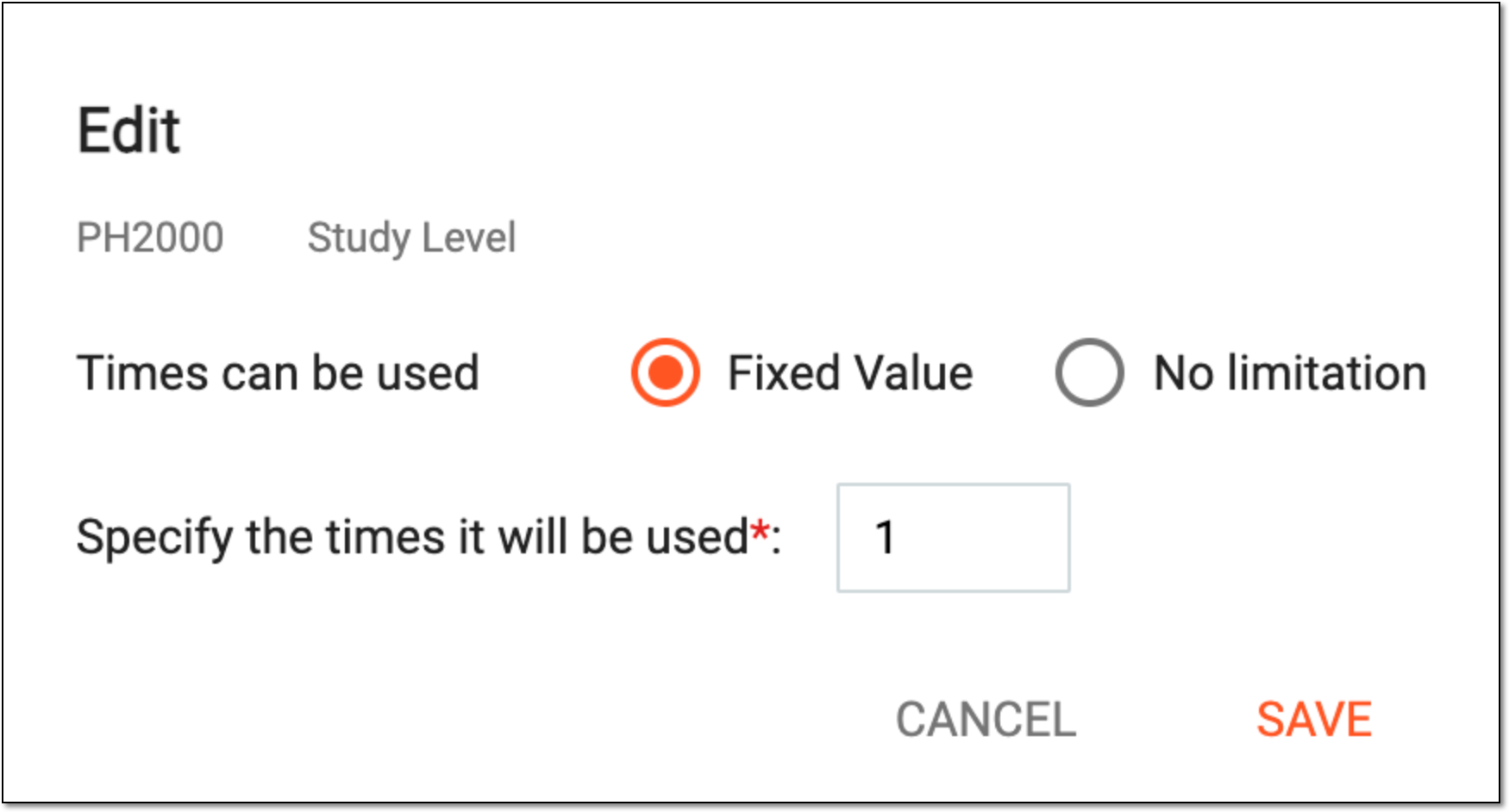 Figure 6. Selecting to edit placeholder configurations in batch
Tip
In the following table, mandatory elements are marked with an asterisk (*).
Element
Details
Times can be used
Select one of the following options:
-
Fixed Value: to specify the exact number of times that the file can be uploaded to this placeholder.
-
No limitation: to permit the upload of the files to this placeholder without any restrictions.
When the system initiates a new study, the Study Tracking placeholders can be autopopulated to eTMF with the No limitation value as the default. If needed, you can update
                                        this setting to the Fixed Value option.
Specify the times it will be used*
Enter the number of times that a file can be uploaded to this placeholder.
This field is only available if Fixed Value is selected for the Times can be used
                                  field.
SAVE
Select
 to apply the configuration.
CANCEL
Select
 to discard the changes without saving.
 -
Once saved, the usage configurations are applied to your placeholders.