View placeholder details
In eTMF, placeholders (also known as "planned documents") are folders or containers that store study documents and records planned to be collected during a clinical trial. With these documents and records, you can evaluate the clinical trial conduct, the integrity and quality of trial data, and compliance of the investigator, sponsor, and monitor with the standards of Good Clinical Practice (GCP) and with all applicable regulatory requirements (ICH Guideline for GCP, E6, Section 8).
At any time, you can view the details of a placeholder, namely, the associated file name, its document ID, version, and so on.
-
In the eTMF application header, select the TMF tab.
-
On the page that opens, in the left pane, select the Study List subtab.
-
In the Study List table, select the needed study name.
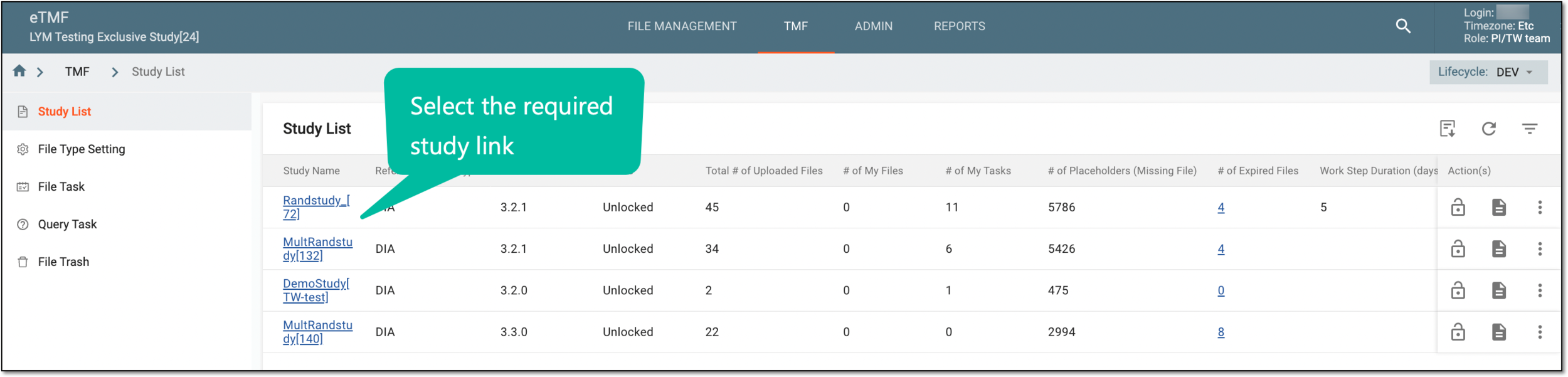 Figure 1. Selecting study
-
On the page that opens, select the Study Tracking pane option.
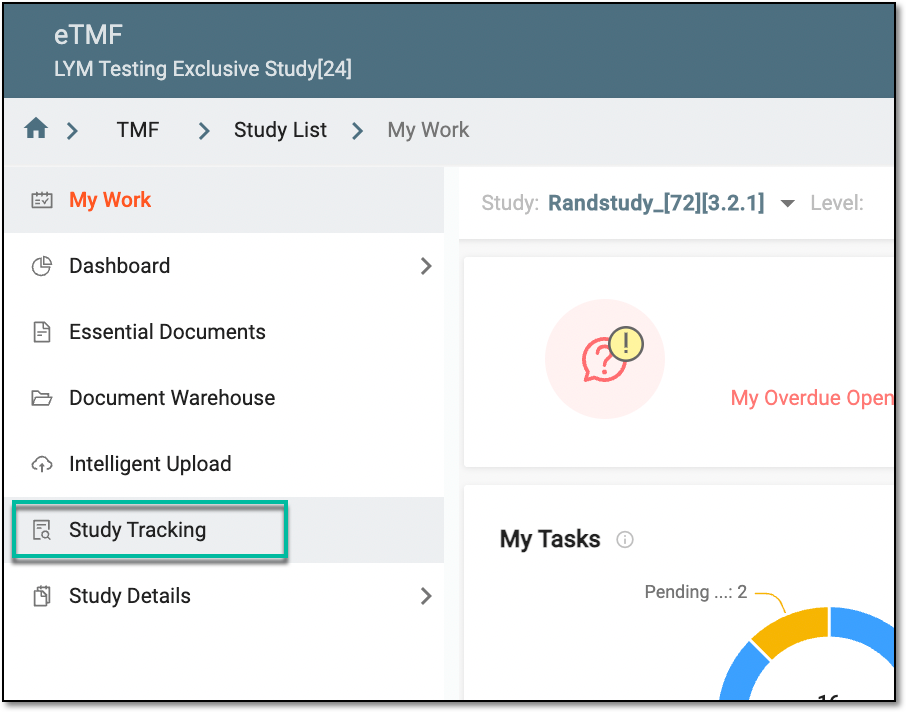 Figure 2. Accessing study tracking page
-
On the Study Tracking page that opens, switch to the Placeholder tab.
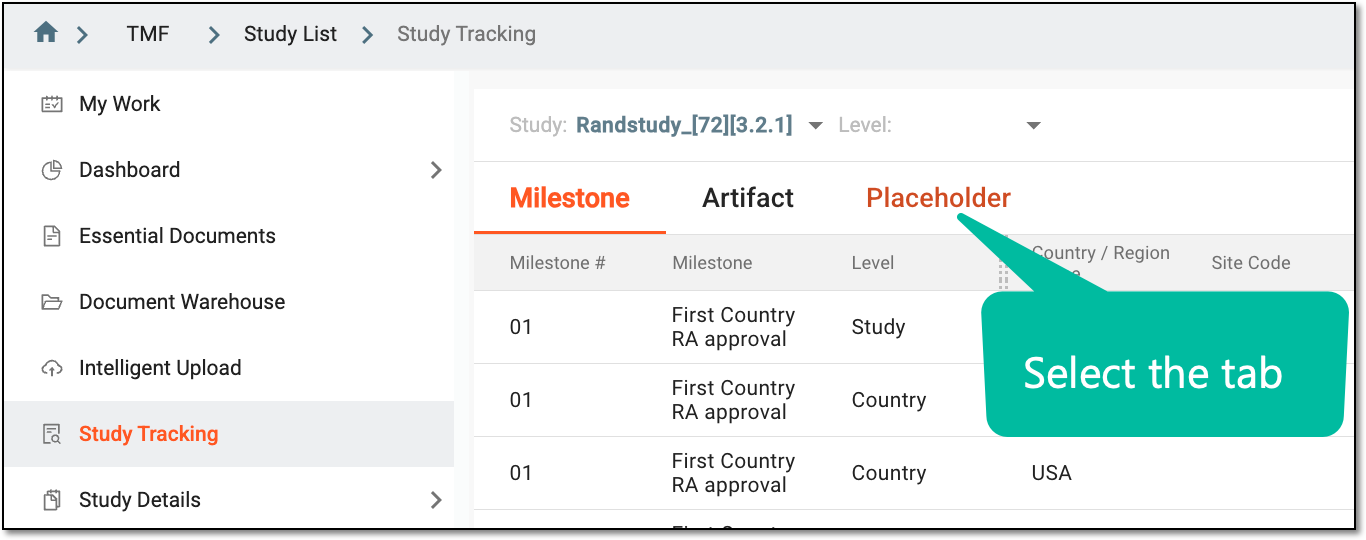 Figure 3. Accessing placeholders
-
On the page that opens, locate the placeholder for which you want to view the details, and from the Action(s) column, select Info
 .
.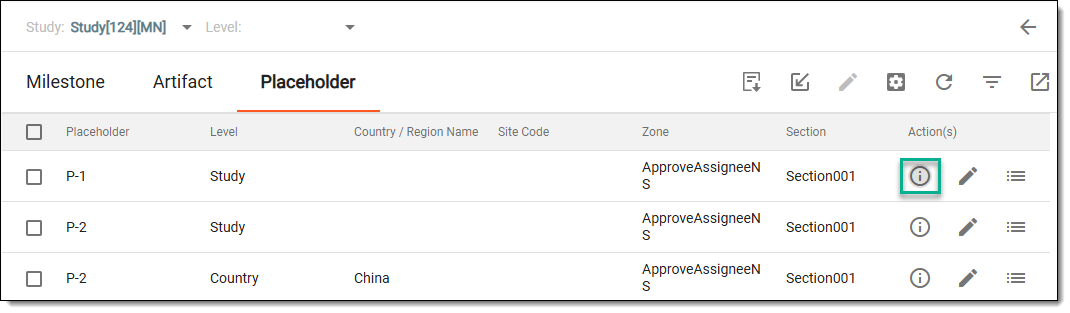 Figure 4. Accessing placeholder information
-
In the dialog that appears, view the artifact information (document ID, file name, version, and status).
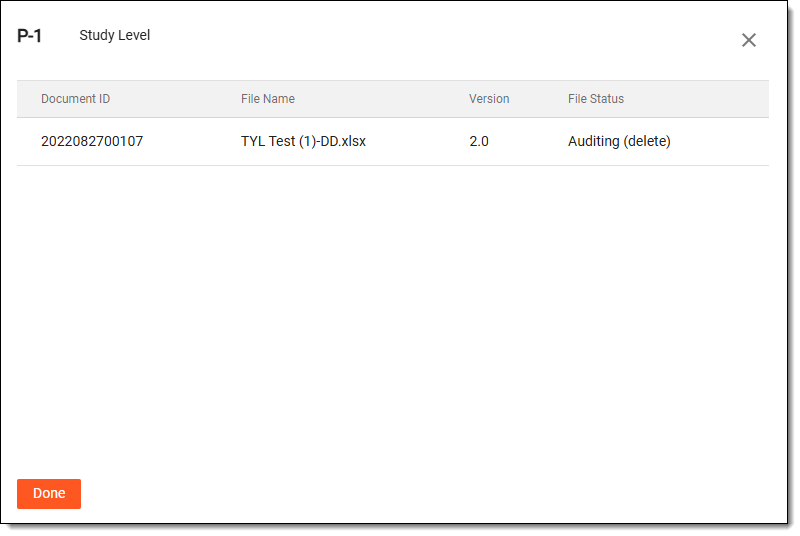 Figure 5. Viewing placeholder details
-
Select
 to close the dialog and return to the Placeholder table.
Once done, you are redirected to the Placeholder table.