Download protocol deviation record template
In CTMS, whenever a protocol deviation occurs, you can record it by using a protocol deviation template. Recording a deviation is necessary for avoiding such deviation from occurring in the future, or it can be a requirement of the sponsor as well.
Using this functionality, you can download the template of protocol deviation records. This may be necessary if you want to import multiple protocol deviation records to the system at once. The template helps you follow the record structure compatible with the system requirements. Once you add the protocol deviation details to the template, you can easily import the records to CTMS.
-
Access the study management page in one of the following ways:
-
In the CTMS application header, select the DASHBOARD tab and then select the study dashboard of your interest.
 Figure 1. Accessing study management from dashboard
-
In the CTMS application header, select the STUDY MANAGEMENT tab. Then from the Study Data List table, select the study name of your interest.
 Figure 2. Accessing study management from study data list
-
-
On the study page, in the left pane, expand Protocol Deviation and select Protocol Deviation Record.
-
On the page that opens, from the content panel, select the needed tab.
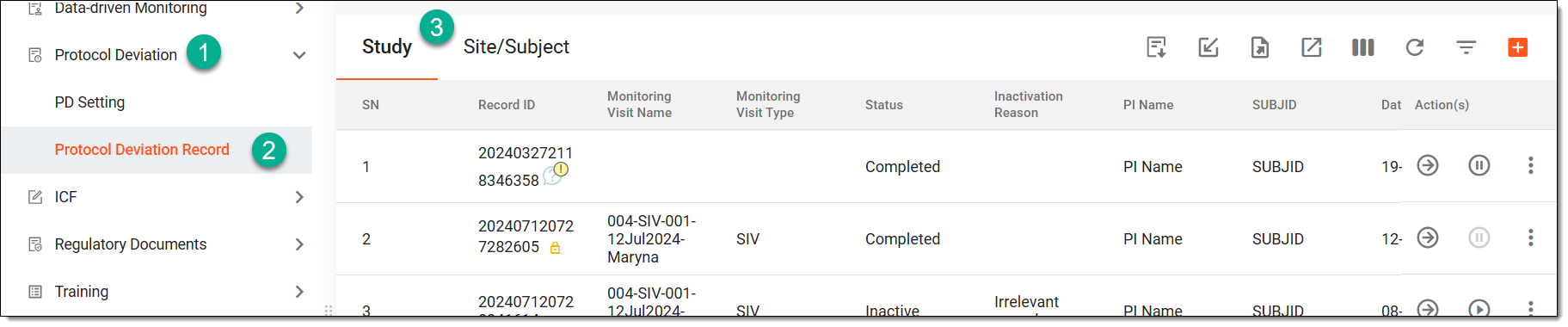 Figure 3. Accessing protocol deviation records
Tip
If the same protocol deviation template is associated with two or more entities—study, site, or subject—they are displayed in a single tab named through a slash, such as Study/Site, Study/Site/Subject, or else. Whereas, the entities associated with unique template forms are displayed in separate tabs, such as Study, Site, or Subject.
-
From the workspace toolbar of the page that opens, select Download Template
 .
.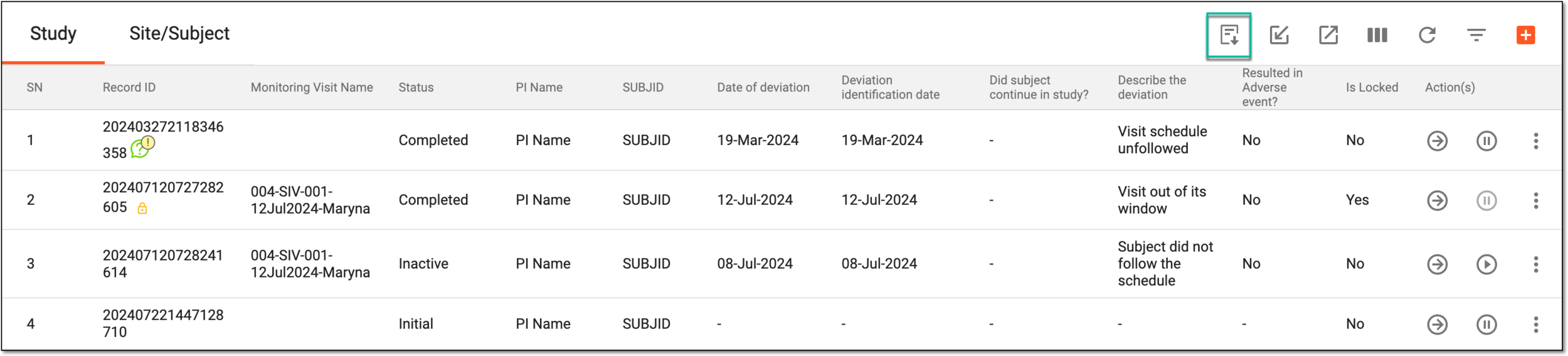 Figure 4. Downloading PD record template
Once selected, the protocol deviation record template file is downloaded to your computer in the XLSX format.
In the template file, the first sheet displays the index showing basic details of the file, such as the study name, the user who exported the file, and so on. The rest of the sheets in the template file correspond to the tabs displayed on the Record page. You can now complete the template with records and reupload it to CTMS.
