Edit on-demand report setting
In CTMS, you can configure custom on-demand reports to include only the data you need for your statistical analysis or other business needs.
For instance, configure reports to track selective data on monitoring visits, site details, or else.
Once the report is configured, you might need to change its details, add more fields, provide access for more user roles, or do some other modifications. In CTMS, this is possible with the Edit functionality.
-
In the CTMS application header, select the REPORT tab.
-
On the page that opens, from the left pane, select On-Demand Report > Report Setting.
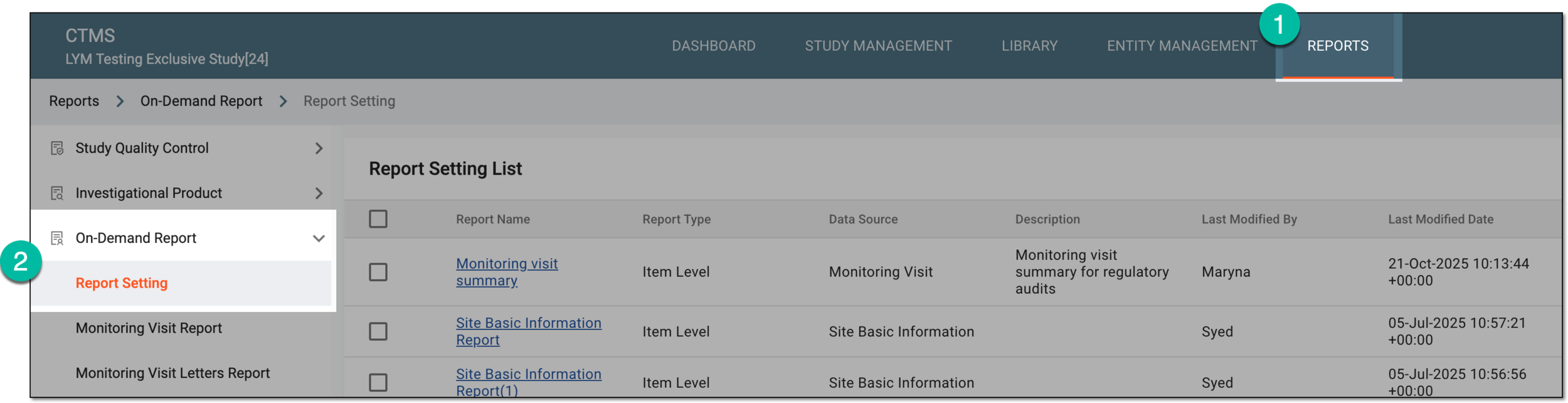 Figure 1. Accessing on-demand report setting
-
In the Report Setting List table that appears, locate the report you want to modify and next to it, from the Action(s) column, select Edit
 .
. Figure 2. Selecting option to edit on-demand report setting
-
On the form page that opens, modify the report configurations as needed. The configuration details here are identical to the ones explained in the table of the Create on-demand report from scratch section.
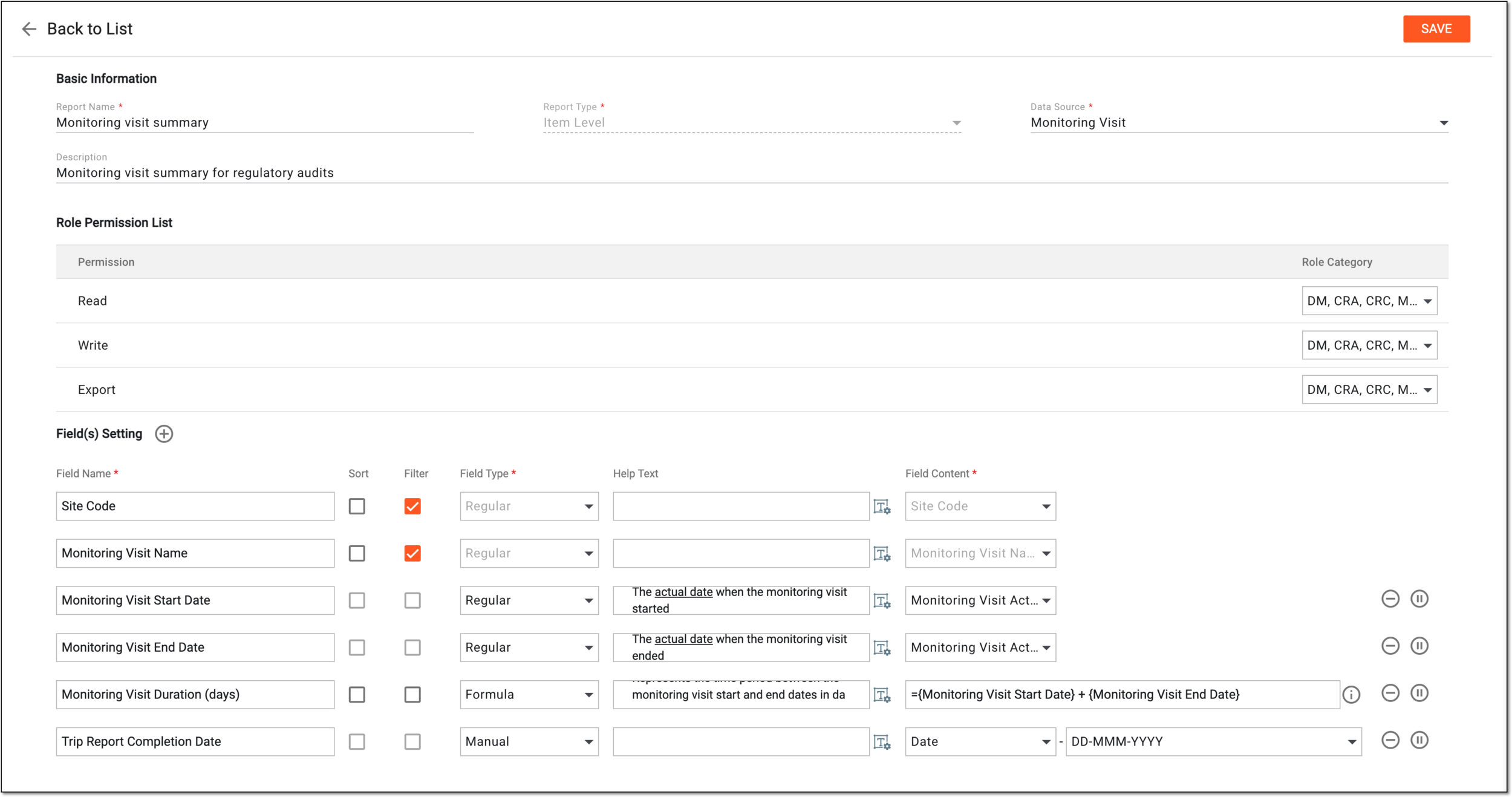 Figure 3. Editing on-demand report
-
Select
 to save the implemented changes.
Once saved, the report is successfully modified. You can now view the updated report data.