Transfer dataset domain
A dataset is a visual representation of columns and rows in CDASH domains based on the configuration of forms. Each column in the dataset represents a CDASH variable that captures data in corresponding rows as per record ID settings. In Study Designer, a dataset is not the actual data storage as it serves solely to show how data is structured when entered in forms of the EDC system.
Any CDASH domain that is available in the dataset can be split to include variables capturing data in some forms. As a result of the split, the variables can be transferred from a specific domain to an existing domain or a new one depending on the study requirements or data organization needs.
-
In the Study Designer application header, select the CRF DESIGN tab.
-
In the toolbar, select the latest draft CRF version marked with the respective unlock symbol
 , otherwise, you cannot perform any actions.
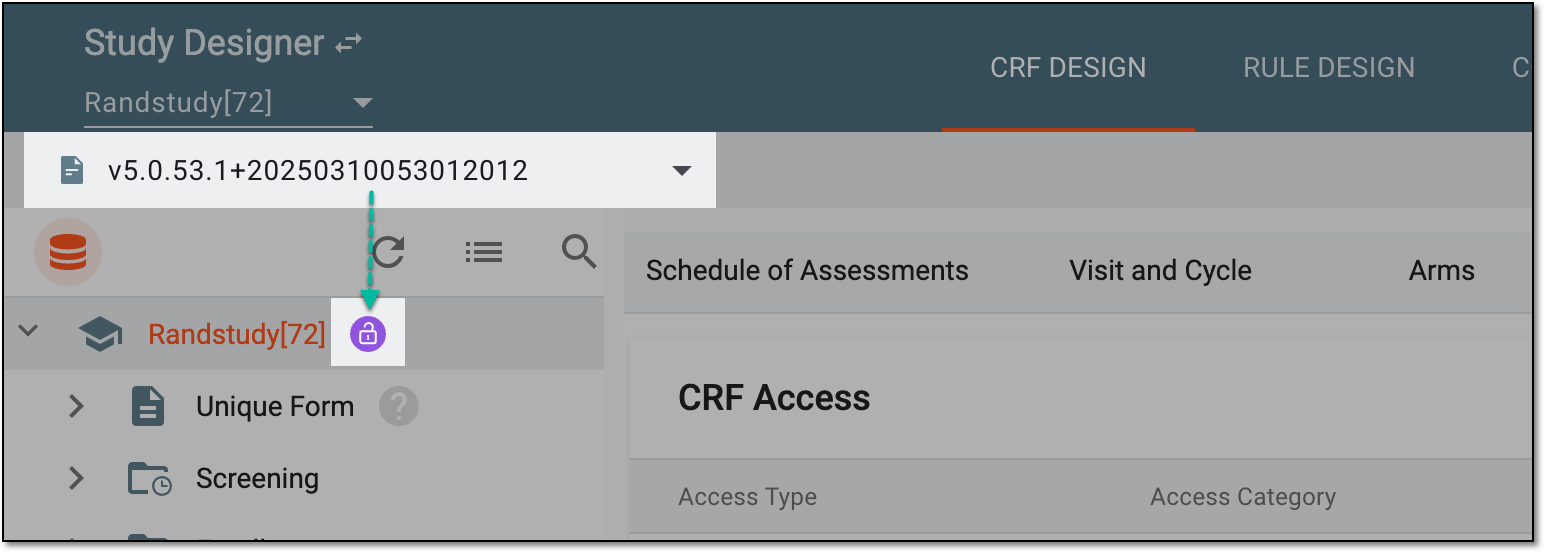 Figure 1. Selecting latest draft CRF version
-
From the workspace toolbar of the hierarchy tree, select Dataset
 .
.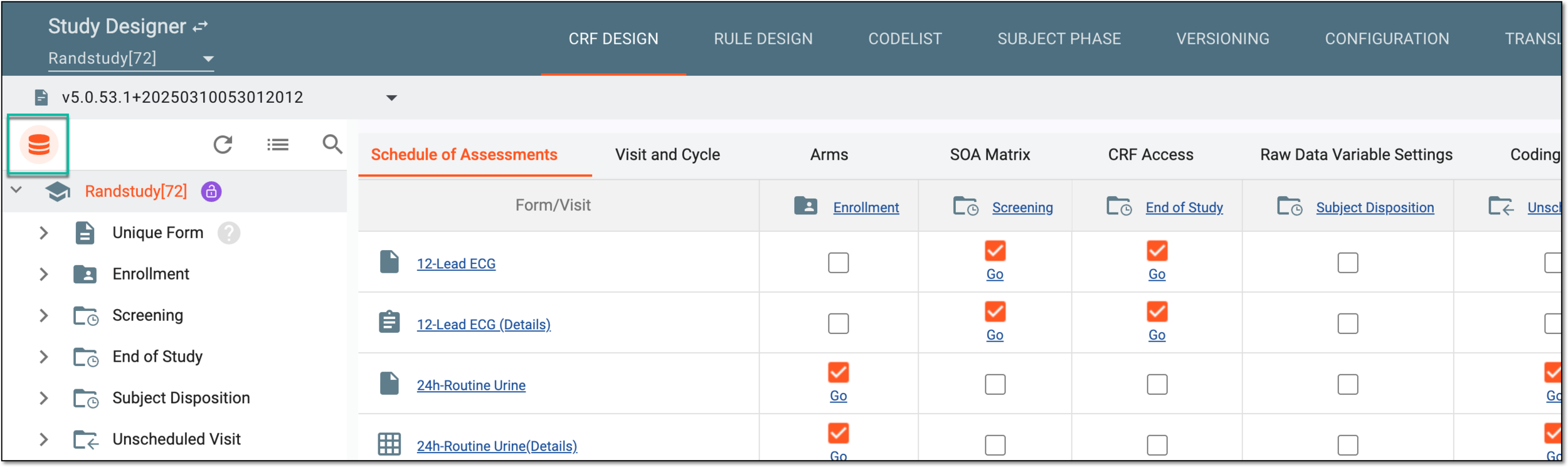 Figure 2. Accessing dataset page
-
In the left pane of the page that opens, select the domain you want to split.
-
Then open More
 option and select Transfer to a domain
  .
.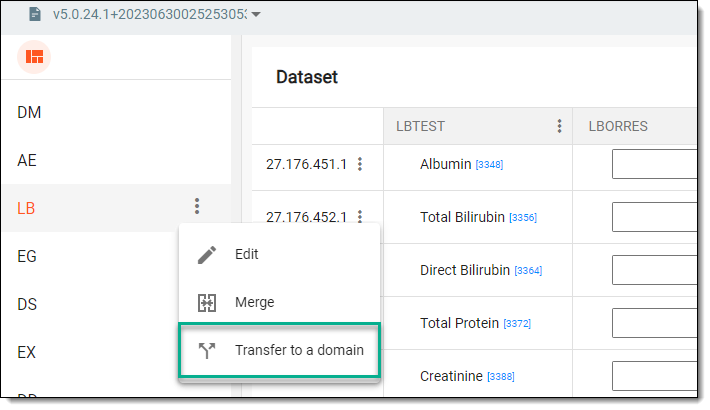 Figure 3. Selecting option to split domain
-
At the first stage of the Transfer to a domain dialog that appears, select one of the following options:
-
Select a Domain: select one of the existing domains where you want to transfer form variables. Then select
 .
.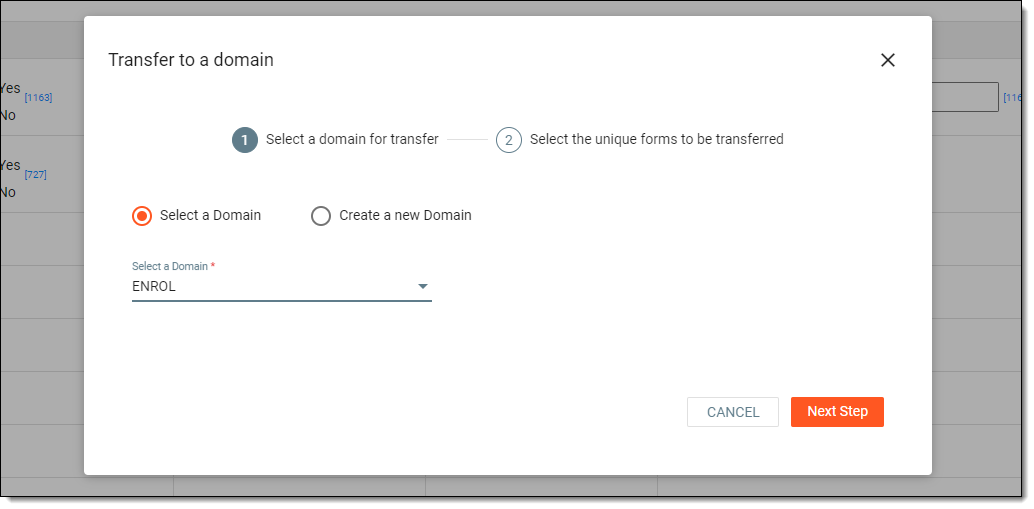 Figure 4. Selecting domain for transfer
-
Create a new Domain: select this option to specify a name and label for a new CDASH domain, which will be added to the dataset. Then select
.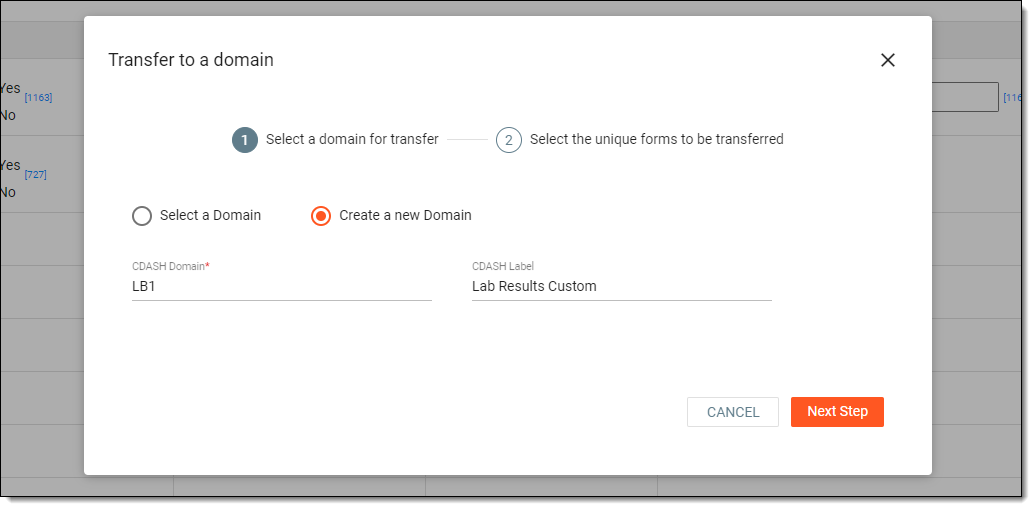 Figure 5. Creating domain for transfer
-
-
At the second stage of the Transfer to a domain dialog, select unique forms whose variables you want to transfer to the previously selected domain. Then select
 .
.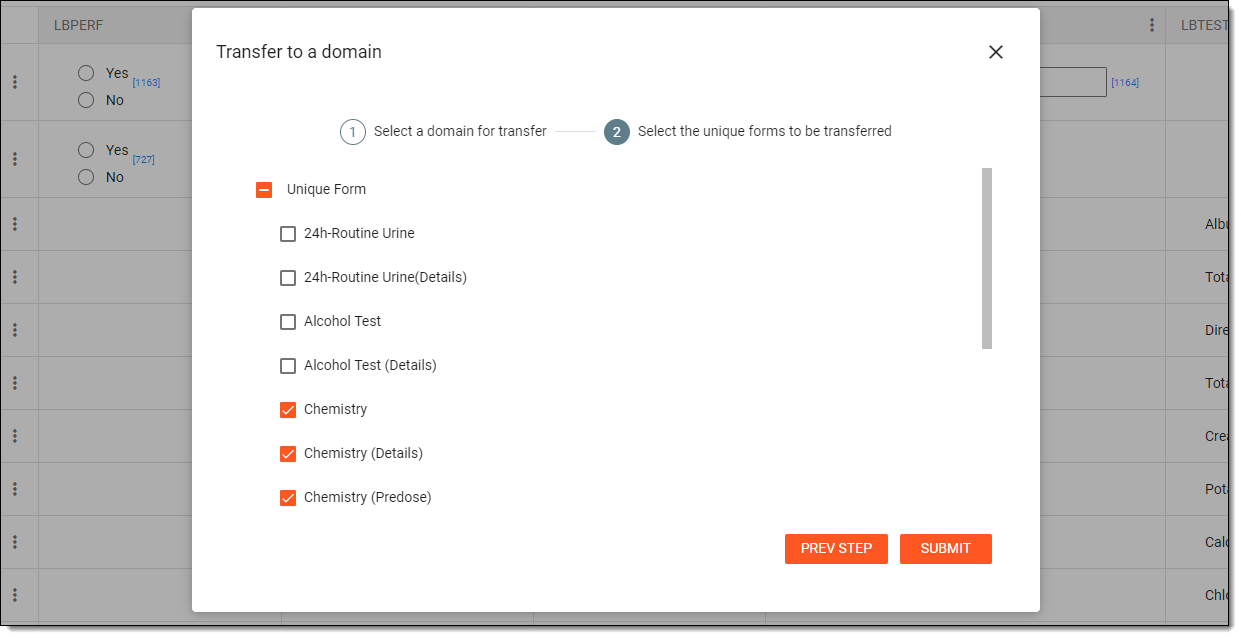 Figure 6. Selecting forms for transfer
Tip
Each unique form contains questions that may be associated with variables and items that must be associated with variables. These associations exist to capture data that will be entered in the form of responses in the EDC system.
Once submitted, variables associated with the selected forms are transferred to an existing or new domain, depending on your transfer configuration.