Reorder forms in library
The Study Designer application has a library of reusable forms that can streamline the process of designing a CRF for different studies. This library accelerates the form creation process and ensures consistency and accuracy across various studies, saving study teams considerable effort. By leveraging the library content, researchers can minimize the time spent on repetitive form design tasks.
The forms that have been previously added or uploaded to the library are sorted alphabetically by default. However, the forms can be reordered within their folders. The option to reorder forms can help you effectively structure your library for optimal accessibility and workflow.
Important
Note that you can only reorder forms within the original folder. You cannot move forms to other folders.
-
In the Study Designer application header, select the CRF DESIGN tab.
-
In the toolbar, select Form library
 to open the library with forms.
 Figure 1. Opening form library
-
On the page that opens, expand the My Library node or any existing folder where you want to reorder your forms.
-
Then select and drag the needed form to a new location within its original folder.
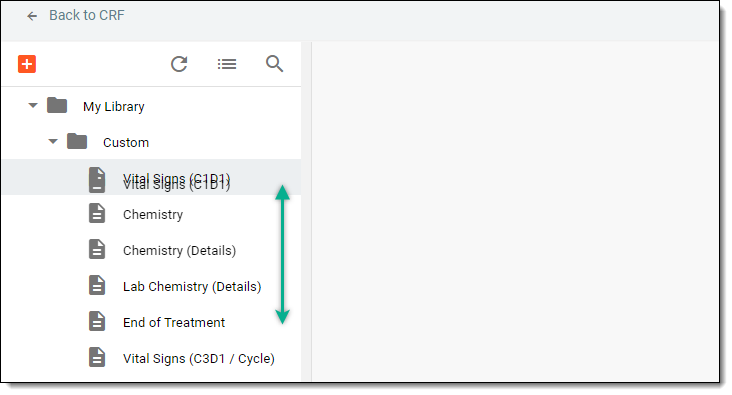 Figure 2. Reordering forms
Once dragged, the forms are reordered within the folder.