View product family workflow history
In the PV application, once the product family configuration is complete, and the product(s) and license(s) are added to it, the review and approval process is initiated by forwarding the workflow route for a product family.
For compliance and traceability reasons, you can review the complete history of workflow changes for a product family.
-
In the PV application header, select the PRODUCT tab.
-
On the page that opens, in the left pane, select the product family for which you want to view the workflow history.
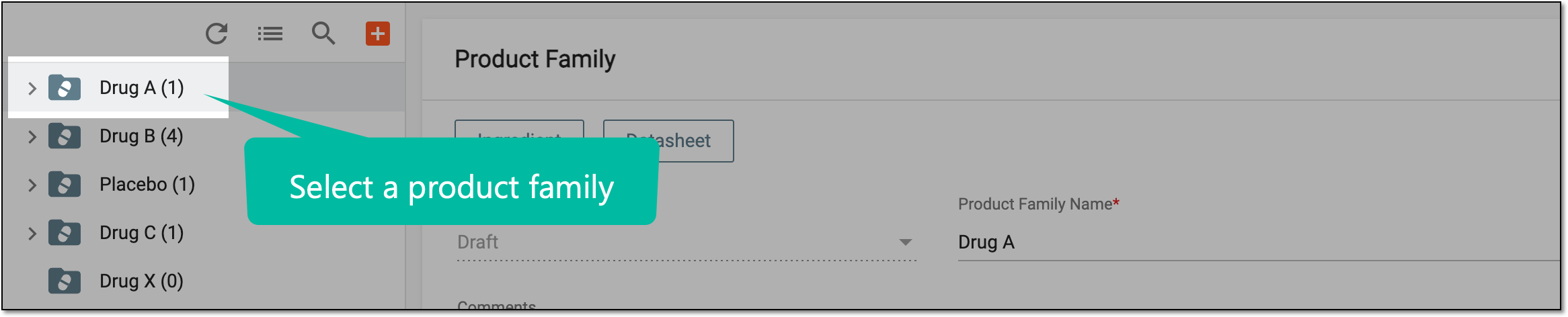 Figure 1. Selecting product family
-
On the Product Family form page that opens, from the workspace toolbar, select More
 >
Workflow History
>
Workflow History  .
.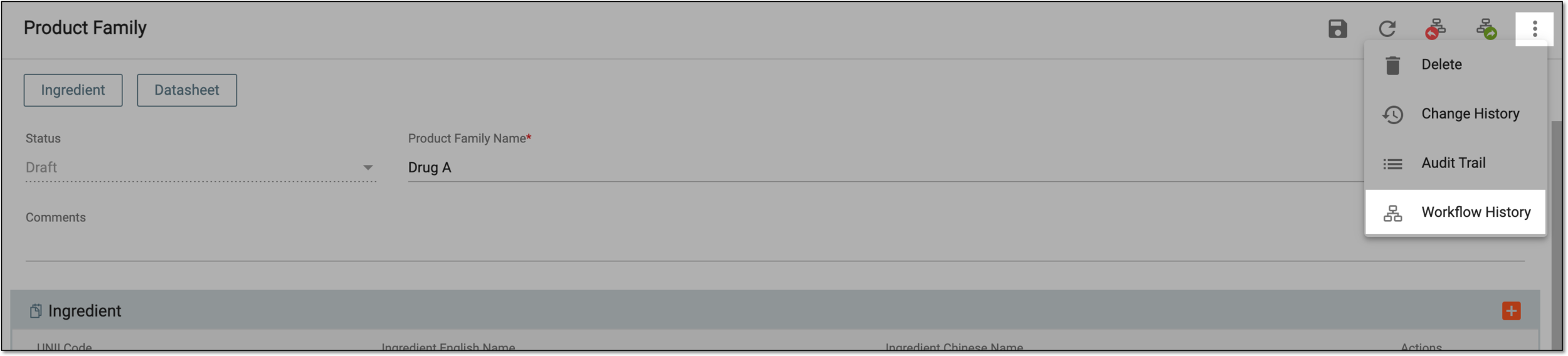 Figure 2. Selecting to view workflow history
-
In the Workflow History dialog that opens, view the history of all workflow changes, who performed the operations, when, how much time it has taken for processing, and so on.
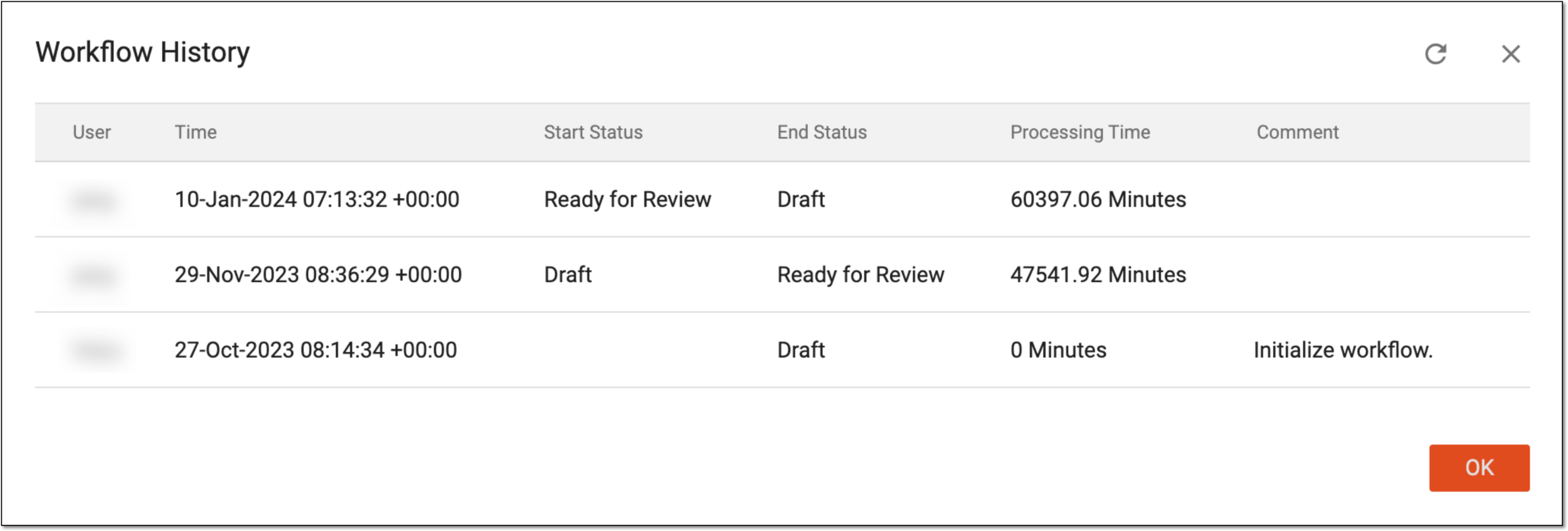 Figure 3. Viewing workflow history
-
Select
 to close the dialog.
You have viewed the complete history of product family workflow changes.