Delete product family ingredient
In PV, every company product should belong to a product family that shares the same key ingredient and data sheets but can have a different concentration for the active ingredient.
Once a new product family is configured, there might be the need to delete one of its ingredients if it is a compound drug or the only ingredient to replace it with another.
-
In the PV application header, select the PRODUCT tab.
-
On the page that opens, from the left pane, select the product family for which you need to delete an ingredient.
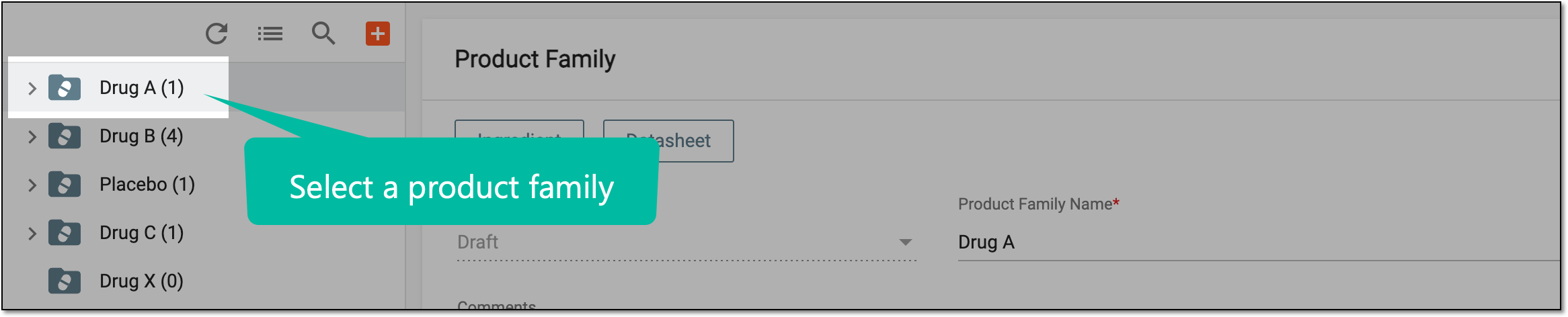 Figure 1. Selecting product family
-
On the Product Family form page that opens, go to the Ingredient block and in the table, next to the ingredient that you want to remove, select Delete
 .
.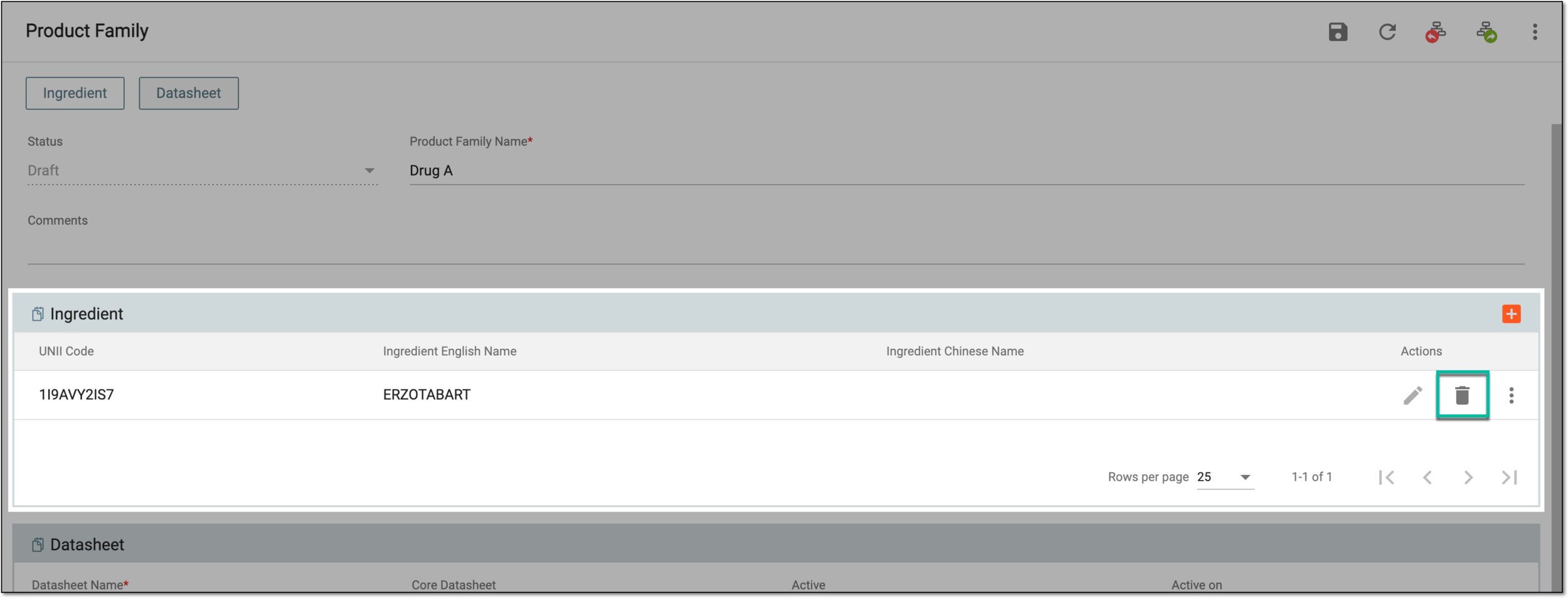 Figure 2. Deleting product family ingredient
-
In the dialog that appears, select
 to confirm the deletion.
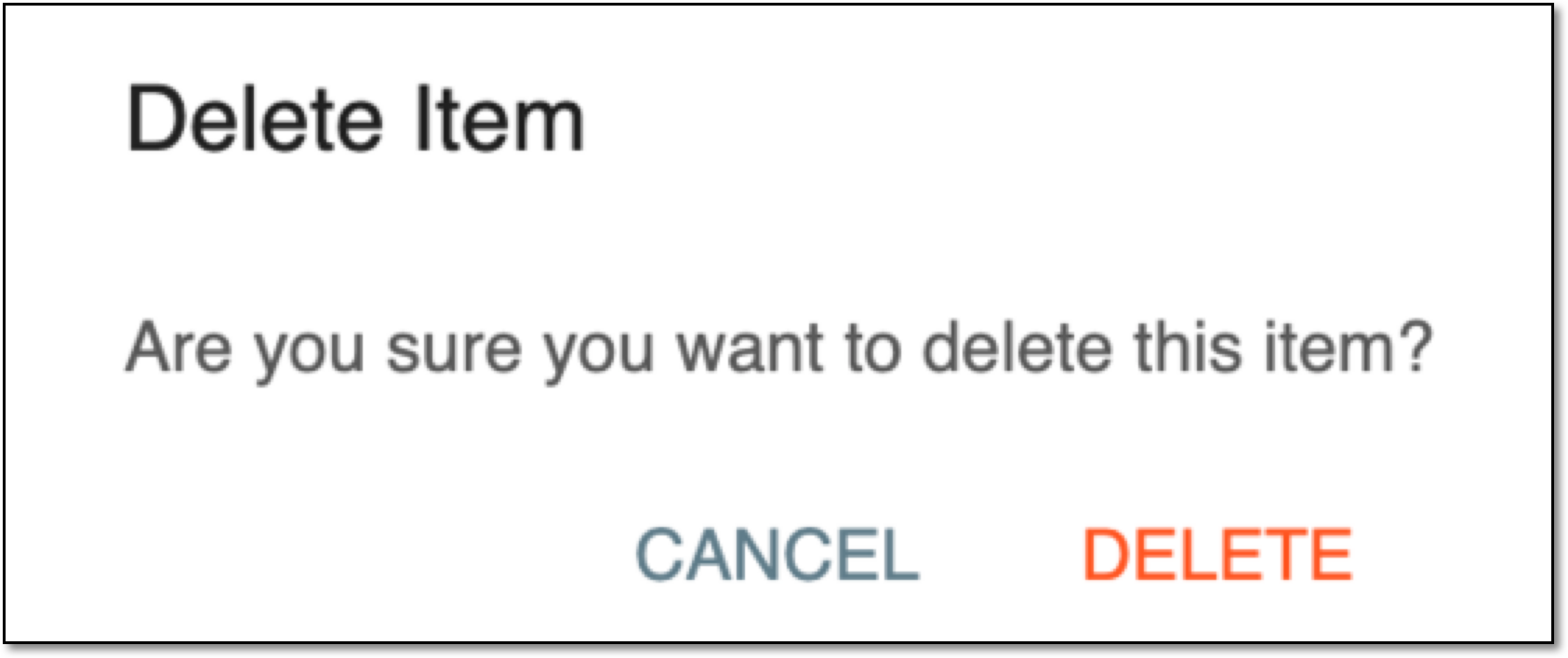 Figure 3. Confirming product family ingredient deletion
Once confirmed, the product family ingredient is deleted.