Edit data sheet term for product family
In PV, every company product should belong to a product family that shares the same key ingredient and data sheets but can have a different concentration for the active ingredient.
When configuring the product family, you specify the main active ingredient of all products related to it and enter the labeled/listed/expected adverse events specified within the data sheet in the Terms block. Sometimes, there might be the need to update the adverse events terms and you can do so via the Edit option.
-
In the PV application header, select the PRODUCT tab.
-
On the page that opens, from the left pane, select the product family for which you need to delete an ingredient.
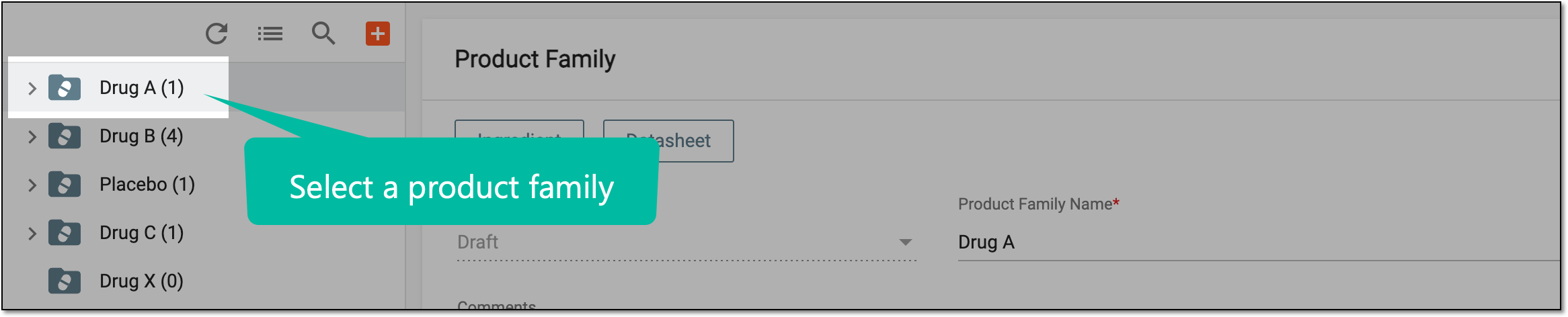 Figure 1. Selecting product family
-
On the Product Family form page that opens, go to the Datasheet > Terms block and in the table, next to the term that you want to edit, select Edit
 .
.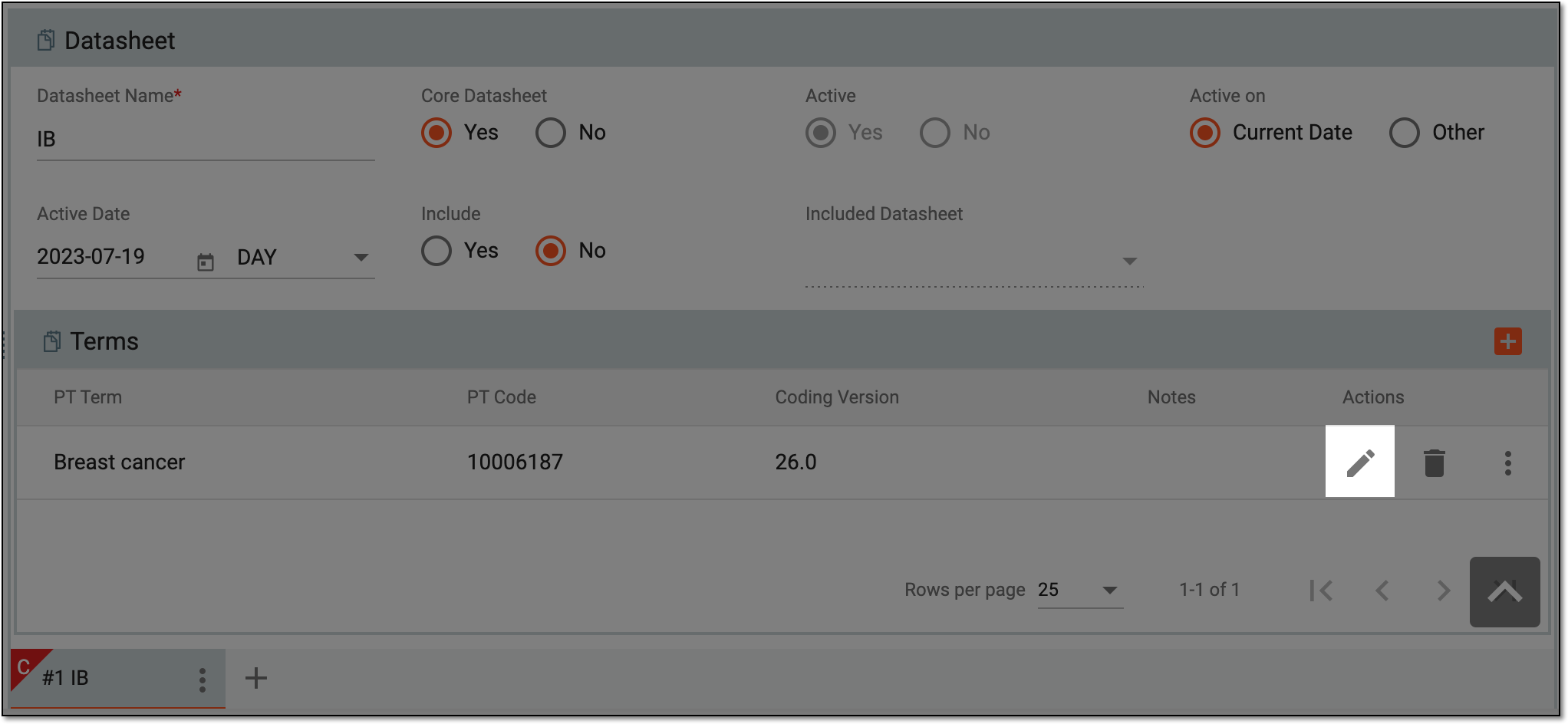 Figure 2. Selecting to edit product family term
-
In the MedDRA coding dialog that appears, update the terminology for the adverse events specified within the data sheet.
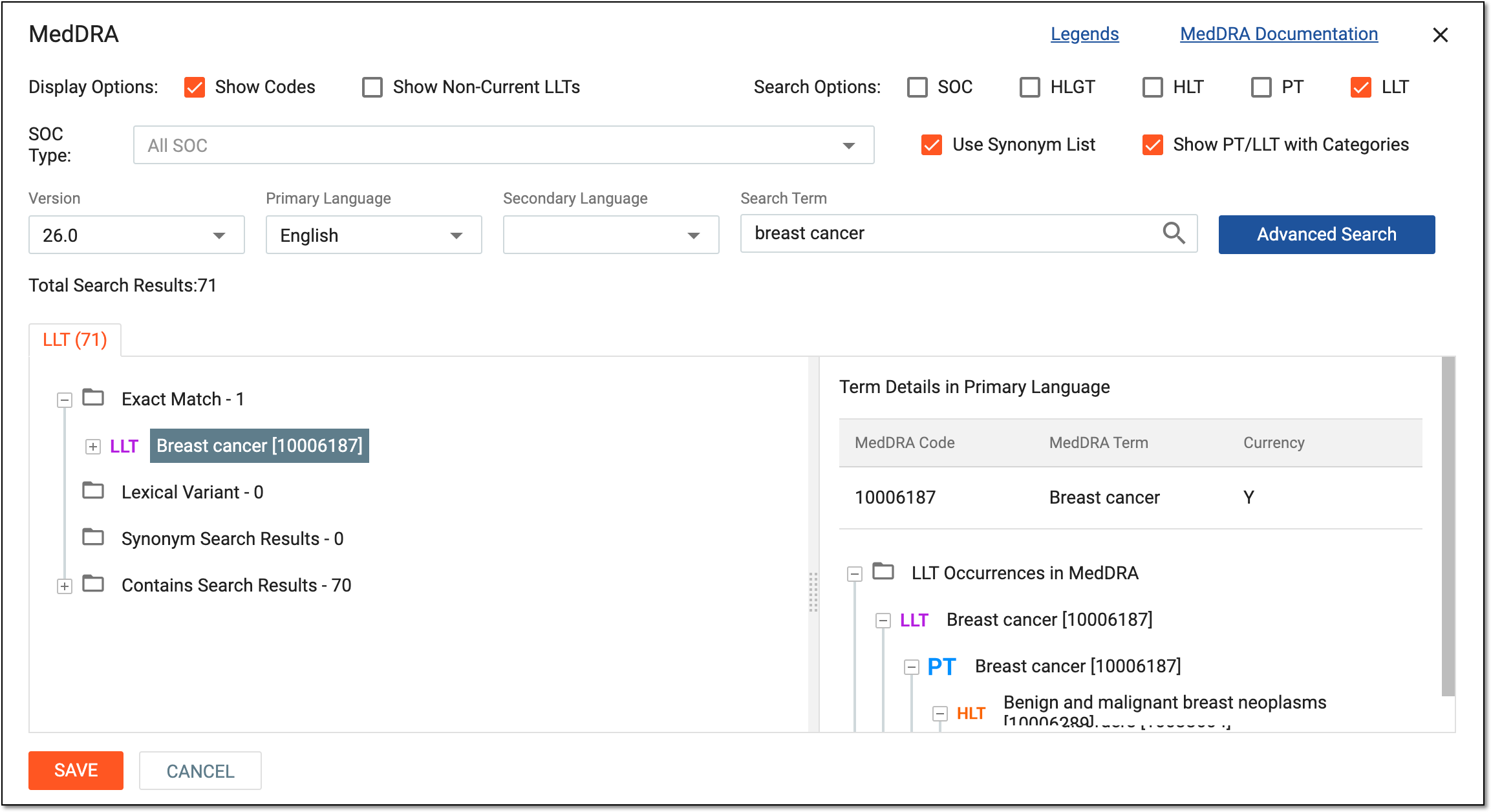 Figure 3. Updating MedDRA terminology
Tip
You can code your terms using a similar logic as explained in the Autocoding in ICSR forms and Manual coding in ICSR forms sections.
-
Select
 to save the implemented changes.
Once confirmed, the product family terminology is updated.