Translate record fields for marketing authorization holder/applicant
In pharmacovigilance, the Marketing Authorization Holder (MAH) refers to the entity that holds the marketing authorization or license for a pharmaceutical product that allows to market and sell the product in a specific region or country. Until the authorization is obtained, the entity is considered a marketing authorization applicant.
Once the respective record for the marketing authorization holder or applicant is configured in PV, you might want to have the details translated into a different language to have an opportunity to use it for submission in different regions.
Tip
Currently, the PV app supports translation only from English to Chinese.
-
In the PV application header, select the CONFIGURATION tab.
-
On the page that opens, from the left pane, select Applicant / Holder.
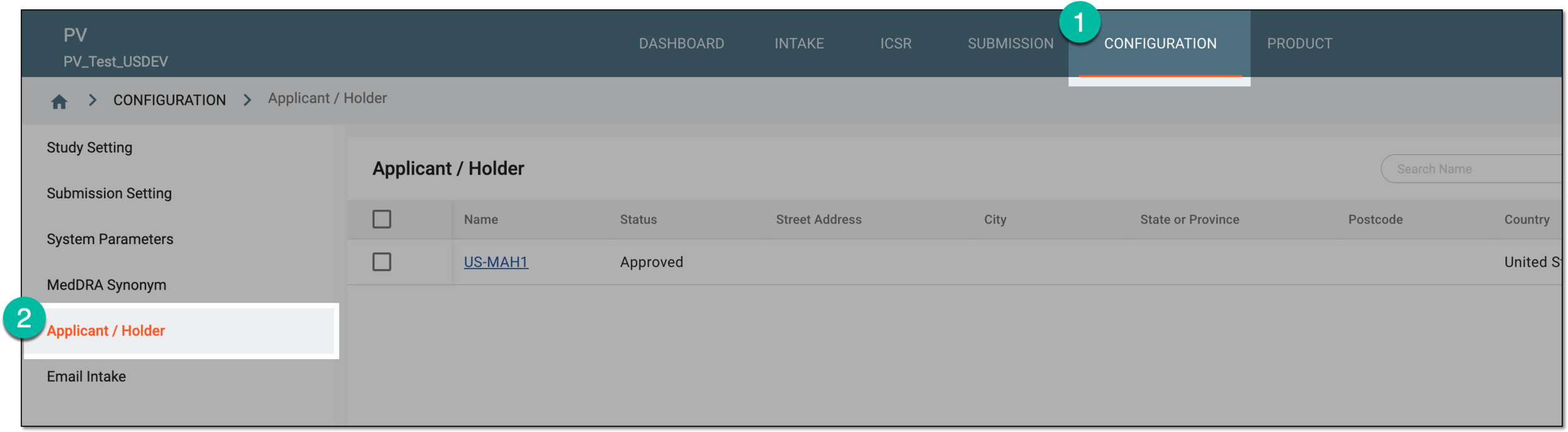 Figure 1. Accessing applicant and holder configuration
-
On the Applicant / Holder, locate the record for which you want to add the field translation. Then select its name.
 Figure 2. Accessing marketing authorization holder or applicant details
-
In the form that appears, next to the field you want to translate, select Translation
 .
.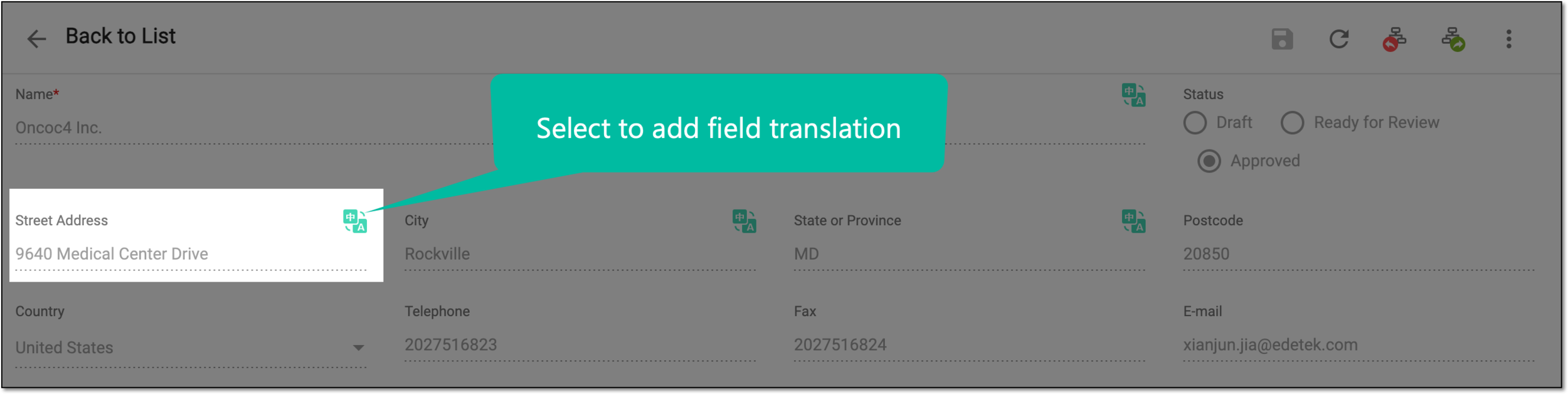 Figure 3. Selecting to add translation
-
In the Translation dialog that opens, add the translation as explained in the following table.
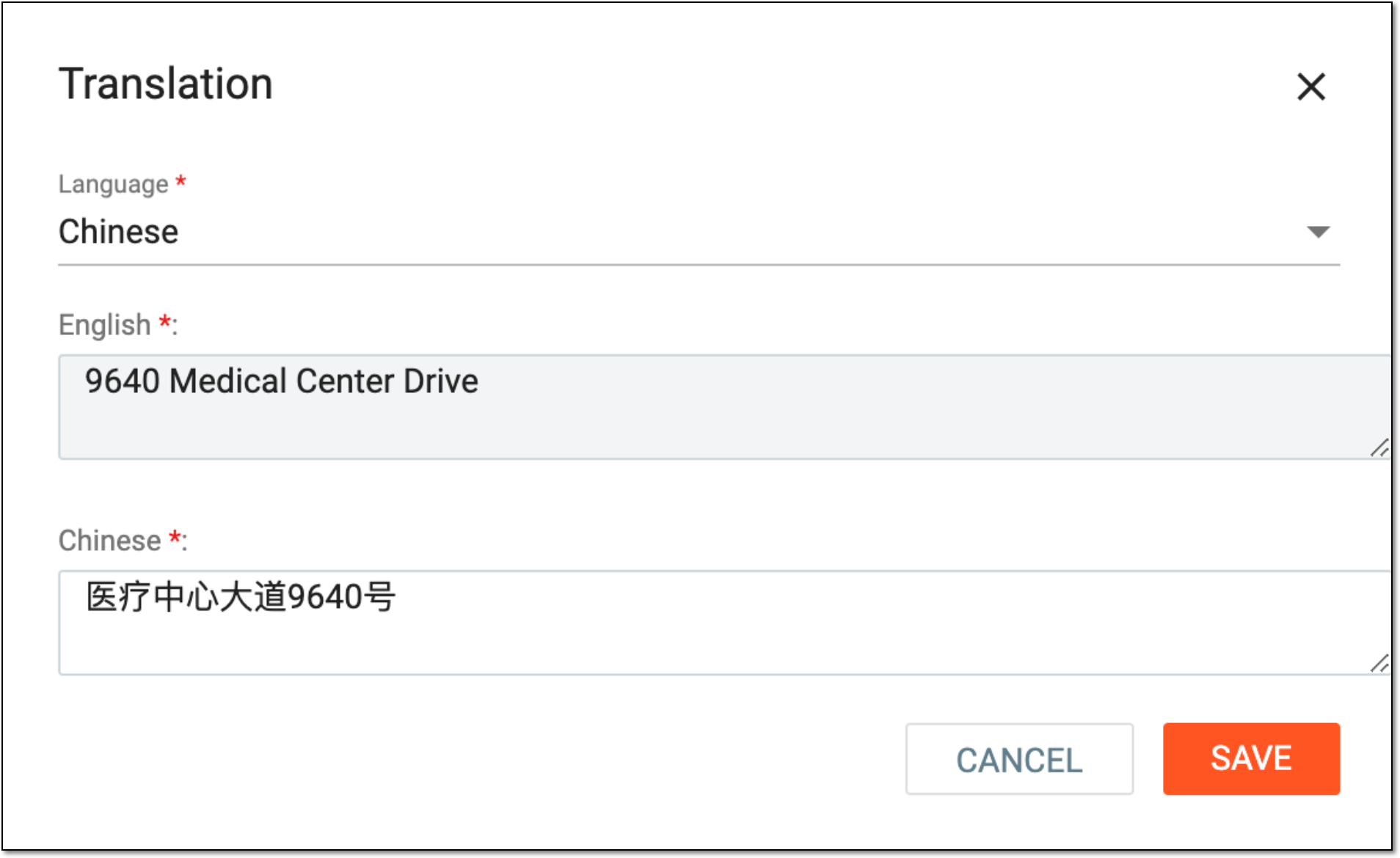 Figure 4. Translating field
Tip
In the following table, mandatory elements are marked with an asterisk (*).
Element
Details
Language*
Select the language in which you want to add translation.
Currently, the PV app supports translation only from English to Chinese.English*
Represents the value in English that you want to translate. The field is read-only.
Chinese*
Enter the translation text in Chinese.
SAVE
Select
 to save the implemented changes.
CANCEL
Select
 to discard the changes without saving.
Once saved, the translation is added to the respective fields of the marketing authorization holder or applicant record. Now, you can use it upon configuring submission record in Chinese.