Configure marketing authorization holder/applicant
In pharmacovigilance, the Marketing Authorization Holder (MAH) refers to the entity that holds the marketing authorization or license for a pharmaceutical product. This authorization allows the MAH to market and sell the medicinal product in a specific region or country. Until the authorization is obtained, the entity is considered a marketing authorization applicant. This entity typically is a pharmaceutical company or any legal entity that is or applies to be licensed to distribute, sell, and commercialize a medical product. In the eClinical system, the marketing authorization applicant or holder can be treated as another name for a sponsor.
In the PV application, you can configure custom applicant or holder entities and then use them for product license and submission setting maintenance.
Important
The marketing authorization applicant or holder records added to the system cannot be deleted because they are highly integrated with product licenses and submission, and may cause data loss and influence report generation.
-
In the PV application header, select the CONFIGURATION tab.
-
On the page that opens, from the left pane, select Applicant / Holder.
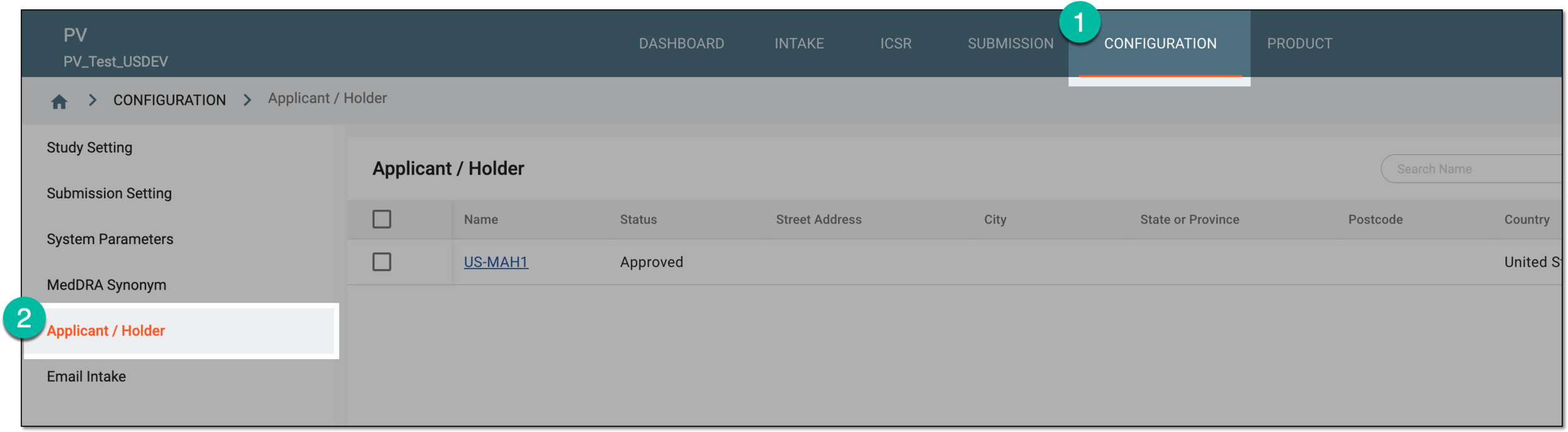 Figure 1. Accessing applicant and holder configuration
-
On the Applicant / Holder page, from the workspace toolbar, select New
 .
. Figure 2. Selecting option to add new applicant or holder
-
In the form that appears, complete the configurations as explained in the following table.
 Figure 3. Configuring applicant or holder details
Tip
In the following table, mandatory elements are marked with an asterisk (*).
Element
Details
Name*
Enter the name of the company or another legal entity who is the marketing authorization holder or applicant.
Status
Represents the status of the marketing authorization holder or applicant record in the PV system. Upon creation, it is Draft.
The review and approval process is customizable upon sponsor request. Thus, the statuses can be different to suit your business needs.Street Address
Enter the street name, number, and other details of the address.
City
Enter the city of the marketing authorization holder or applicant location.
State or Province
Enter the state or province of the marketing authorization holder or applicant location.
Postcode
Enter the postal code of the marketing authorization holder or applicant location.
Country
Select the country of the marketing authorization holder or applicant location.
Telephone
Enter the telephone number that can be used to contact marketing authorization holder or applicant.
Fax
Enter the fax number that can be used to contact marketing authorization holder or applicant.
E-mail
Enter the email address that can be used to contact marketing authorization holder or applicant.
SAVE
Select
 to save the implemented changes.
Once saved, the new marketing authorization holder or applicant is added to the system and can now be used upon submission setting configuration.